Hướng dẫn setup tracking GA4 với Google Tag Manager (GTM)
1. Tạo GA4 và lấy Measurement ID
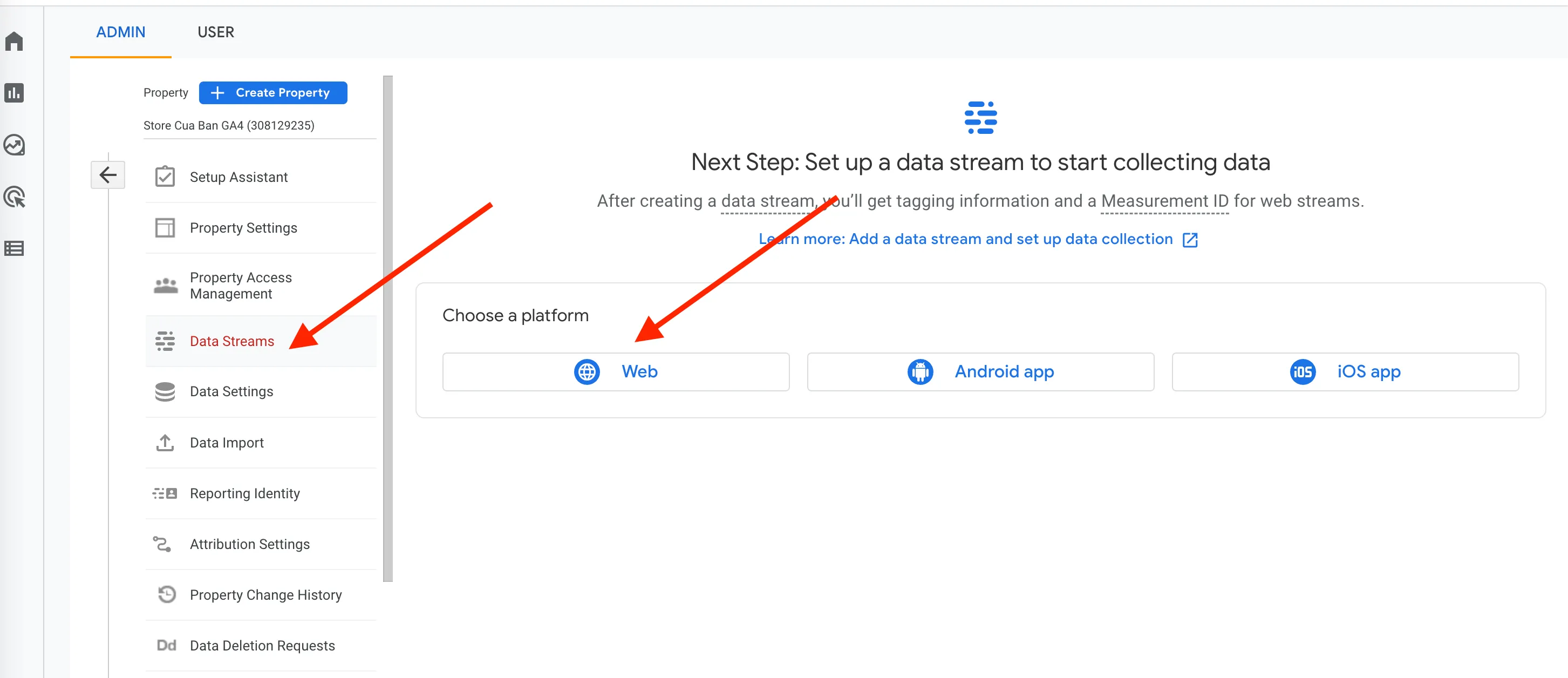
Đề mục “1. Tạo GA4 và lấy Measurement ID”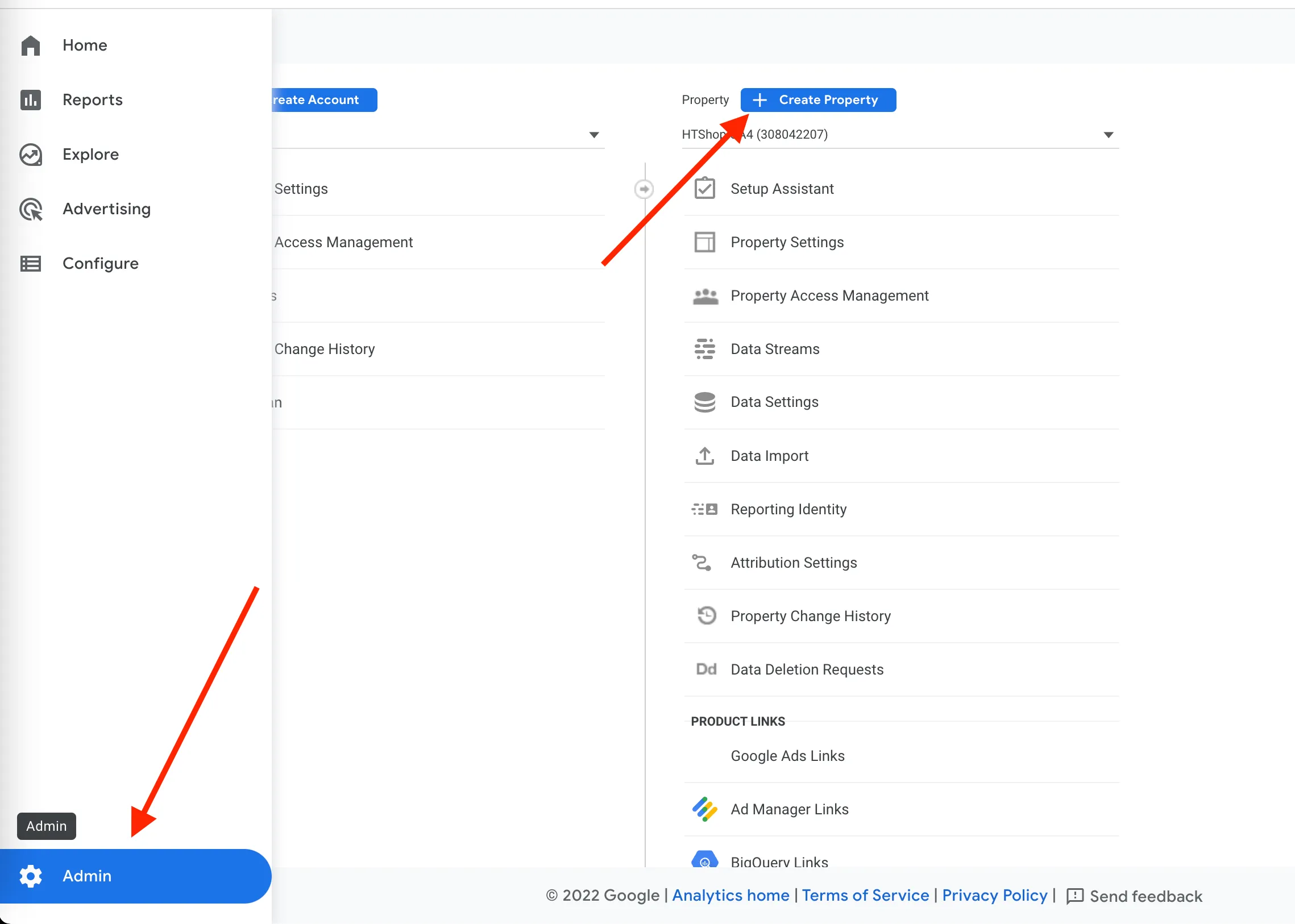
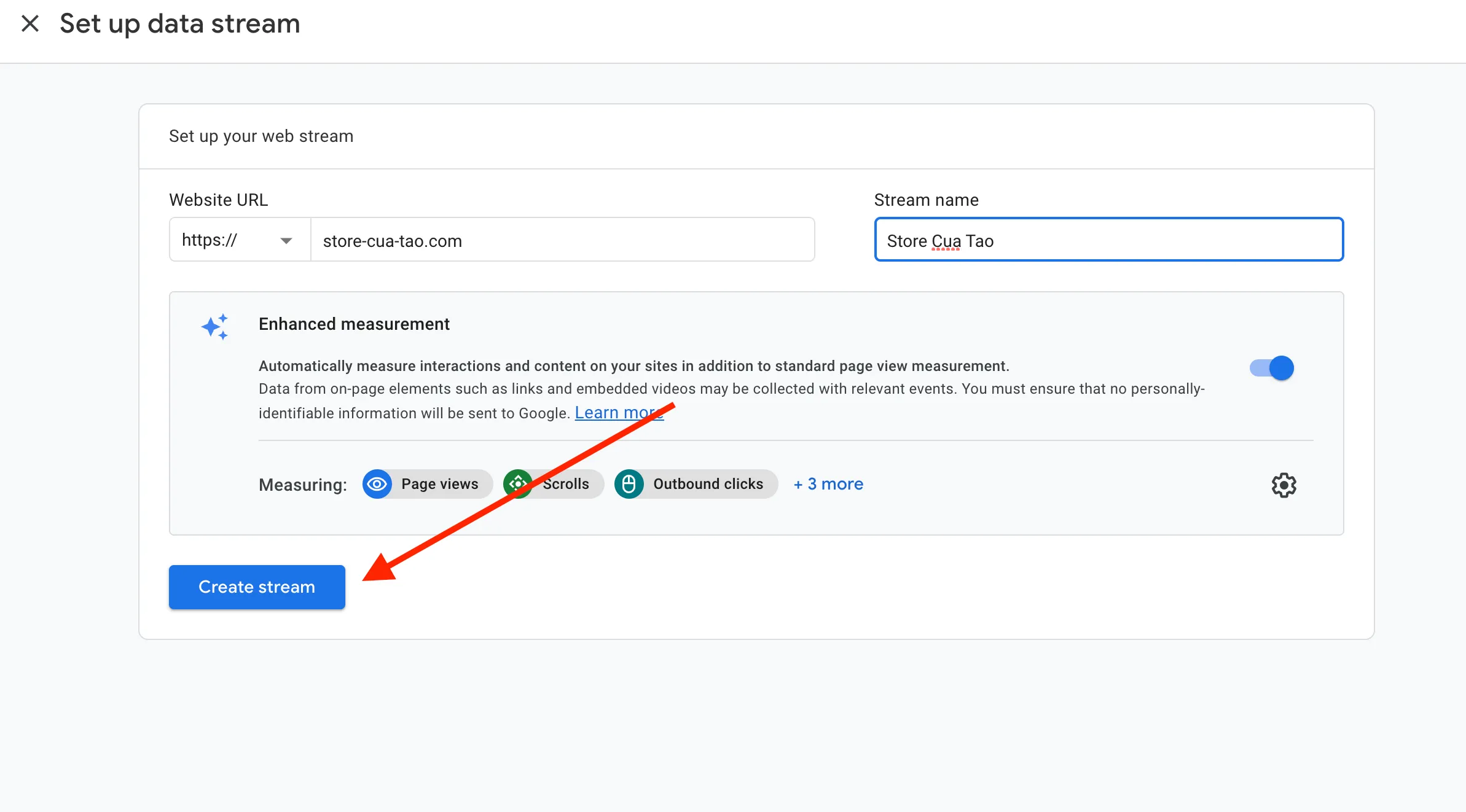
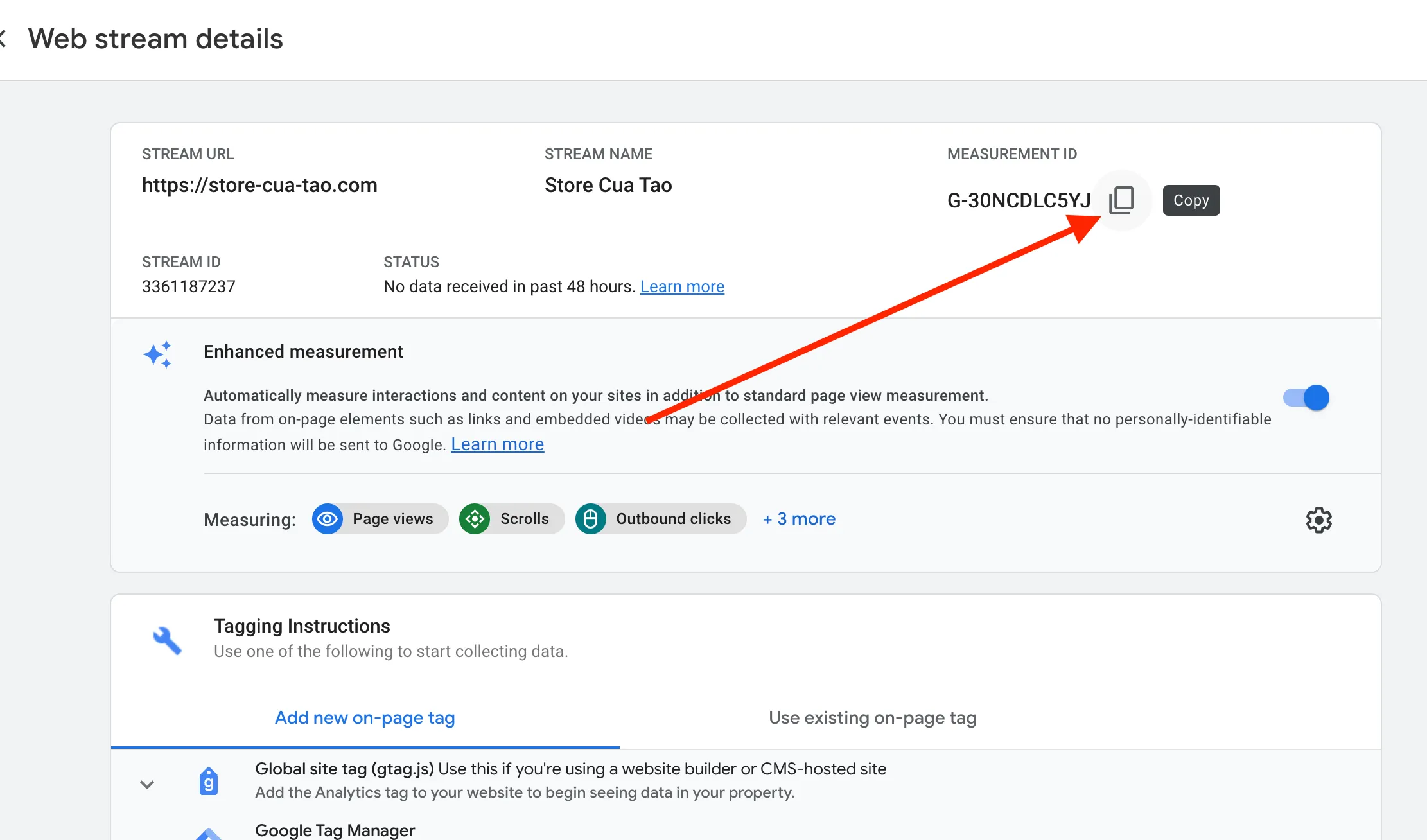
Copy và lưu lại Measurement ID như hình trên.
2. Tạo Google Analytics GA4 và GA4 Purchase Event ở GTM
Đề mục “2. Tạo Google Analytics GA4 và GA4 Purchase Event ở GTM”Tạo Google Analytics GA4
Đề mục “Tạo Google Analytics GA4”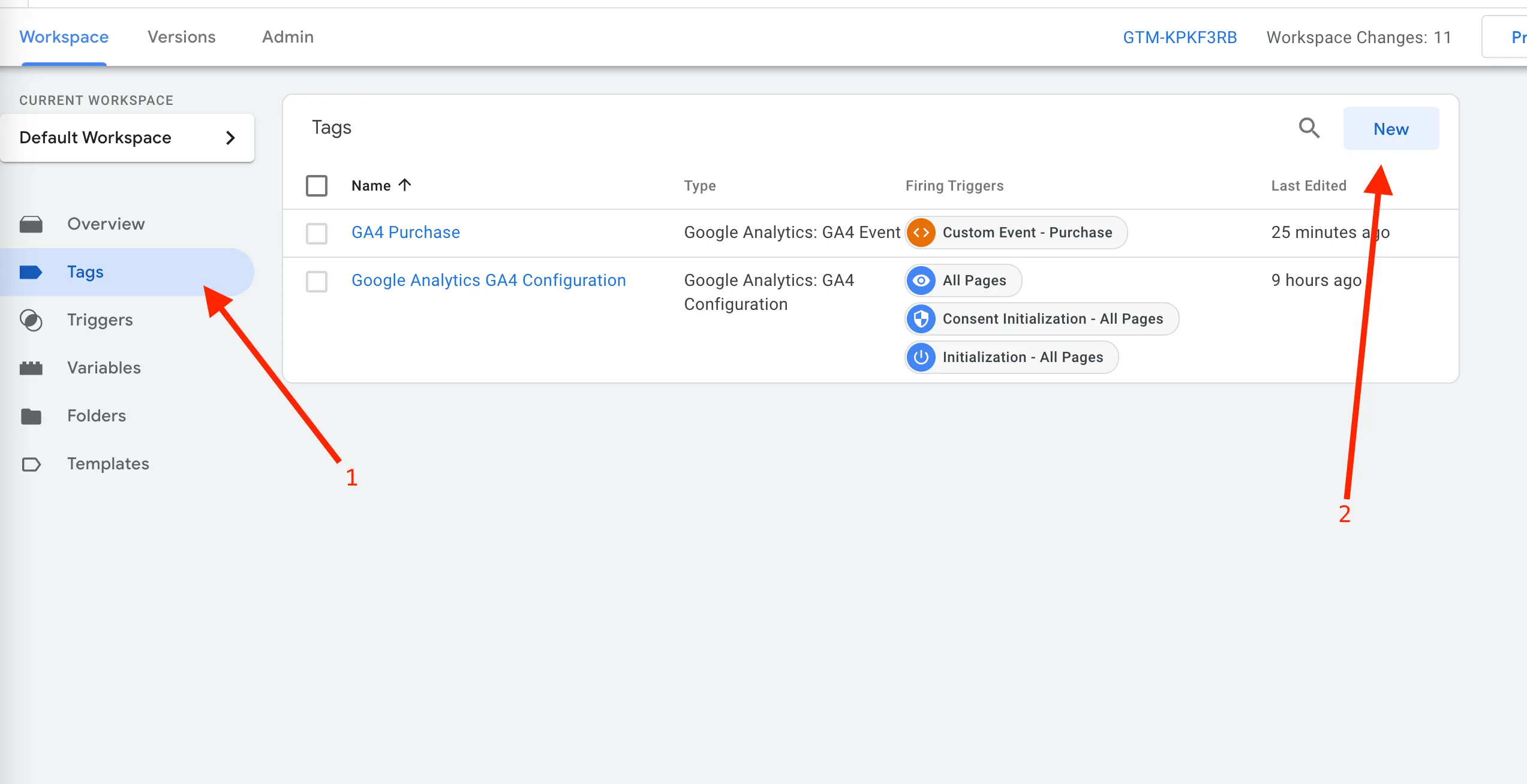
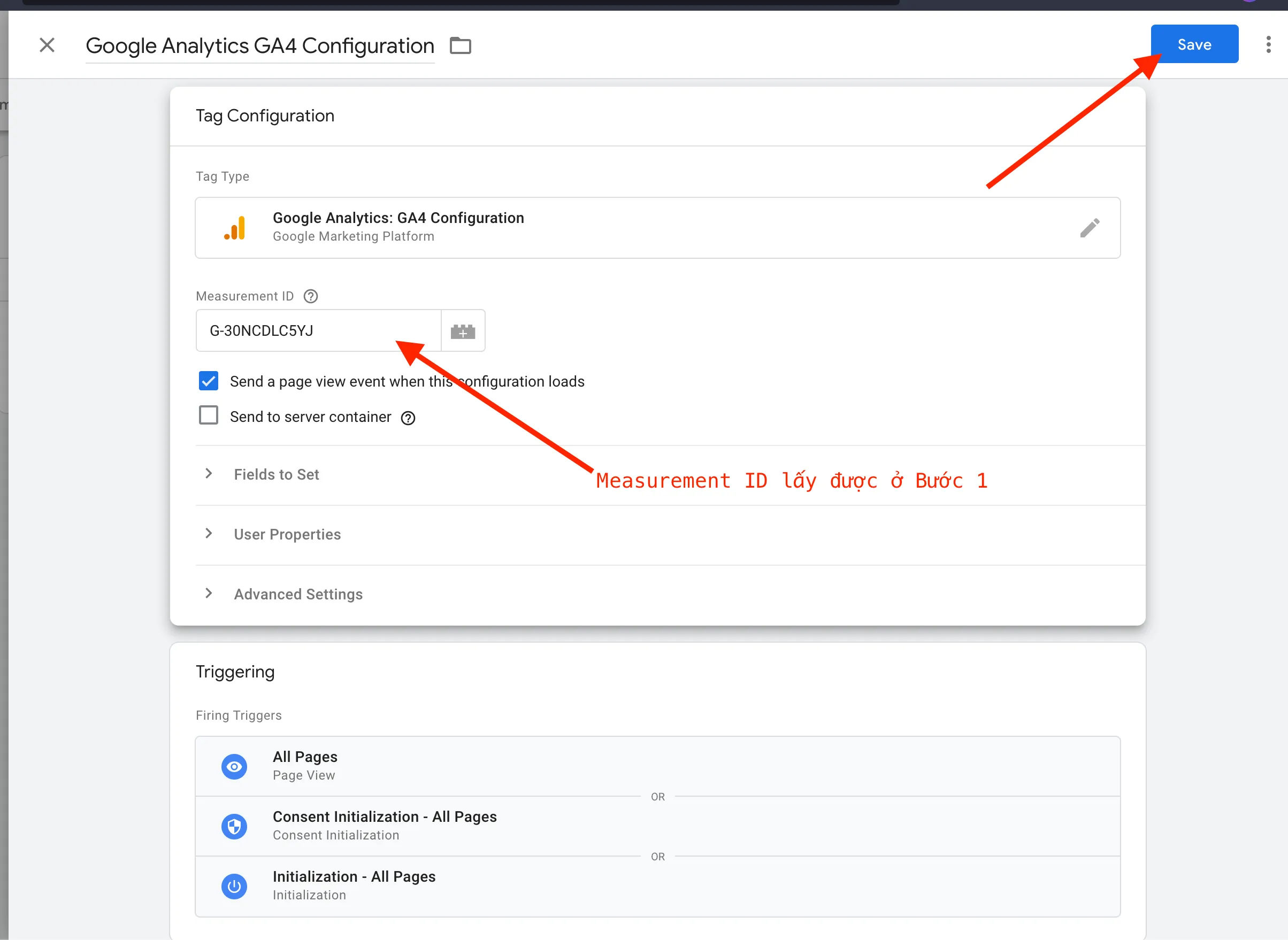
Tạo GA4 Purchase Event
Đề mục “Tạo GA4 Purchase Event”1. Tạo Template cho Items
Đề mục “1. Tạo Template cho Items”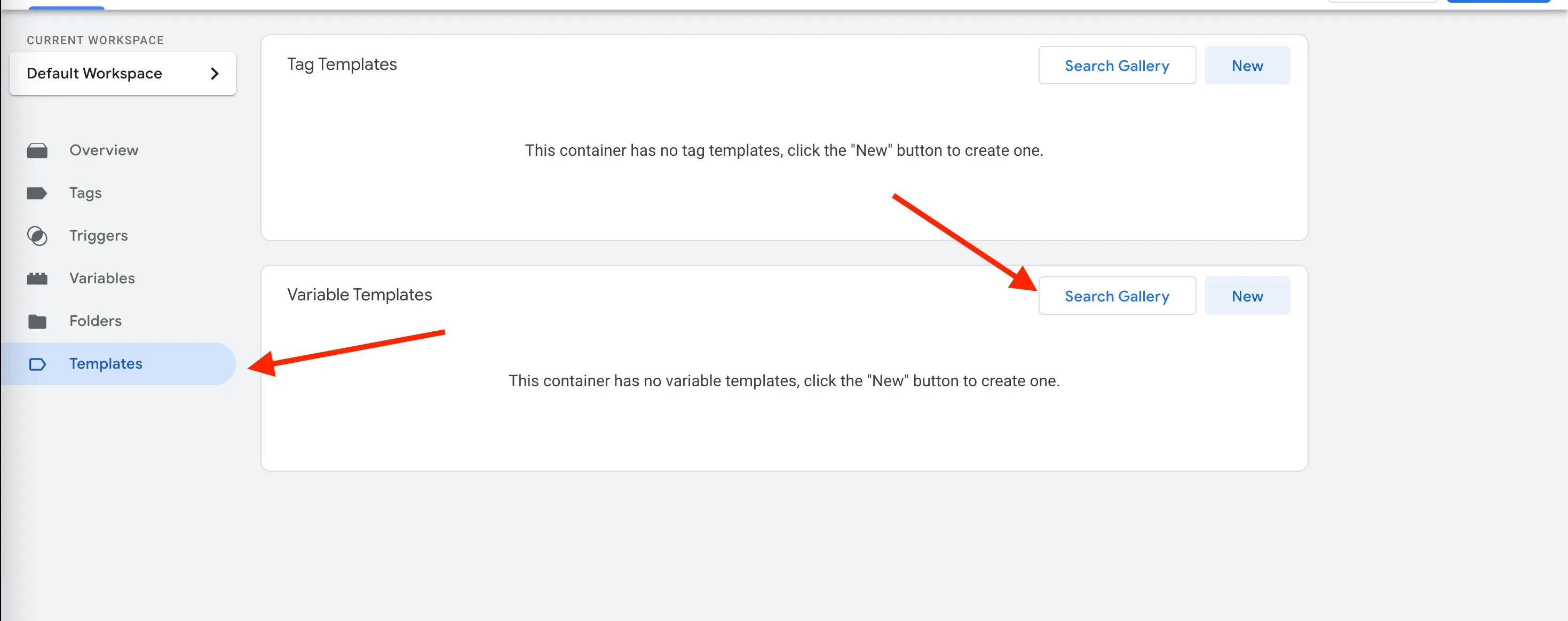
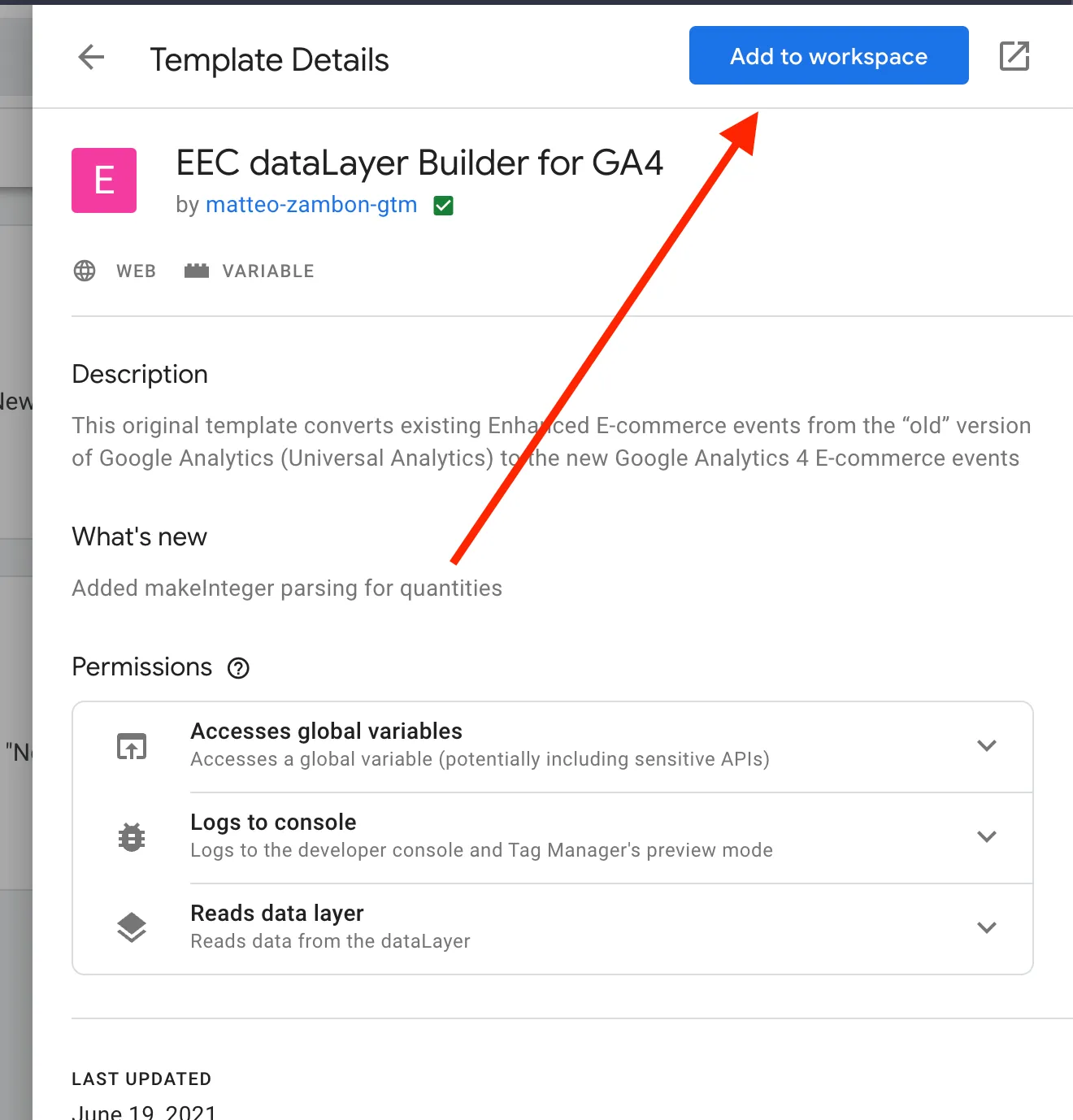
2. Tạo Variables
Đề mục “2. Tạo Variables”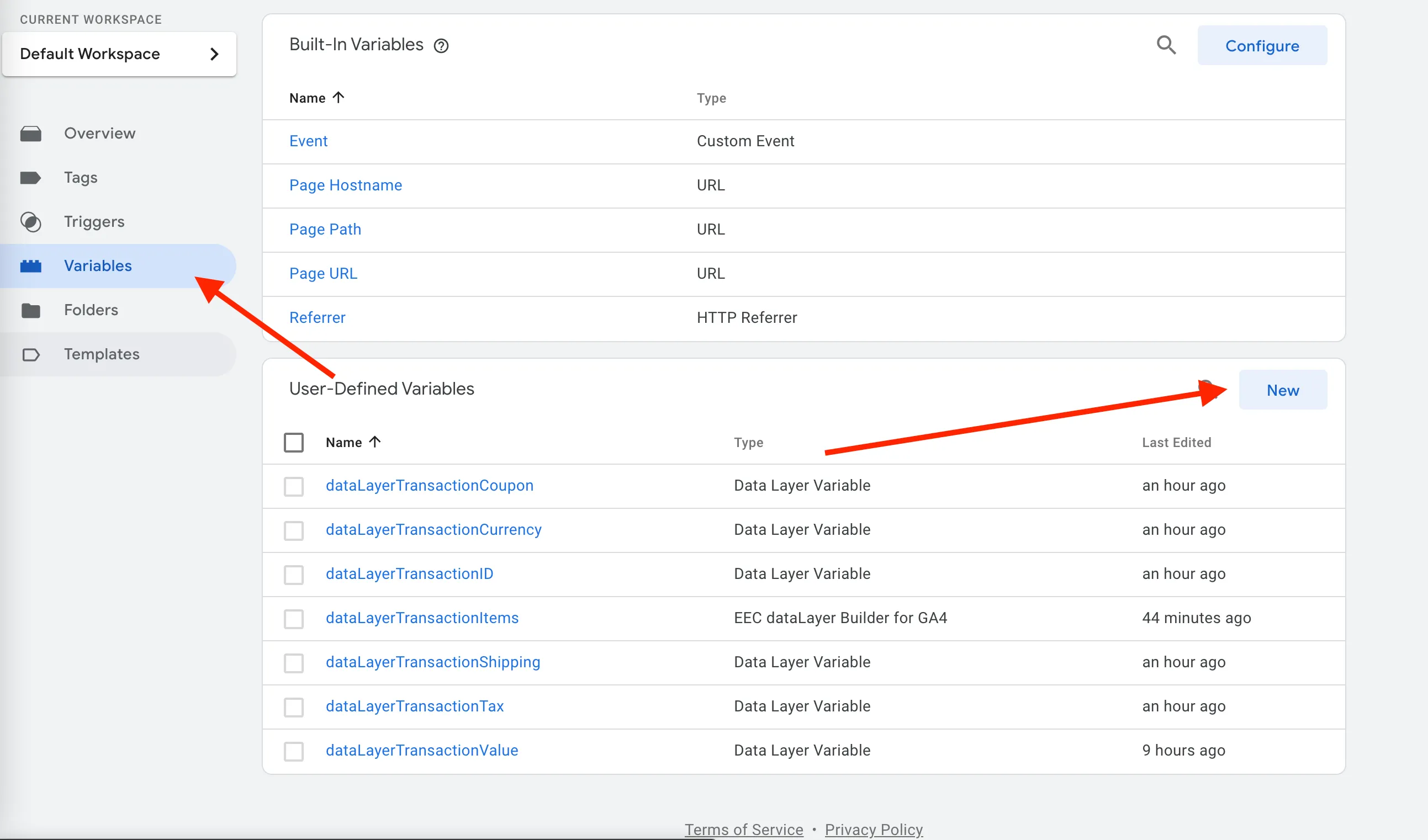
Thực hiện tạo variable cho dataLayerTransactionValue
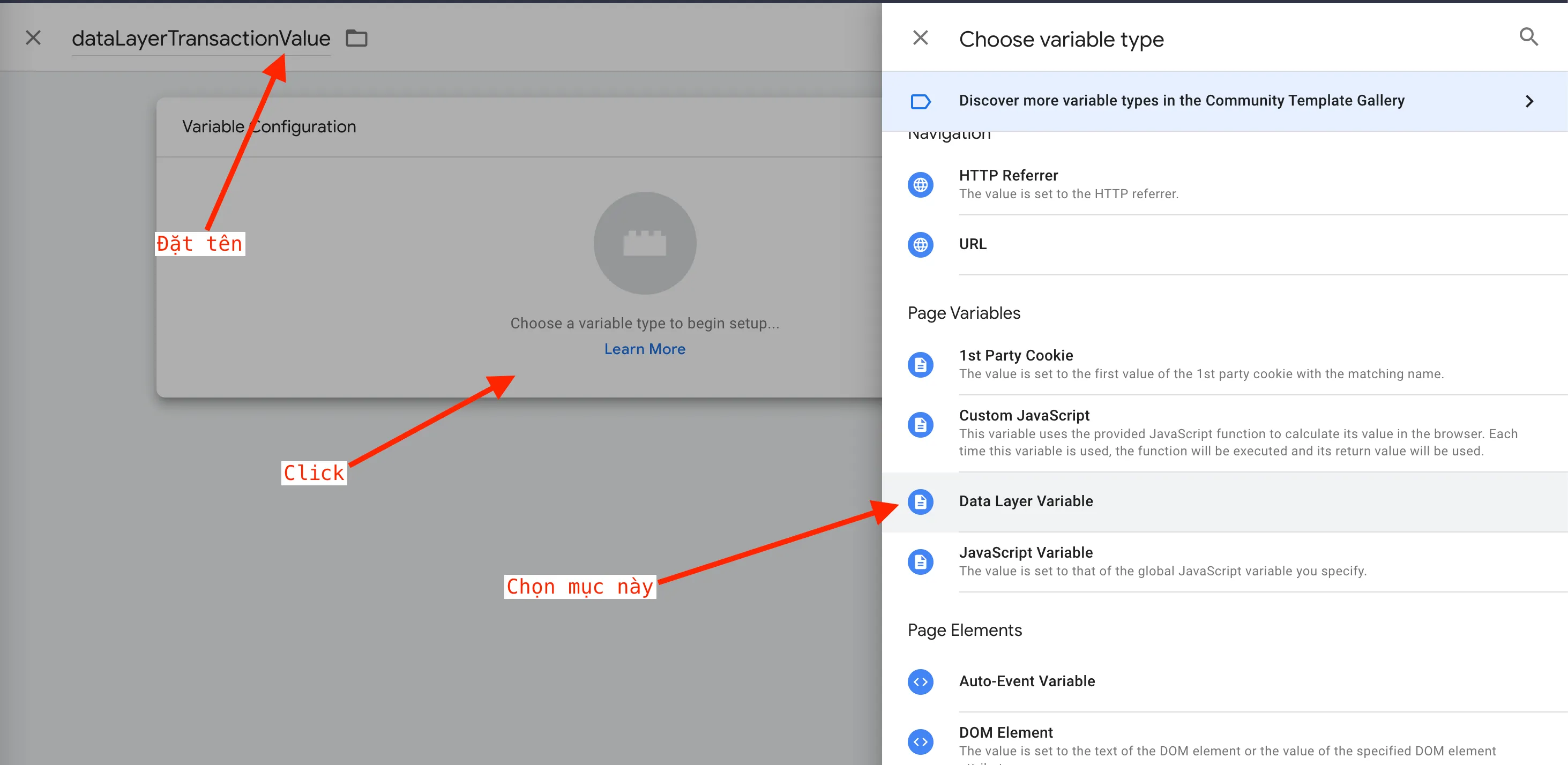
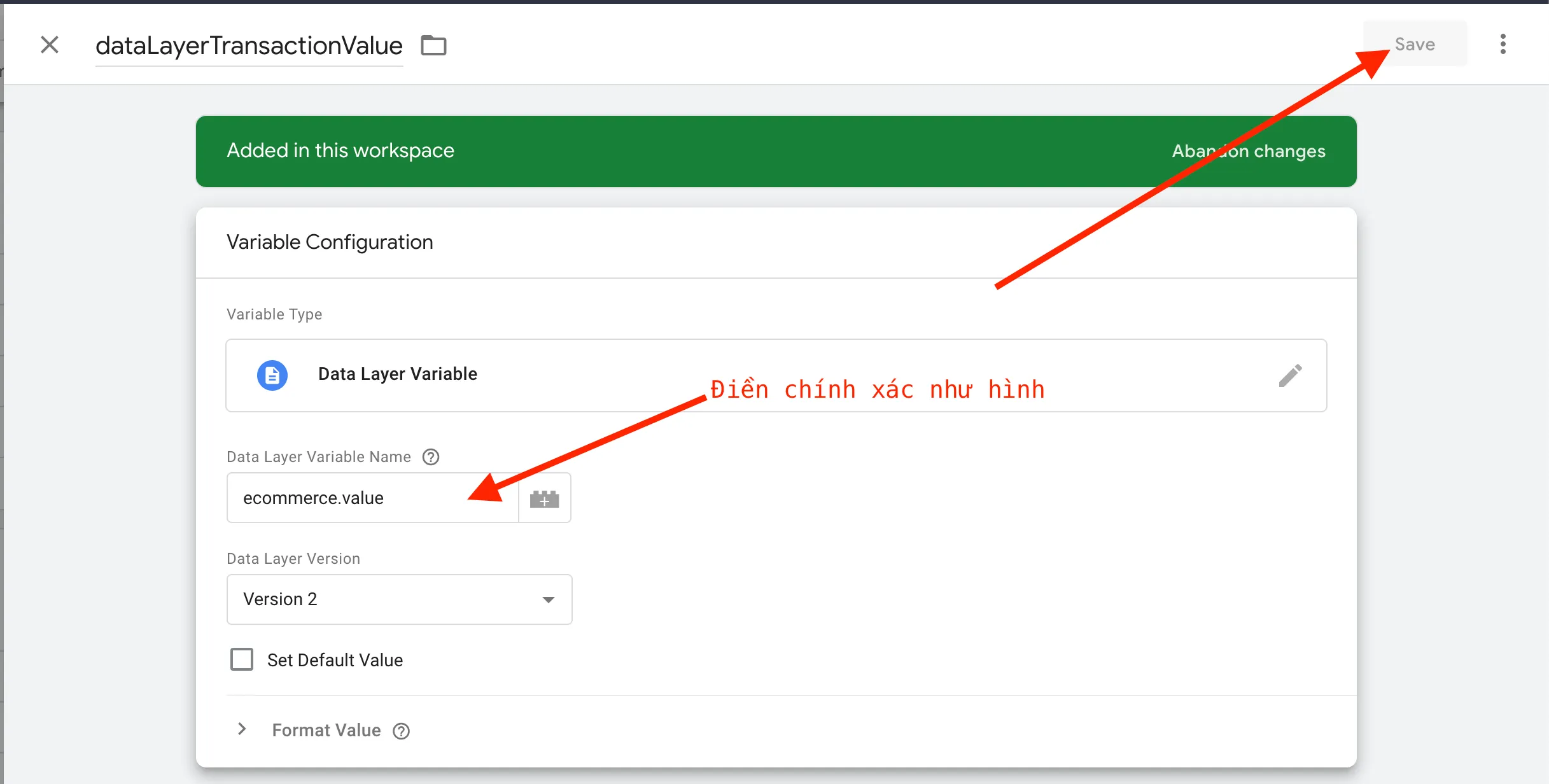
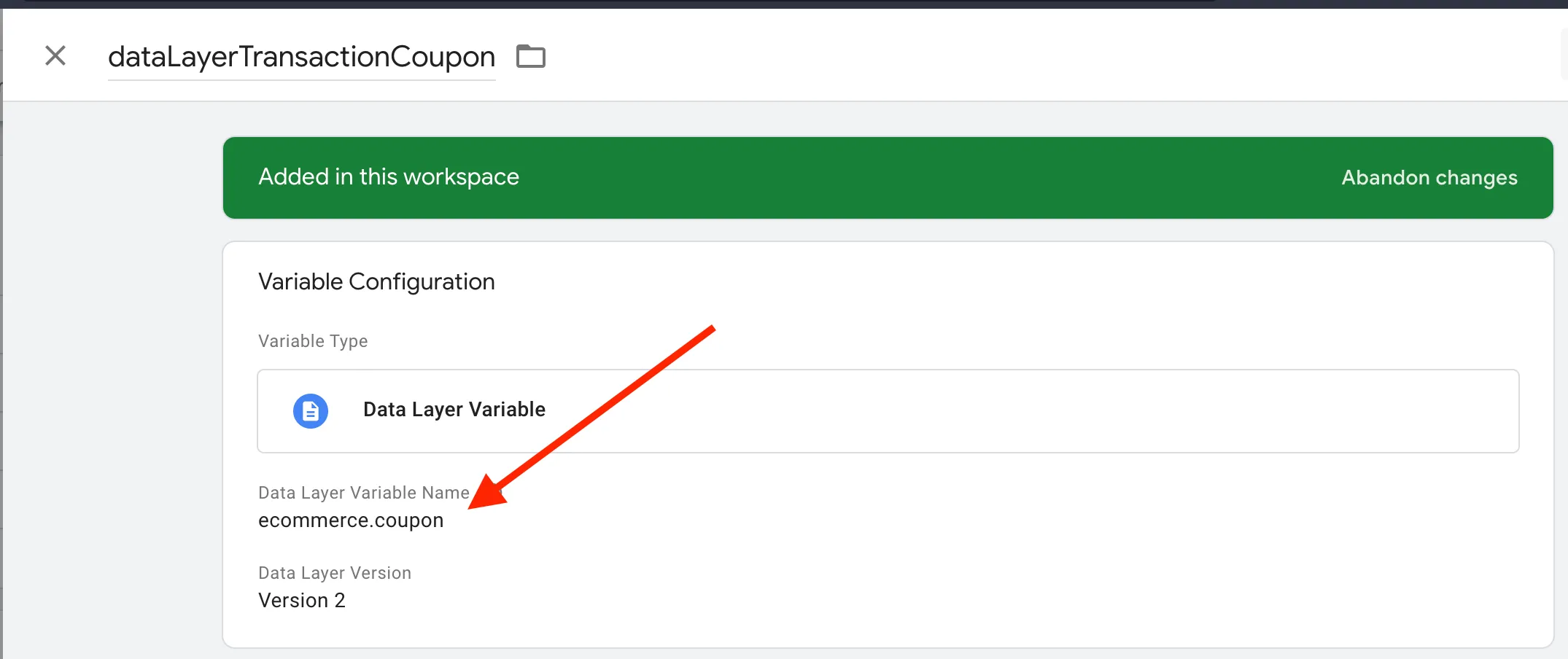
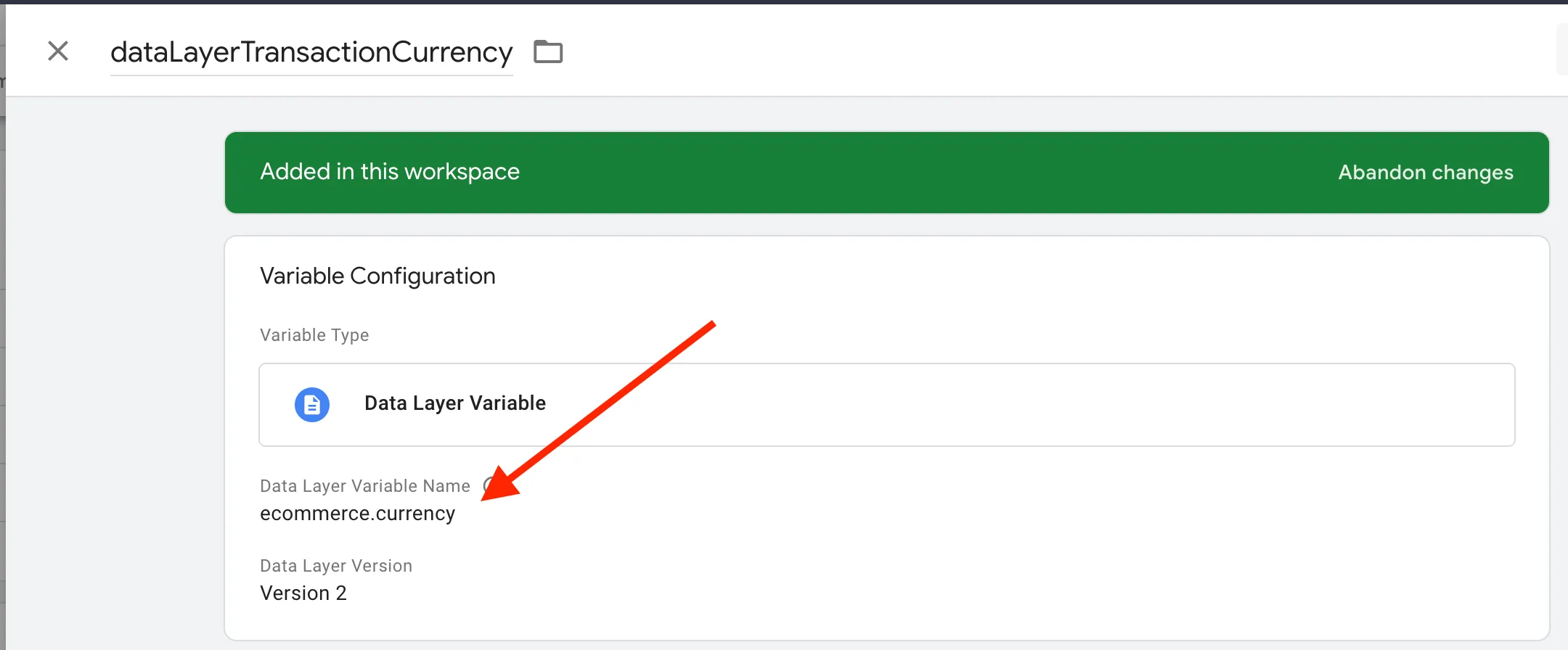
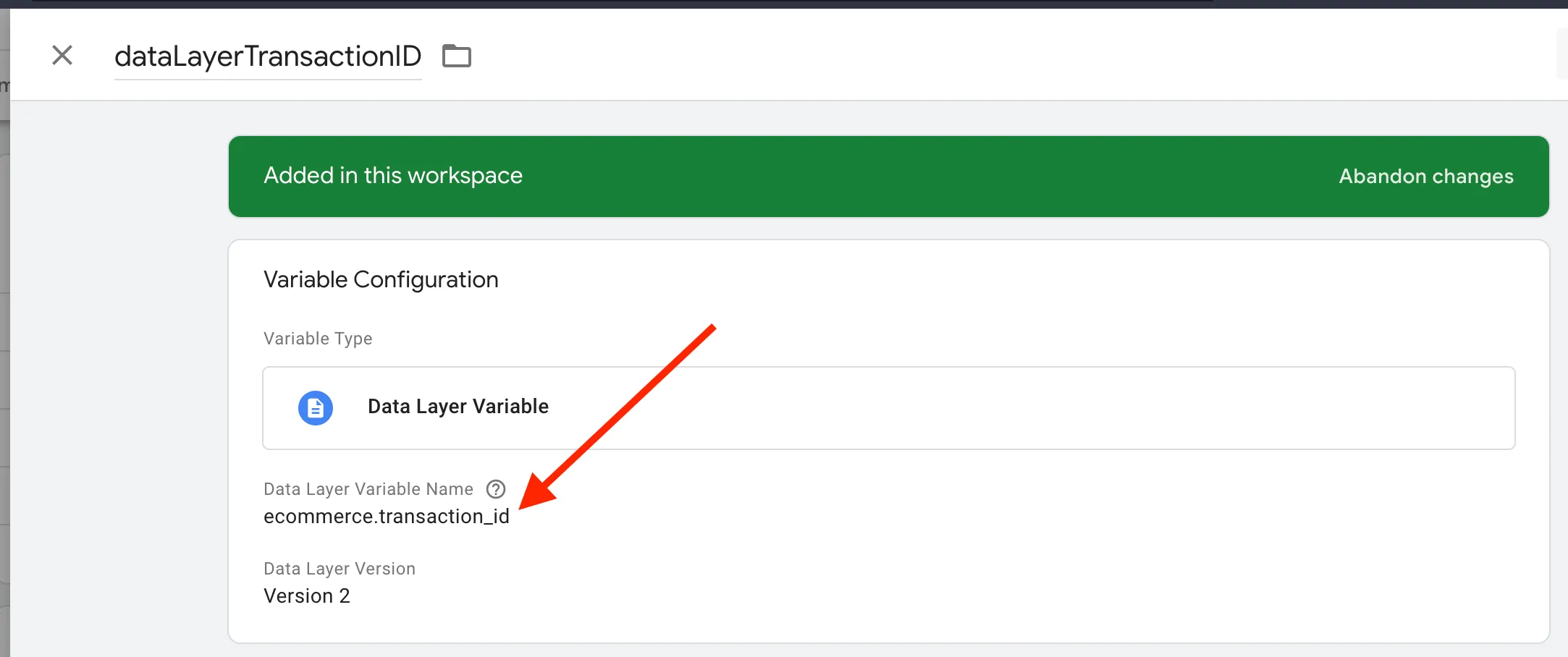
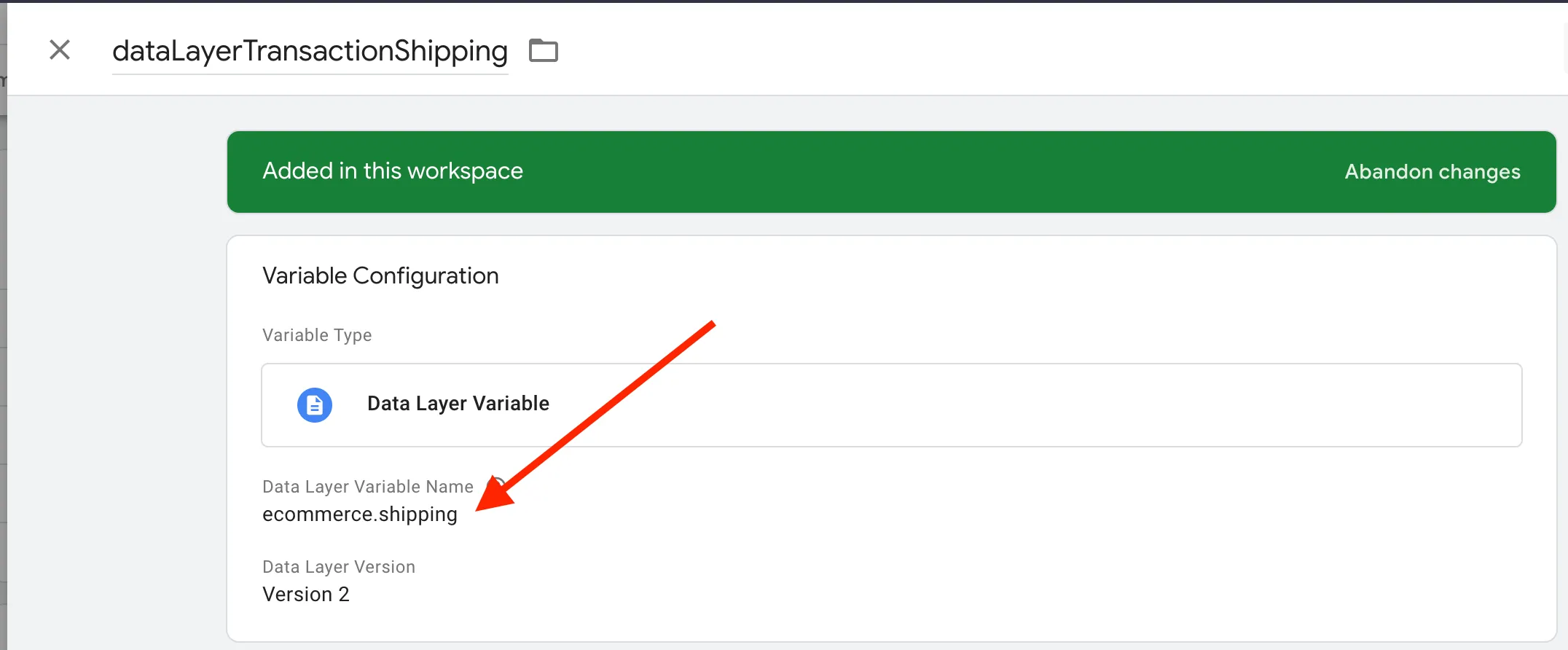
Thực hiện tương tự cho các variables còn lại bao gồm:
dataLayerTransactionCoupon
dataLayerTransactionCurrency
dataLayerTransactionID
dataLayerTransactionShipping
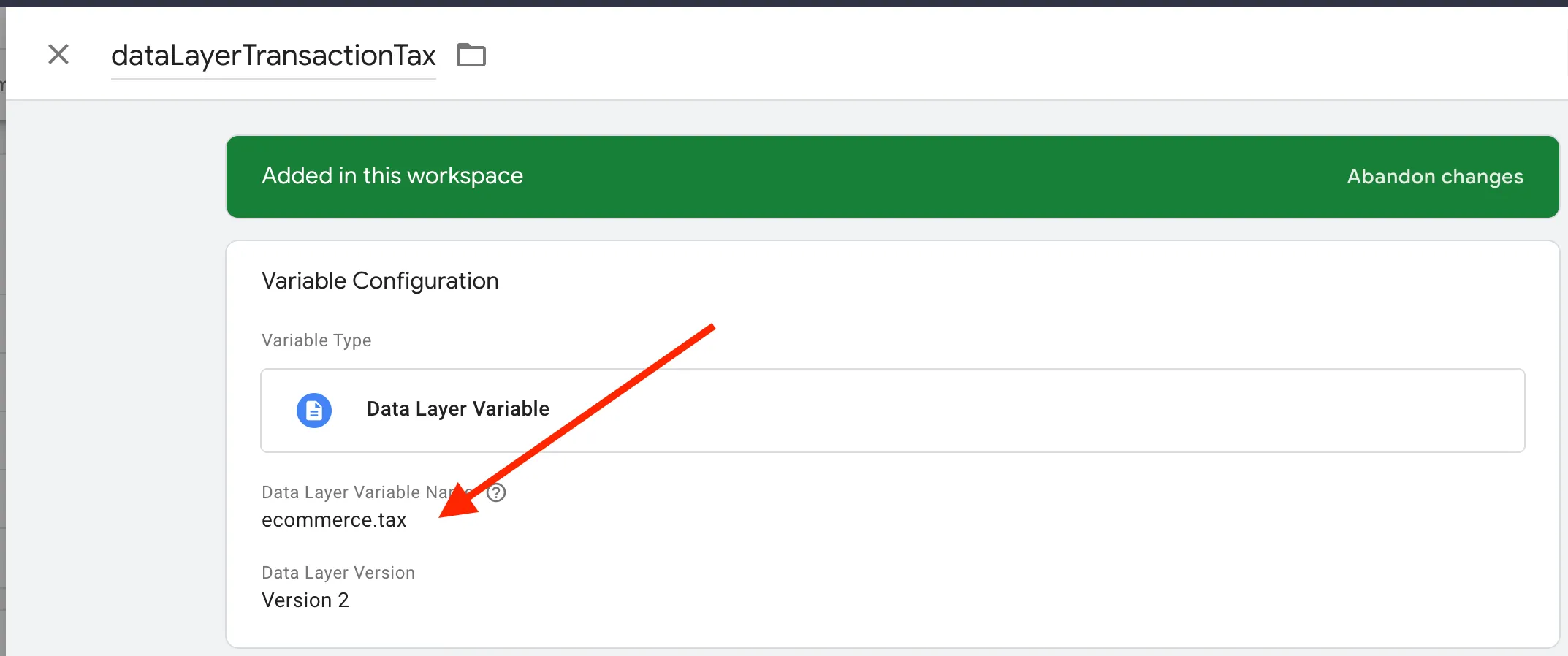
dataLayerTransactionTax
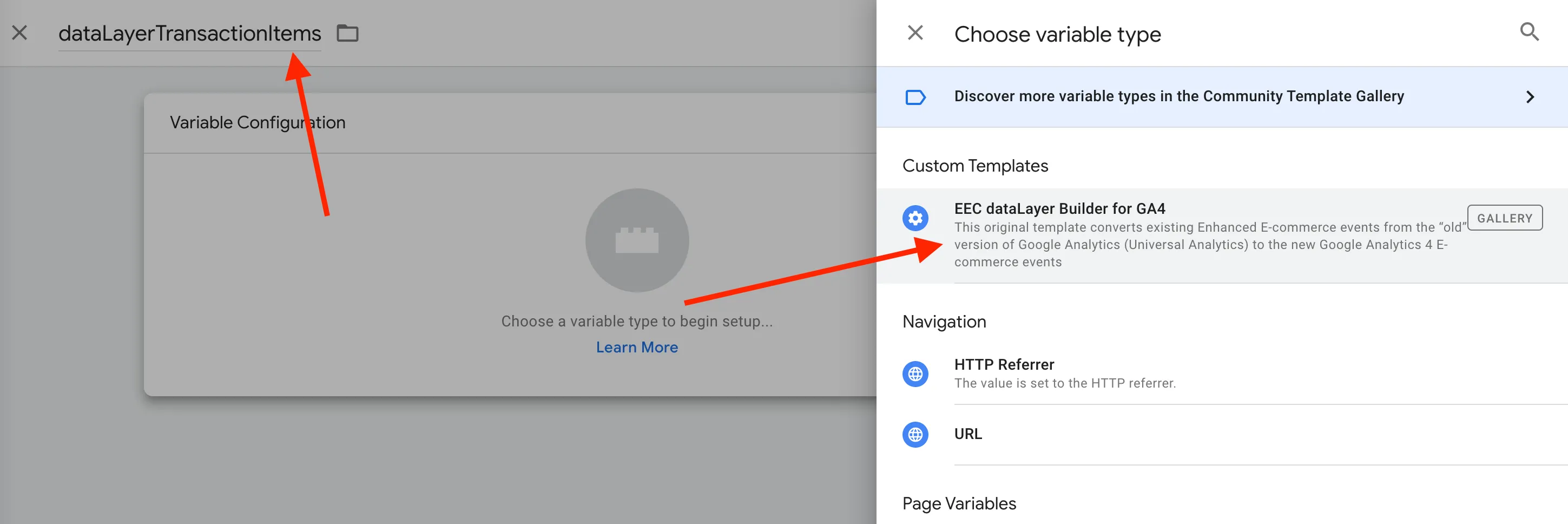
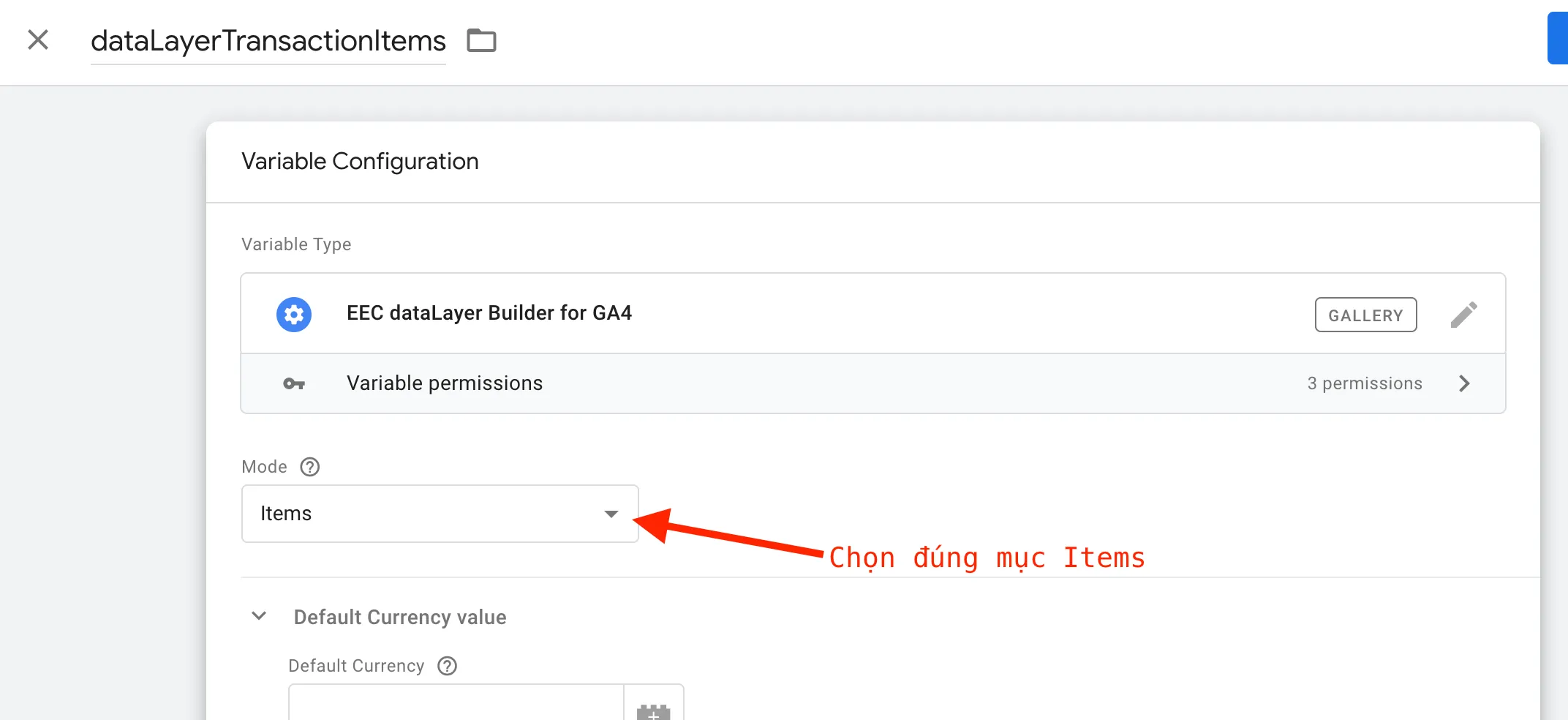
Tạo variable cho dataLayerTransactionItems theo hướng dẫn như hình
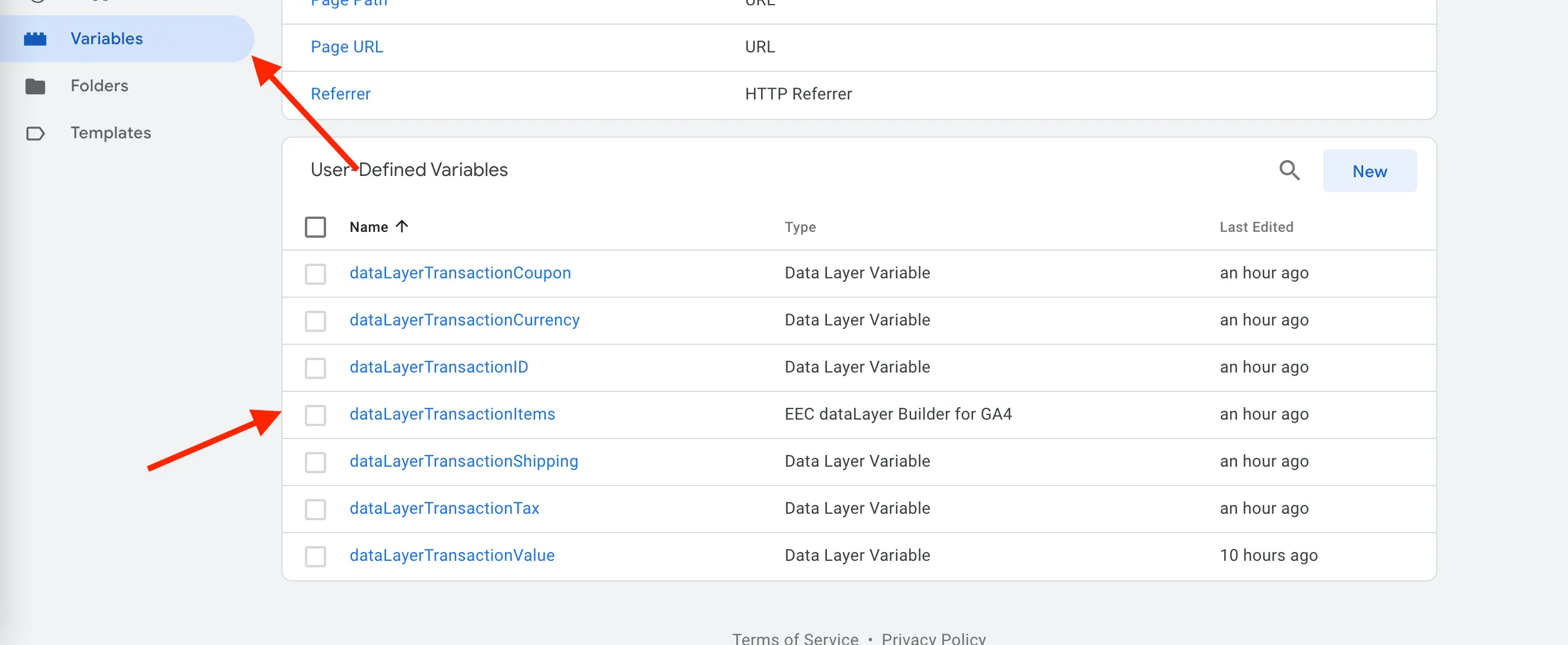
Kiểm tra sau khi hoàn tất như hình dưới:
3. Tạo GA4 Purchase event Tag
Đề mục “3. Tạo GA4 Purchase event Tag”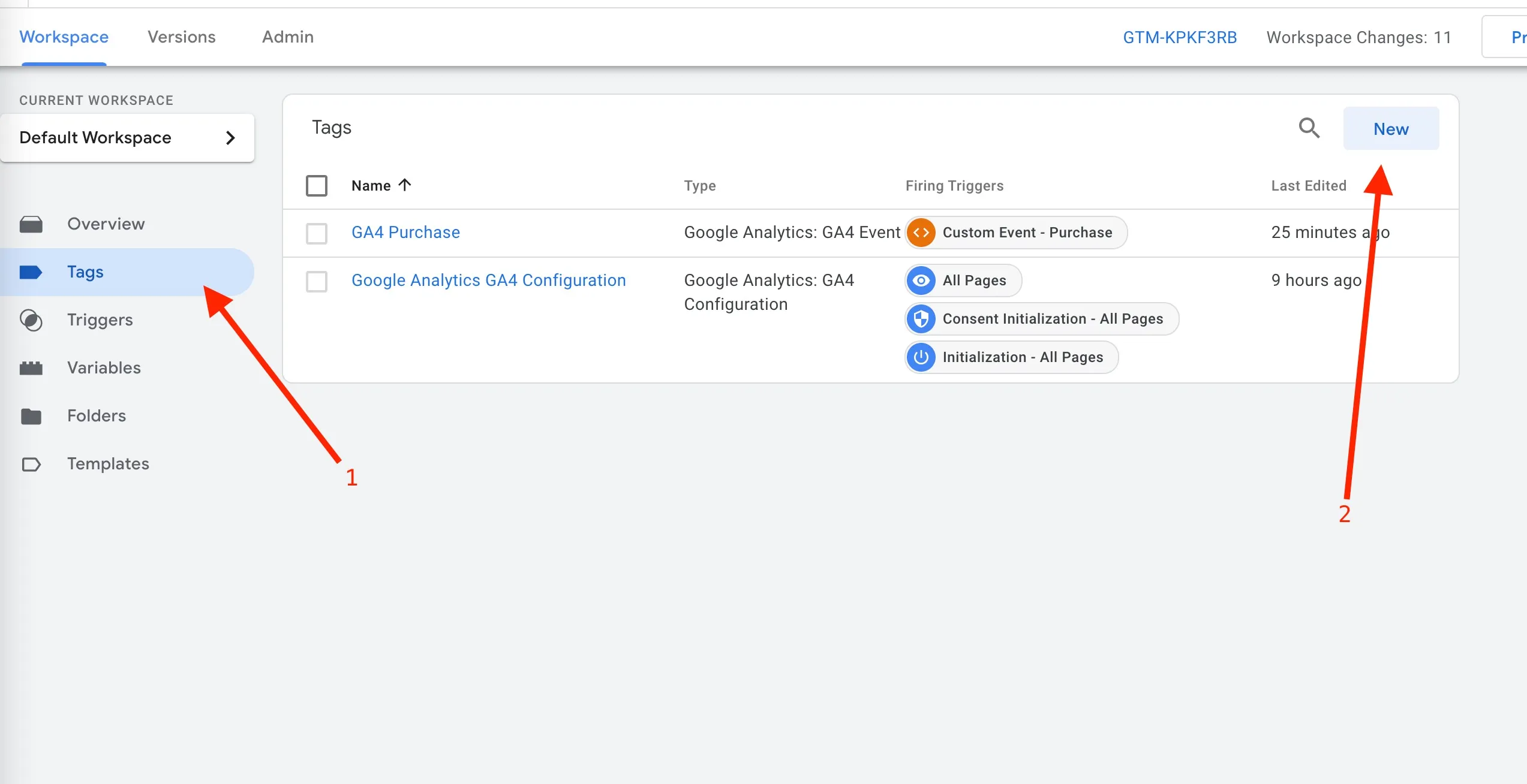
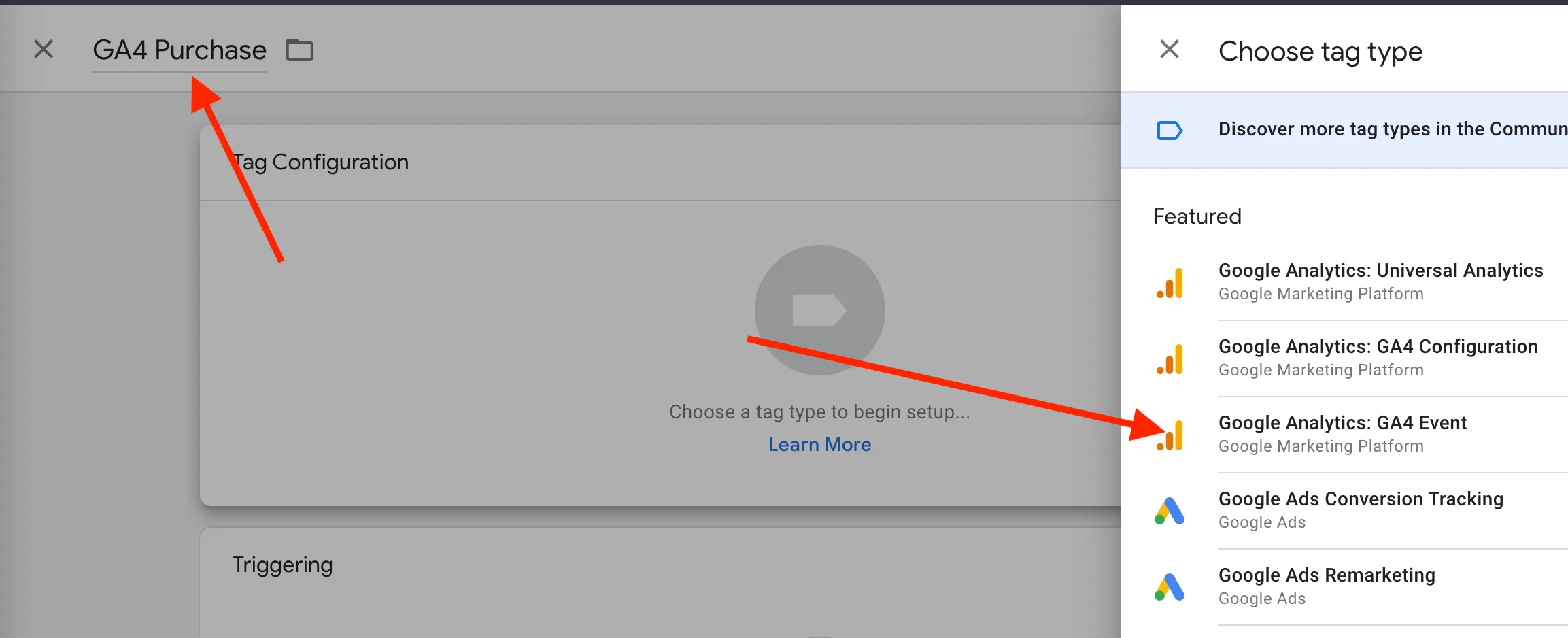
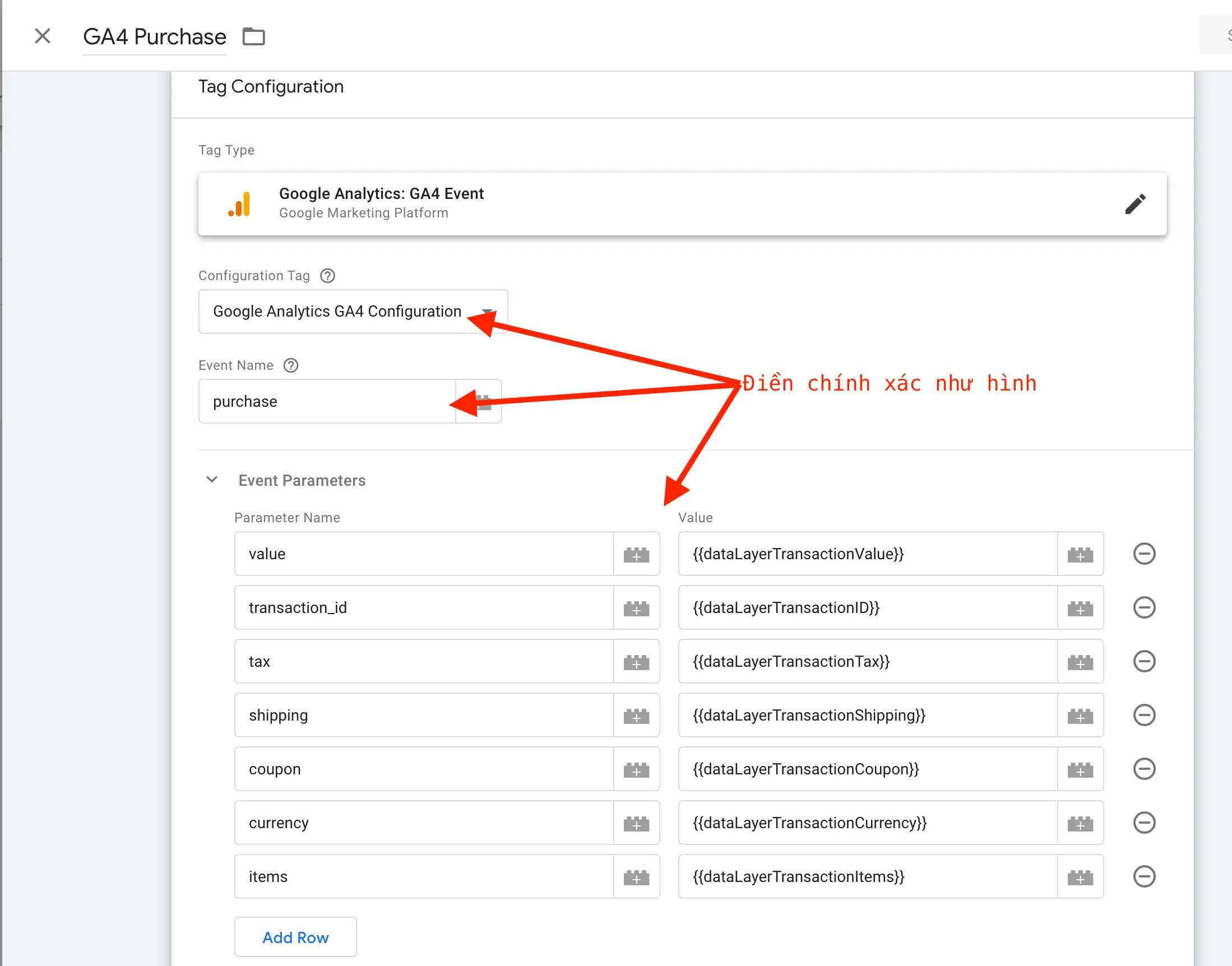
Thực hiện chính xác như hình bên dưới sau đó chọn Save
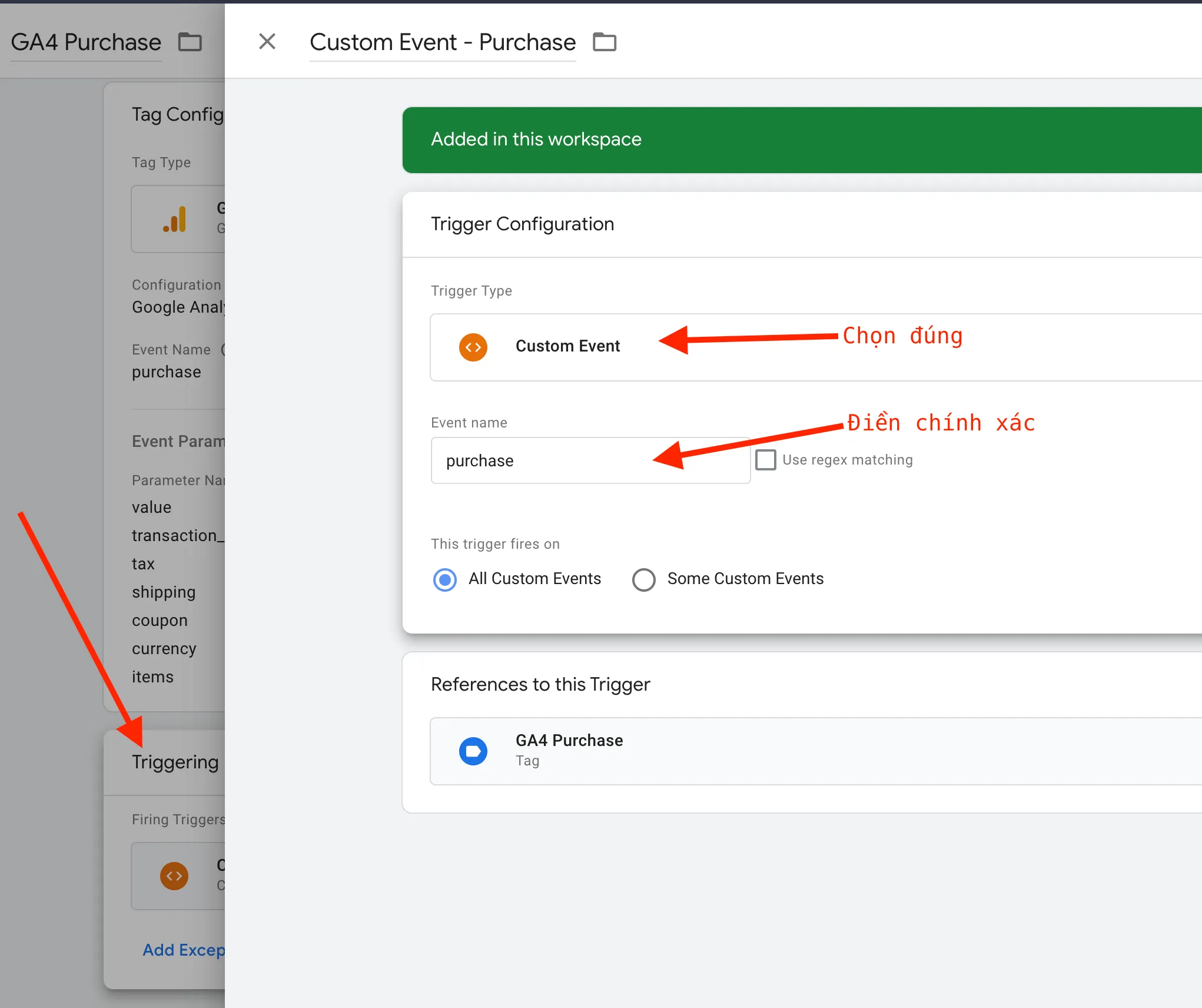
Setup Trigger cho tag
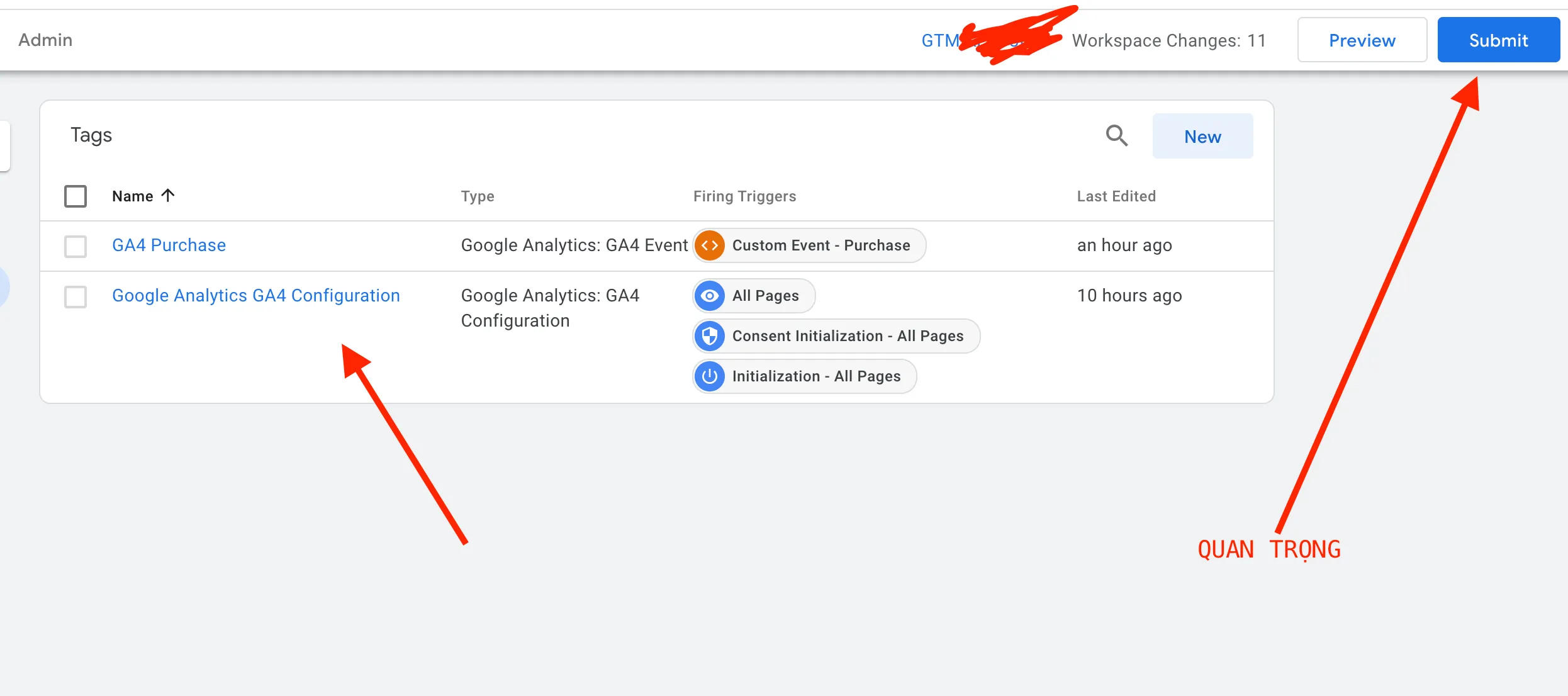
Kiểm tra lần cuối, sau đó click Submit