
Hướng dẫn cài đặt Google Ads Purchase Conversion với GA4
1. Thực hiện tạo GA4 và GTM
Đề mục “1. Thực hiện tạo GA4 và GTM”Làm theo hướng dẫn tại https://podsach.freshdesk.com/support/solutions/articles/70000624000
Lưu ý: Bước này là bắt buộc.
2. Thực hiện tạo Purchase Conversion cho Google Ads
Đề mục “2. Thực hiện tạo Purchase Conversion cho Google Ads”Thực hiện theo hướng dẫn ở các hình dưới:
2.1. Thực hiện Link GA4 vào Google Ads
Đề mục “2.1. Thực hiện Link GA4 vào Google Ads”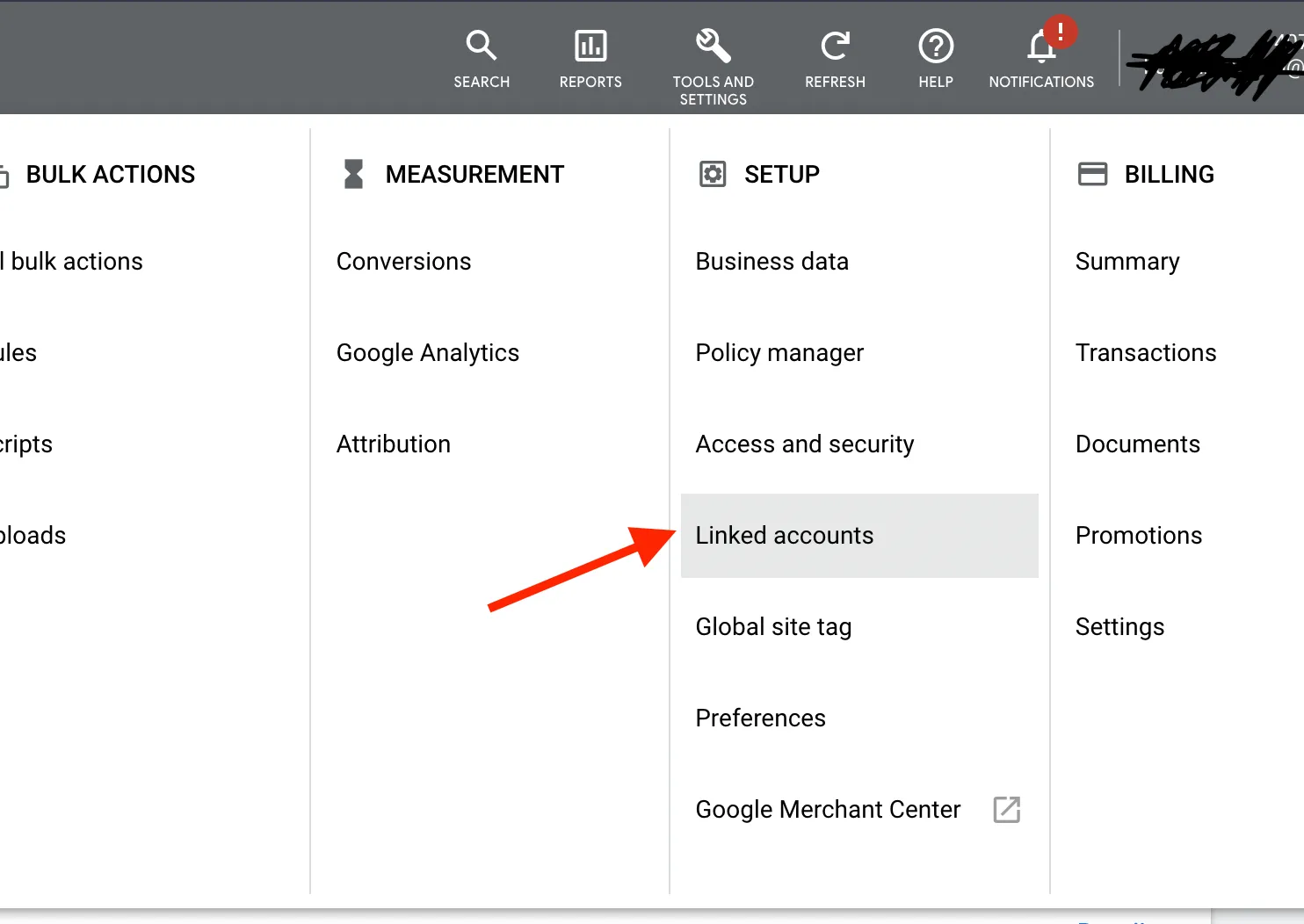
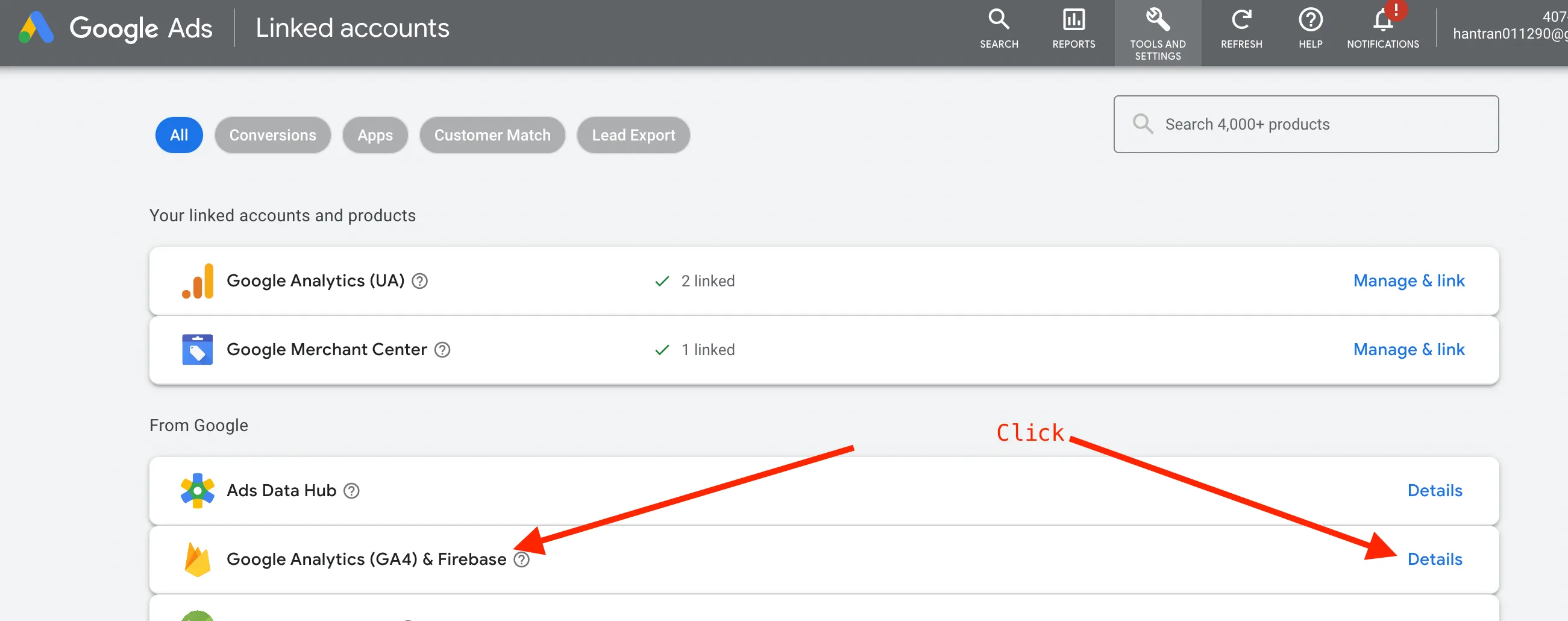
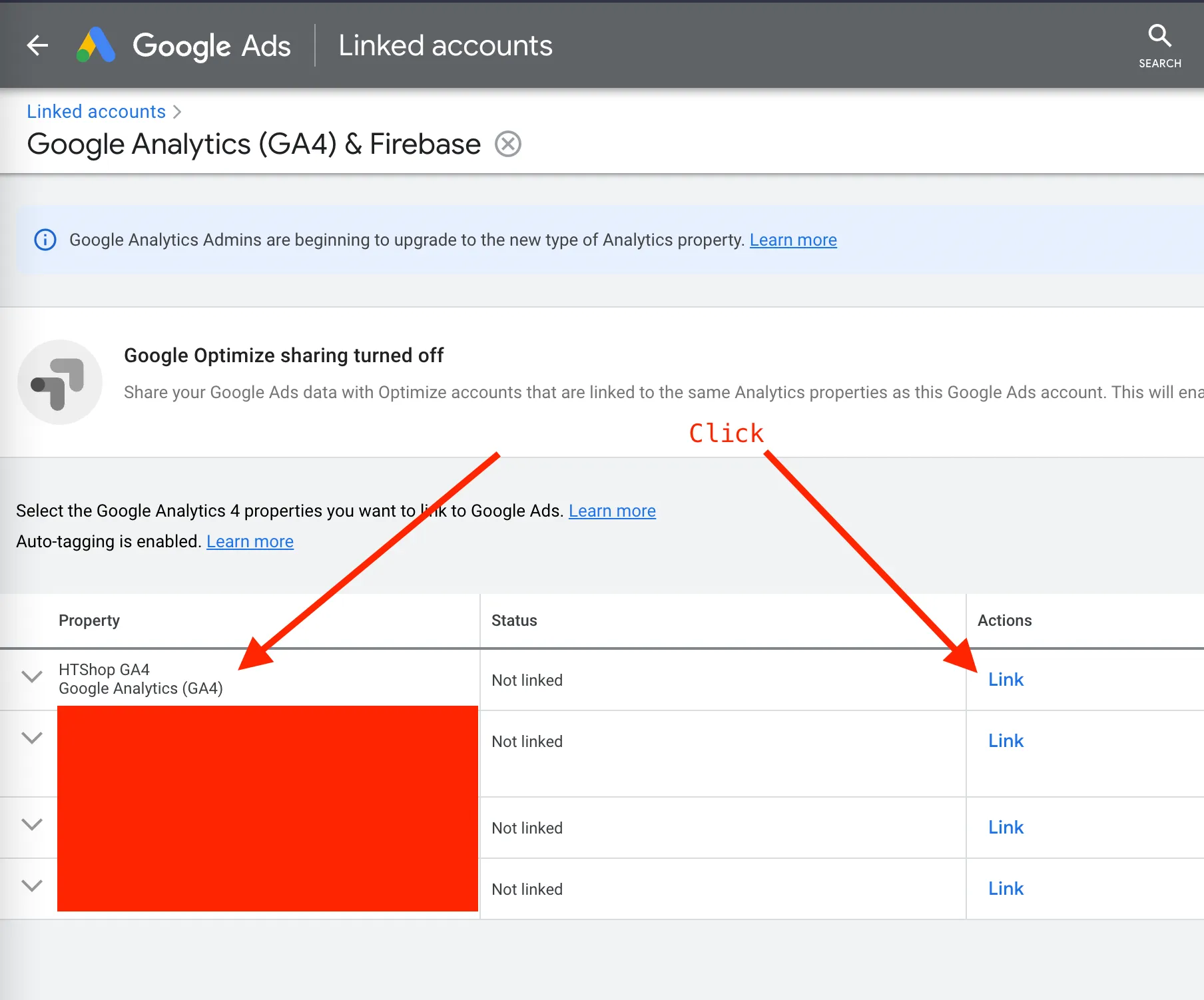
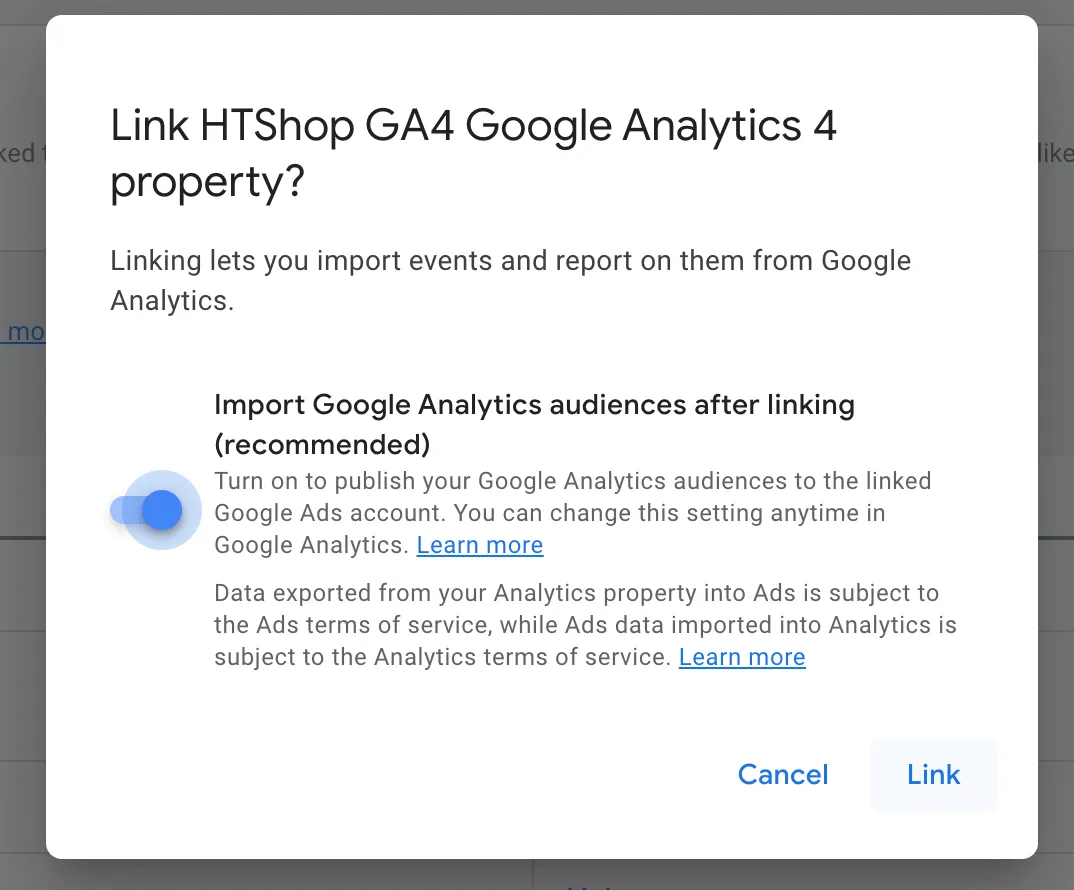
2.2. Thực hiện tạo Conversion Purchase
Đề mục “2.2. Thực hiện tạo Conversion Purchase”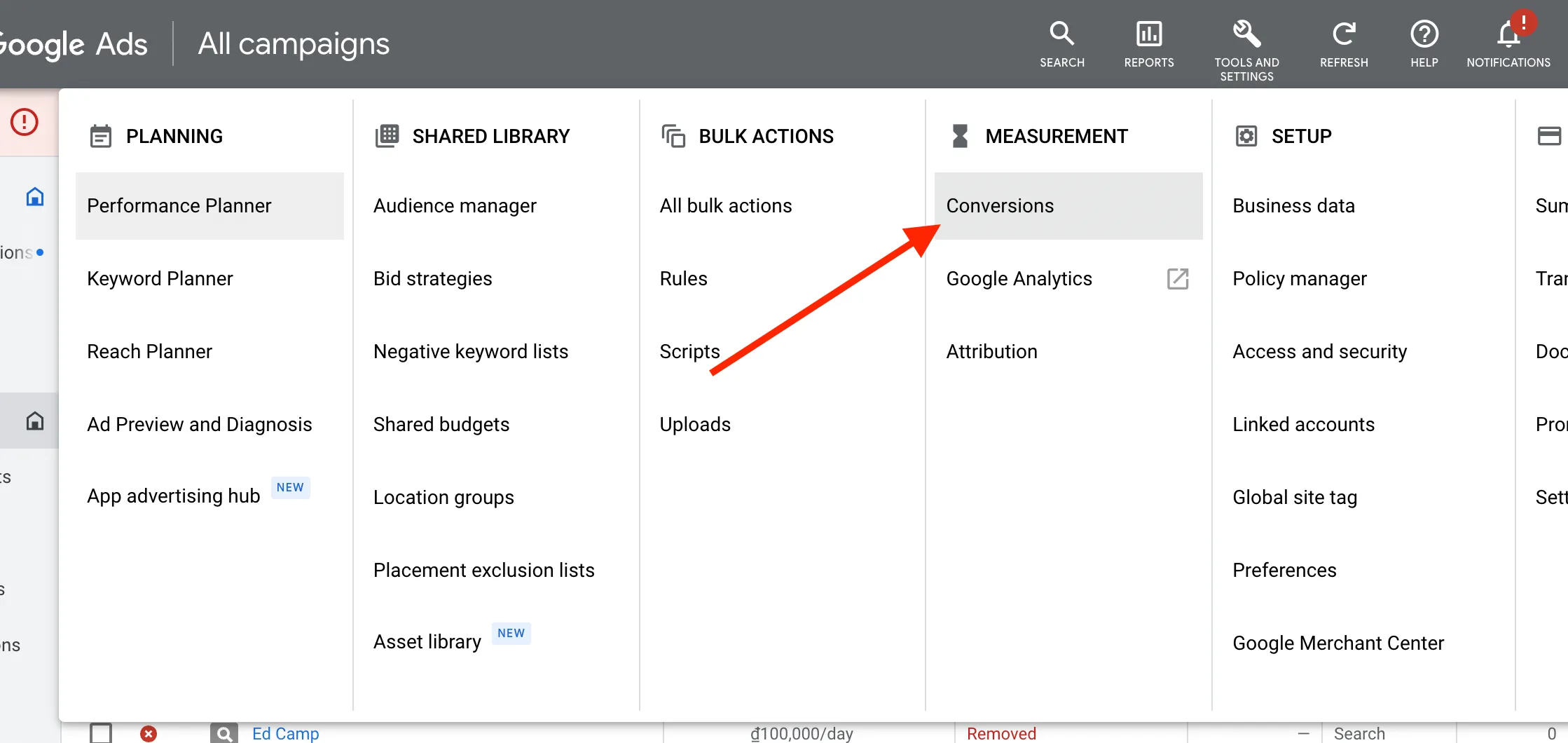
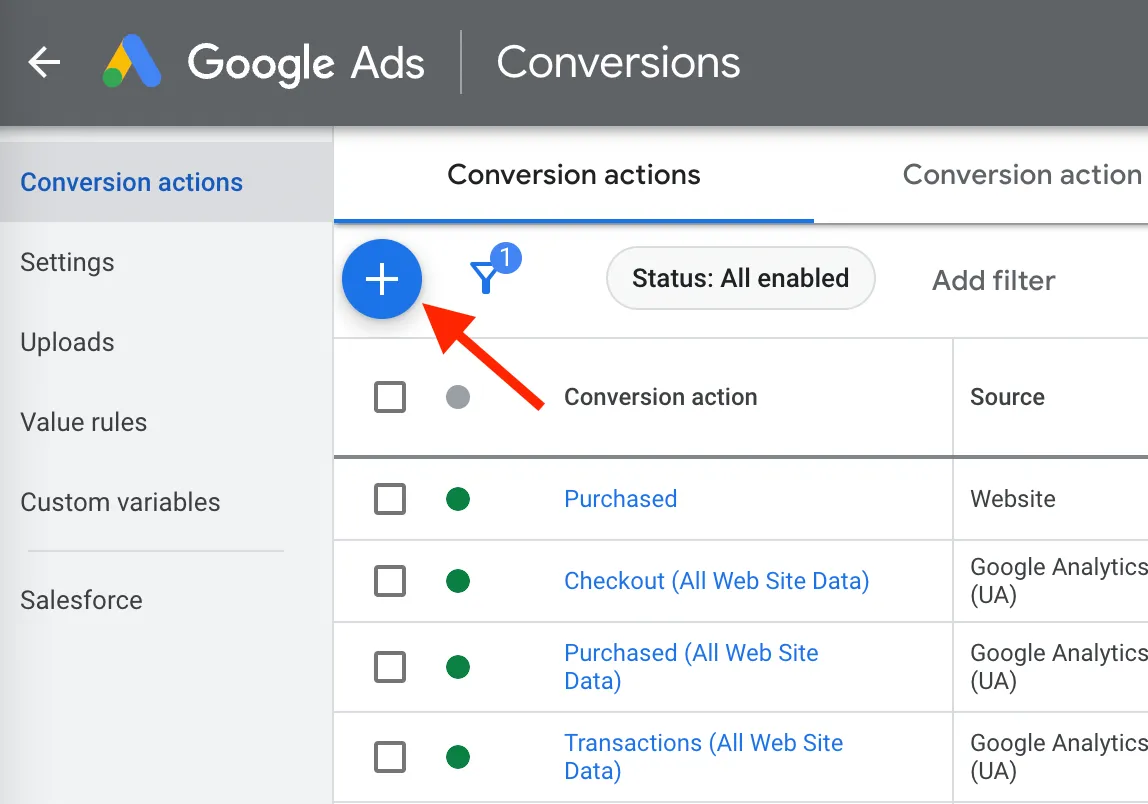
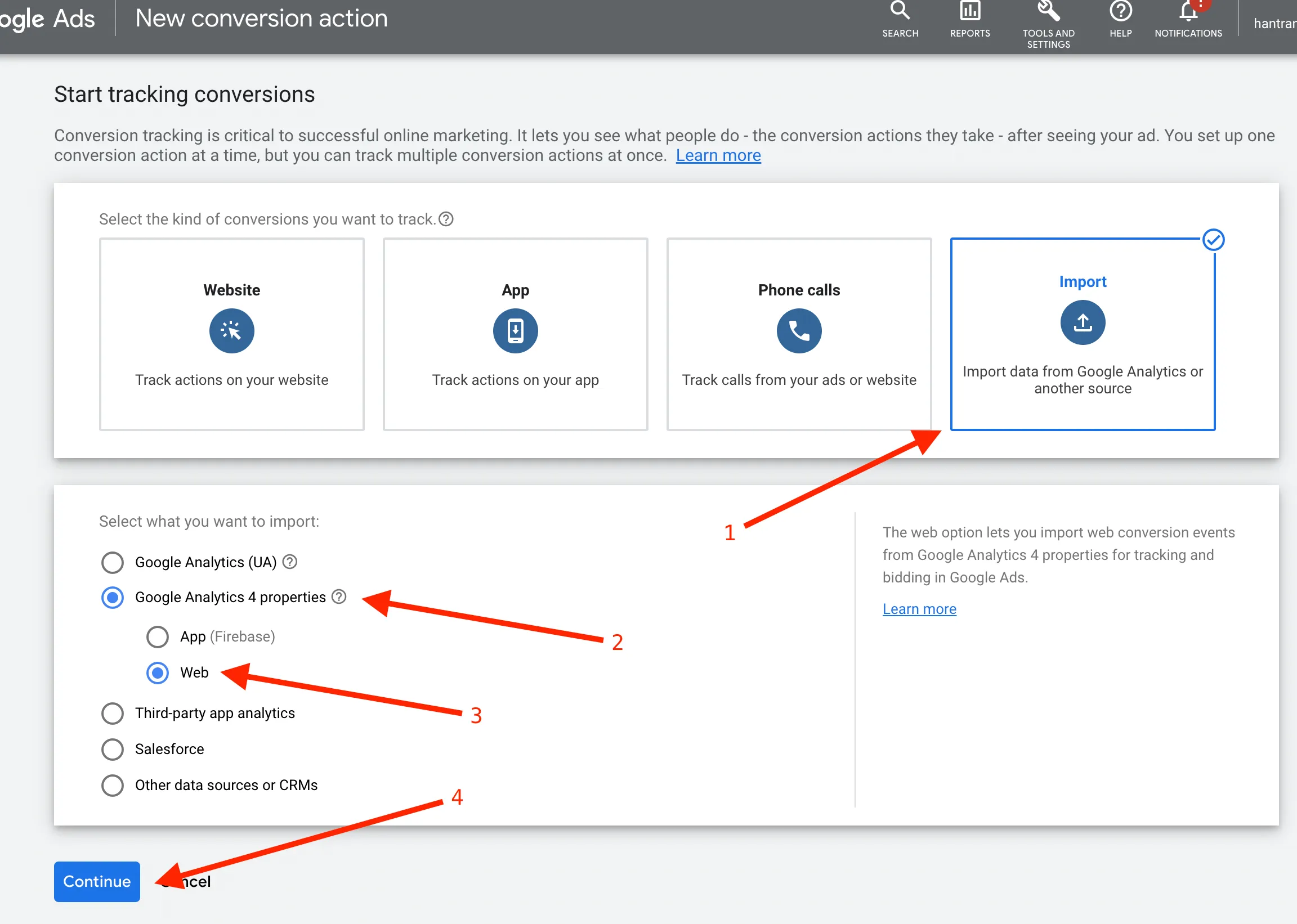
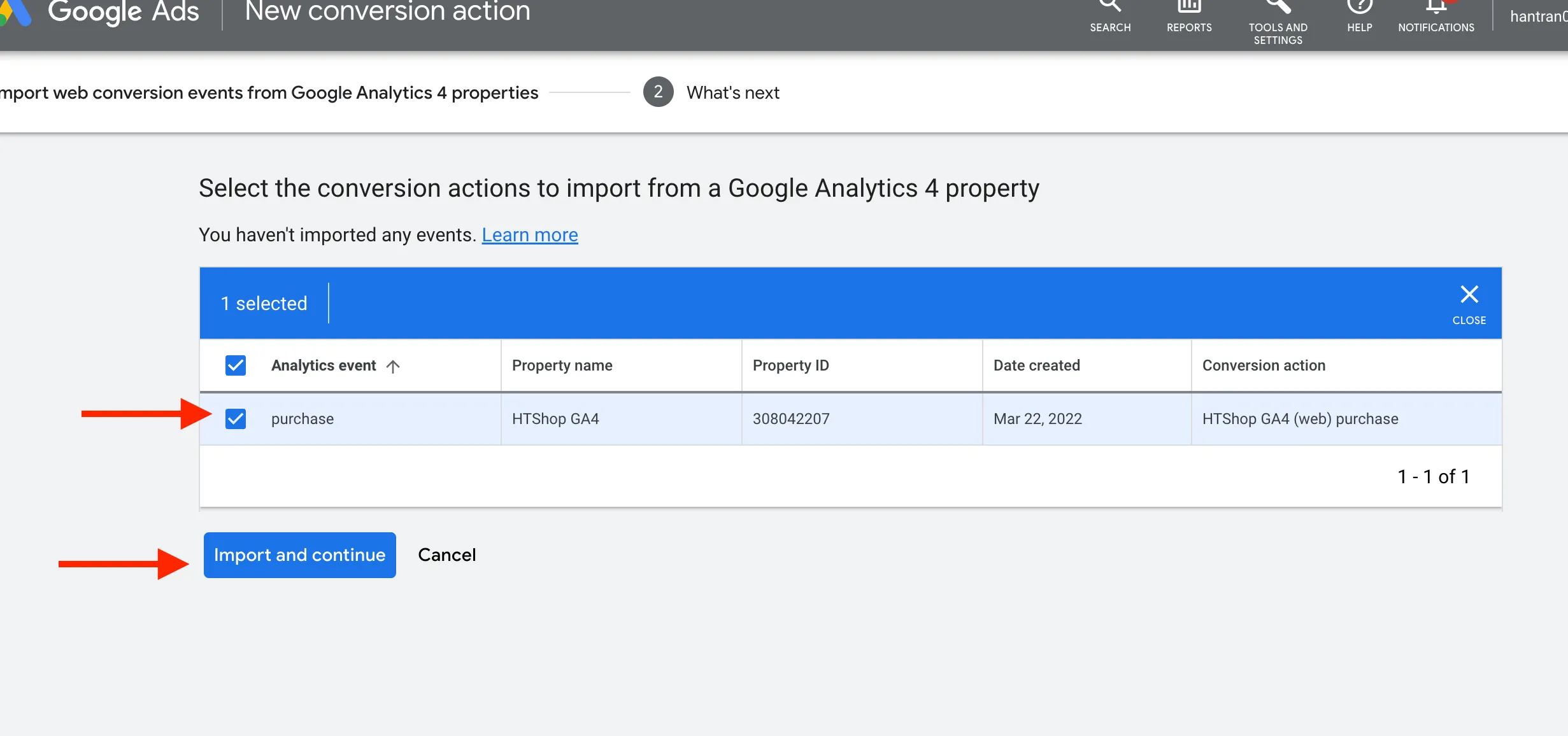
Lưu ý: Nếu ở bước này bạn không thấy conversion actions nào thì chờ khoảng 5, 10p rồi thử lại.