
Setting Up Google Ads Purchase Conversion with GA4
1. Create GA4 and GTM
Section titled “1. Create GA4 and GTM”Follow the guide at https://podsach.freshdesk.com/support/solutions/articles/70000624000
Note: This step is required.
2. Create Purchase Conversion for Google Ads
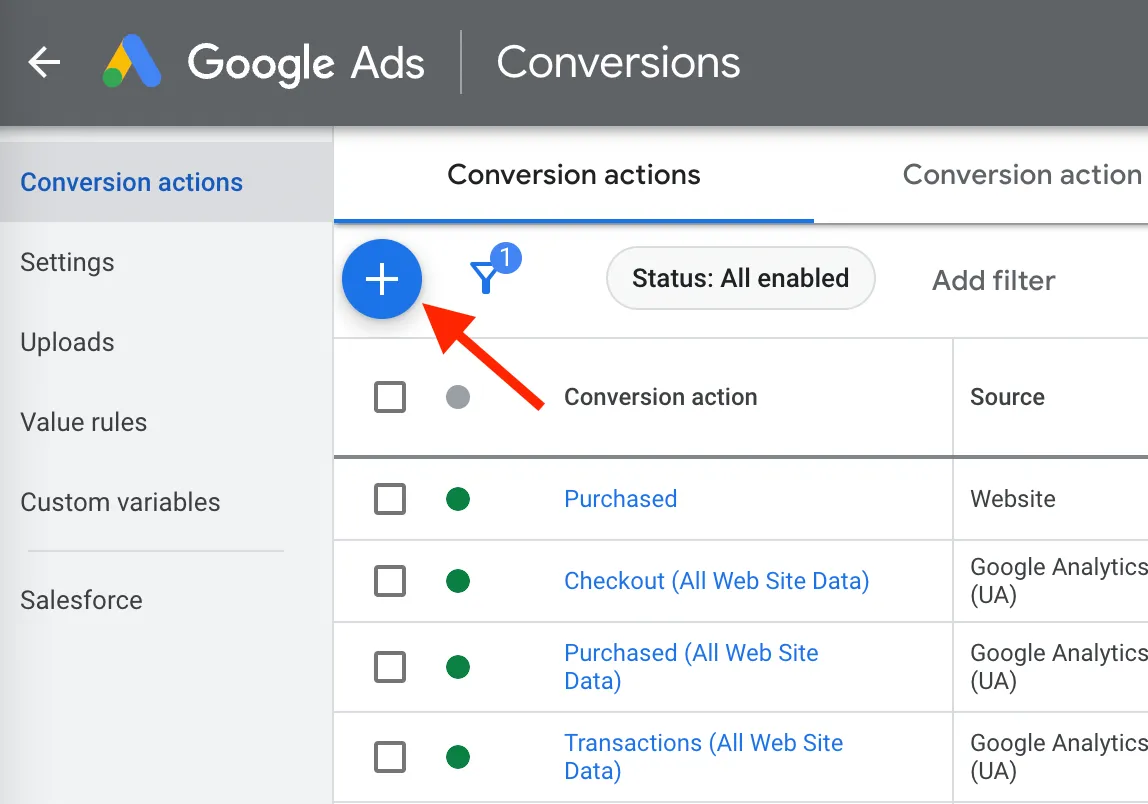
Section titled “2. Create Purchase Conversion for Google Ads”Follow the steps shown in the images below:
2.1. Link GA4 to Google Ads
Section titled “2.1. Link GA4 to Google Ads”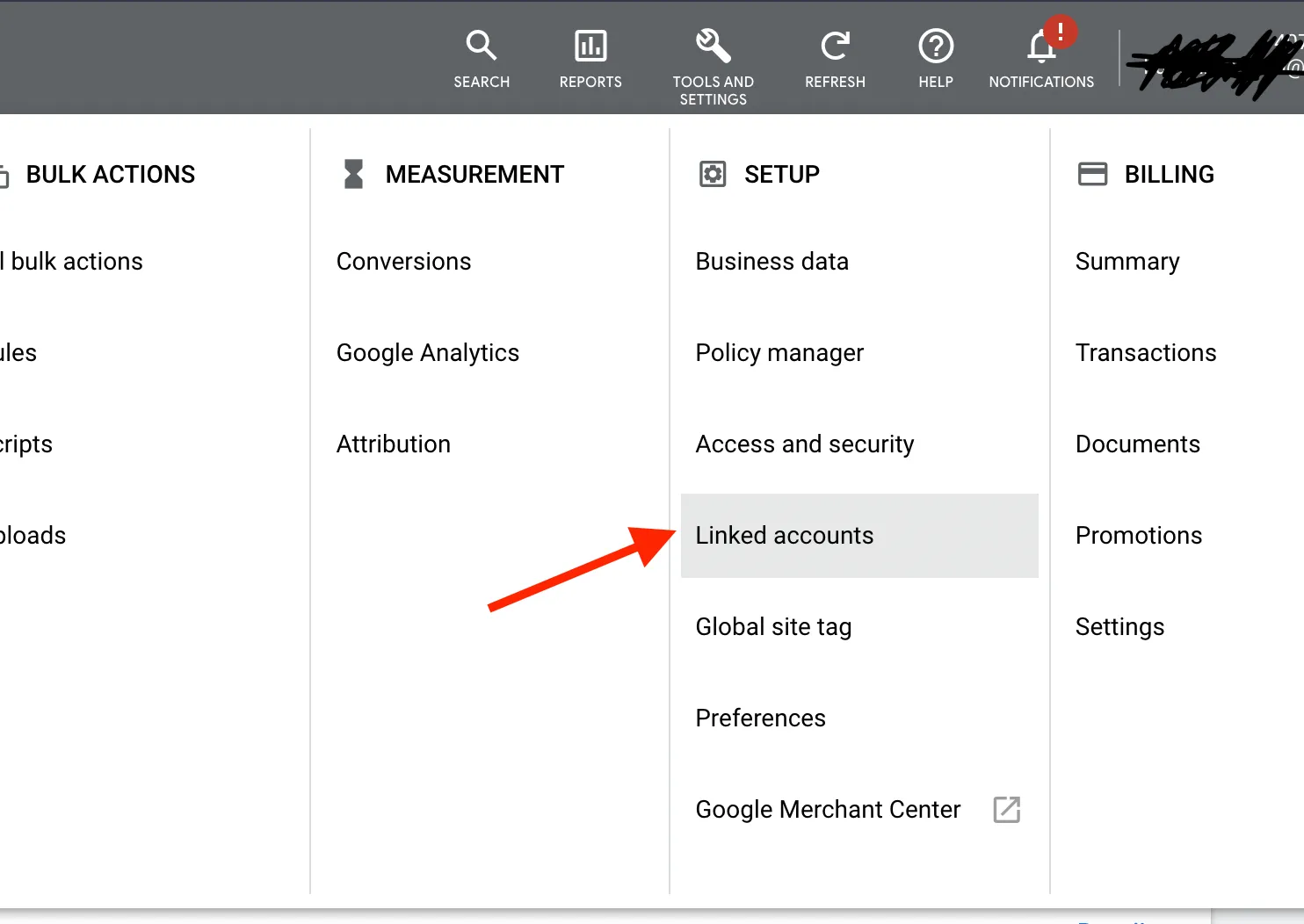
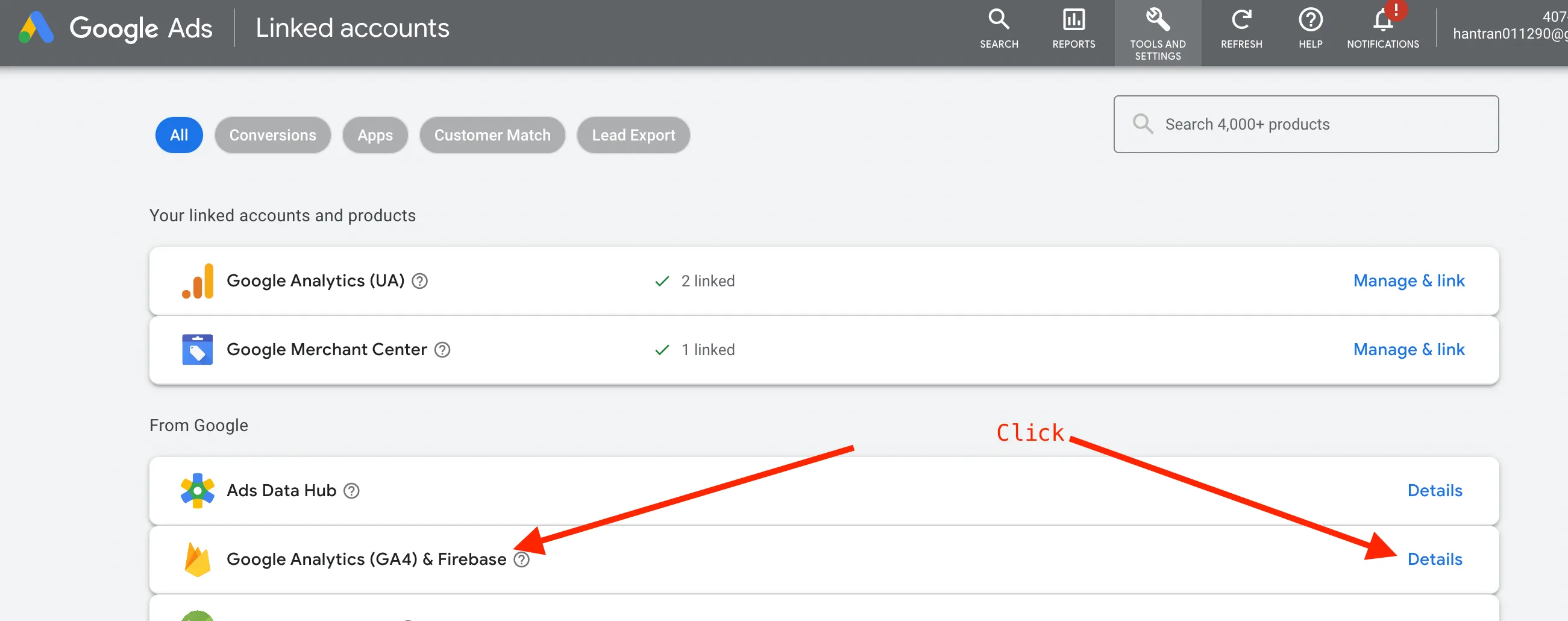
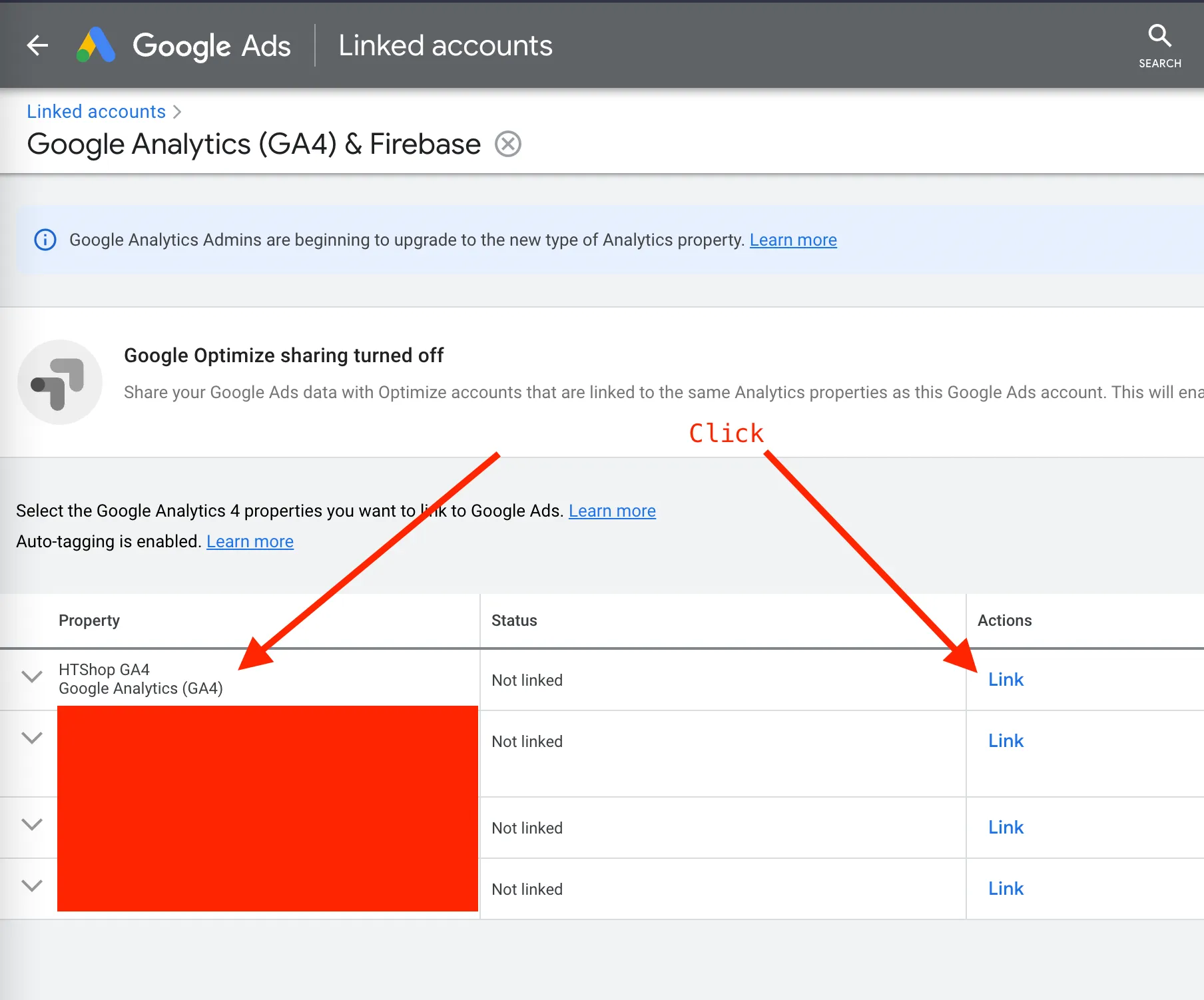
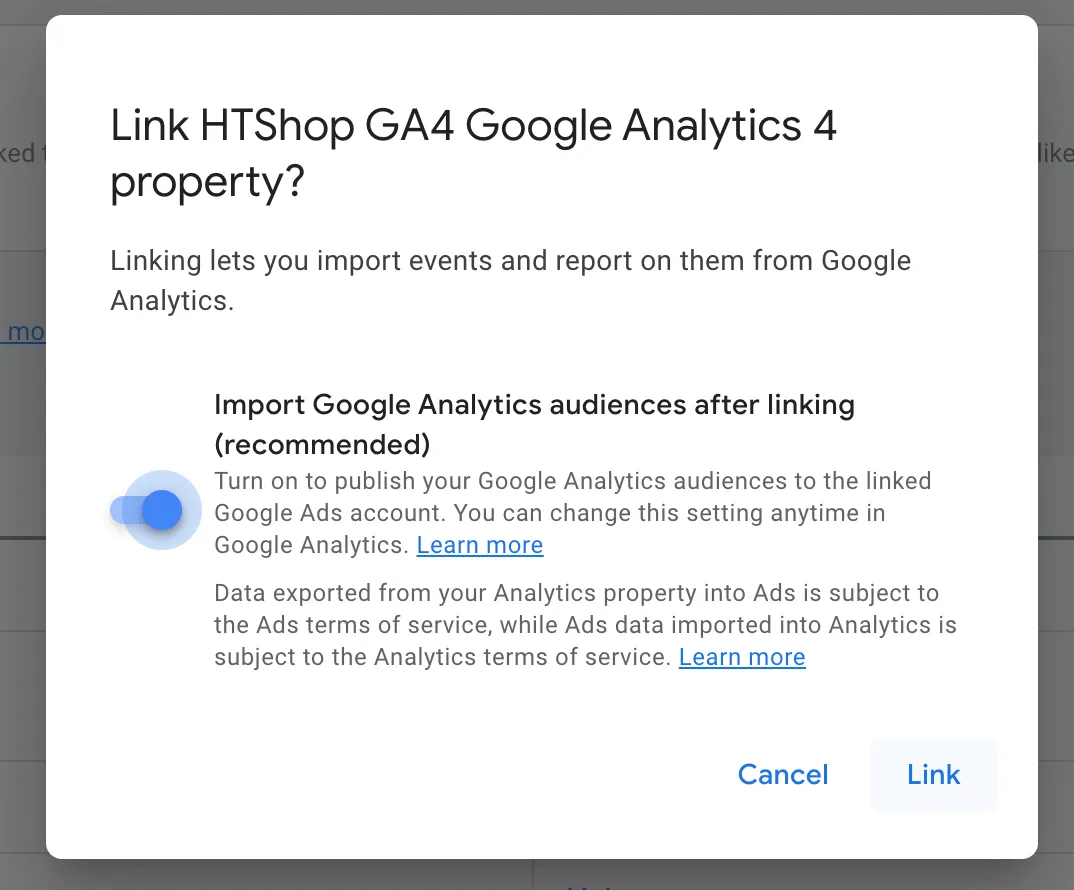
2.2. Create a Purchase Conversion
Section titled “2.2. Create a Purchase Conversion”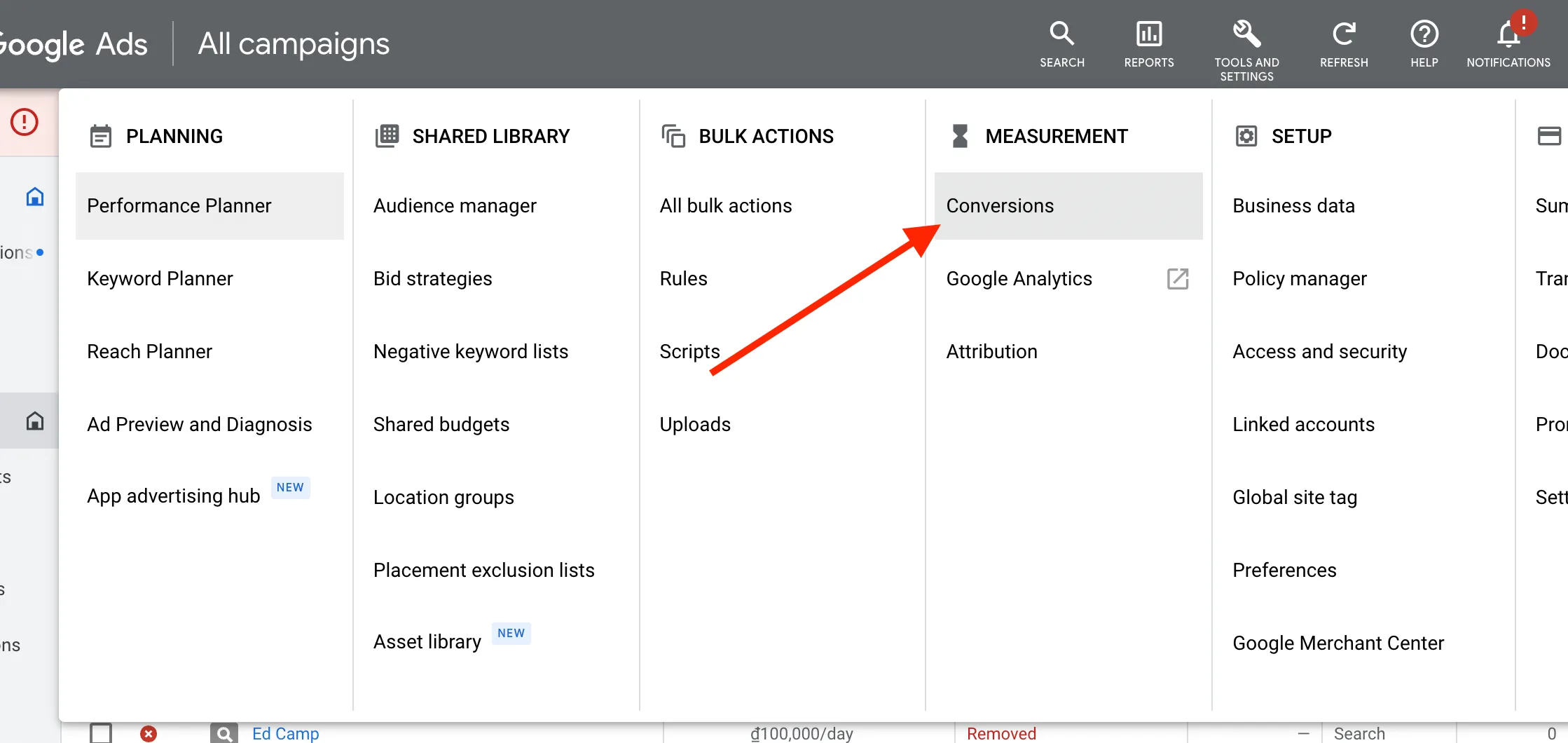
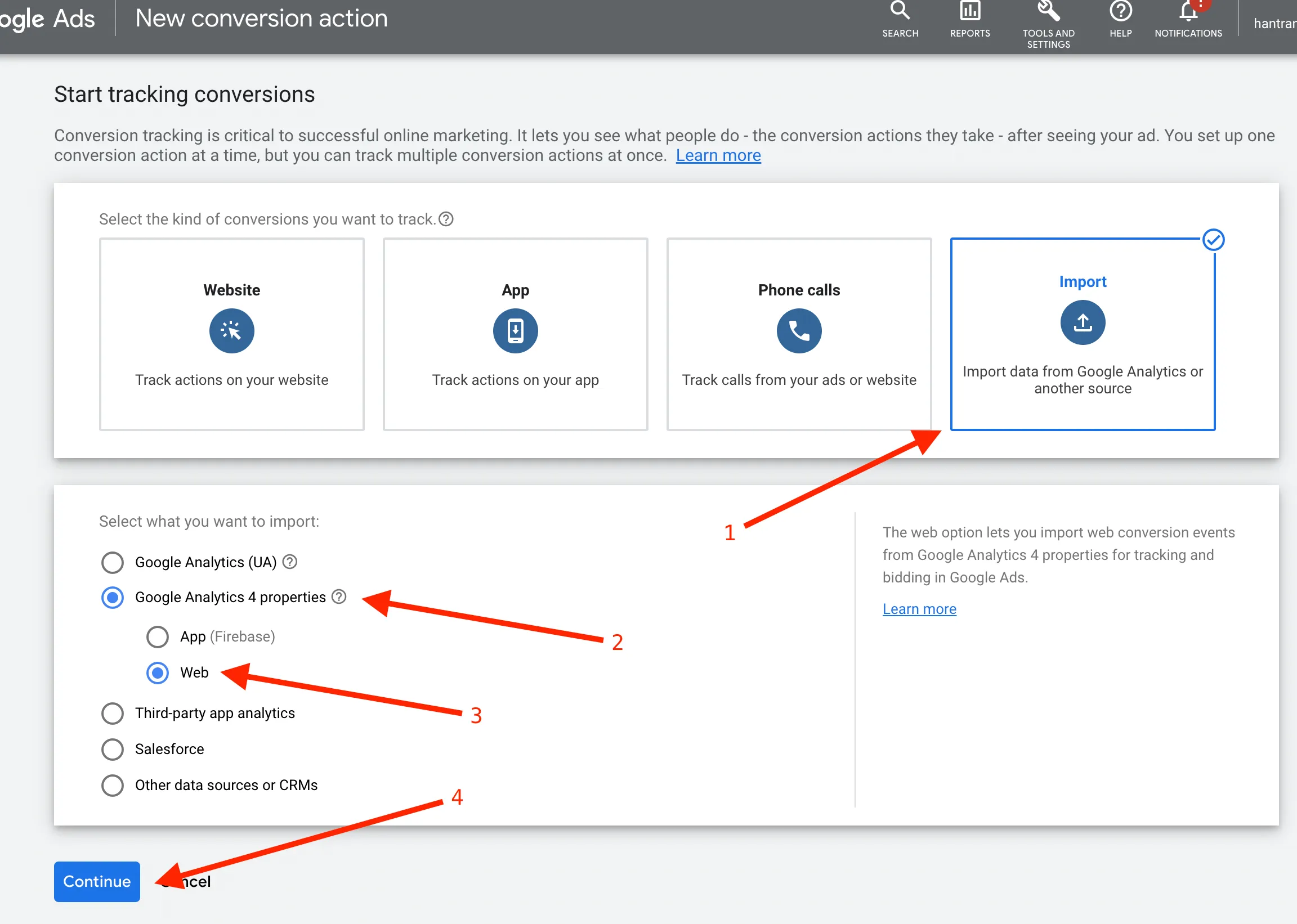
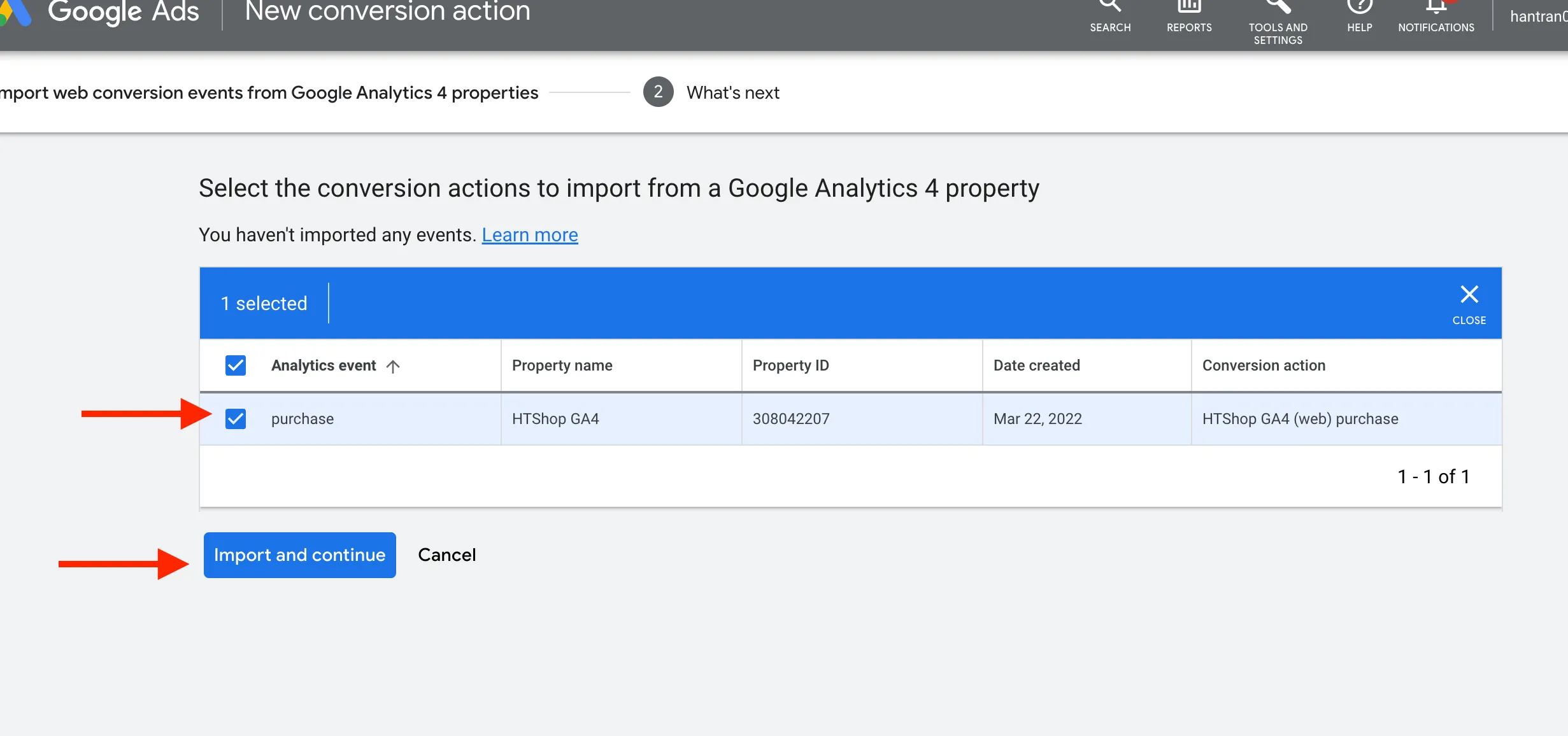
Note: If you don’t see any conversion actions at this step, wait about 5–10 minutes and try again.