Re-uploading Designs for 2D Campaigns
To re-upload designs for 2D campaigns, please follow these steps:
Article Contents
- Edit the campaign you want to re-upload
- Select a new design file
- Update the campaign
1. Edit the Campaign You Want to Re-upload
Section titled “1. Edit the Campaign You Want to Re-upload”- Go to the admin page, find the campaign you want to change the design for, and click Edit.
2. Select a New Design File
Section titled “2. Select a New Design File”-
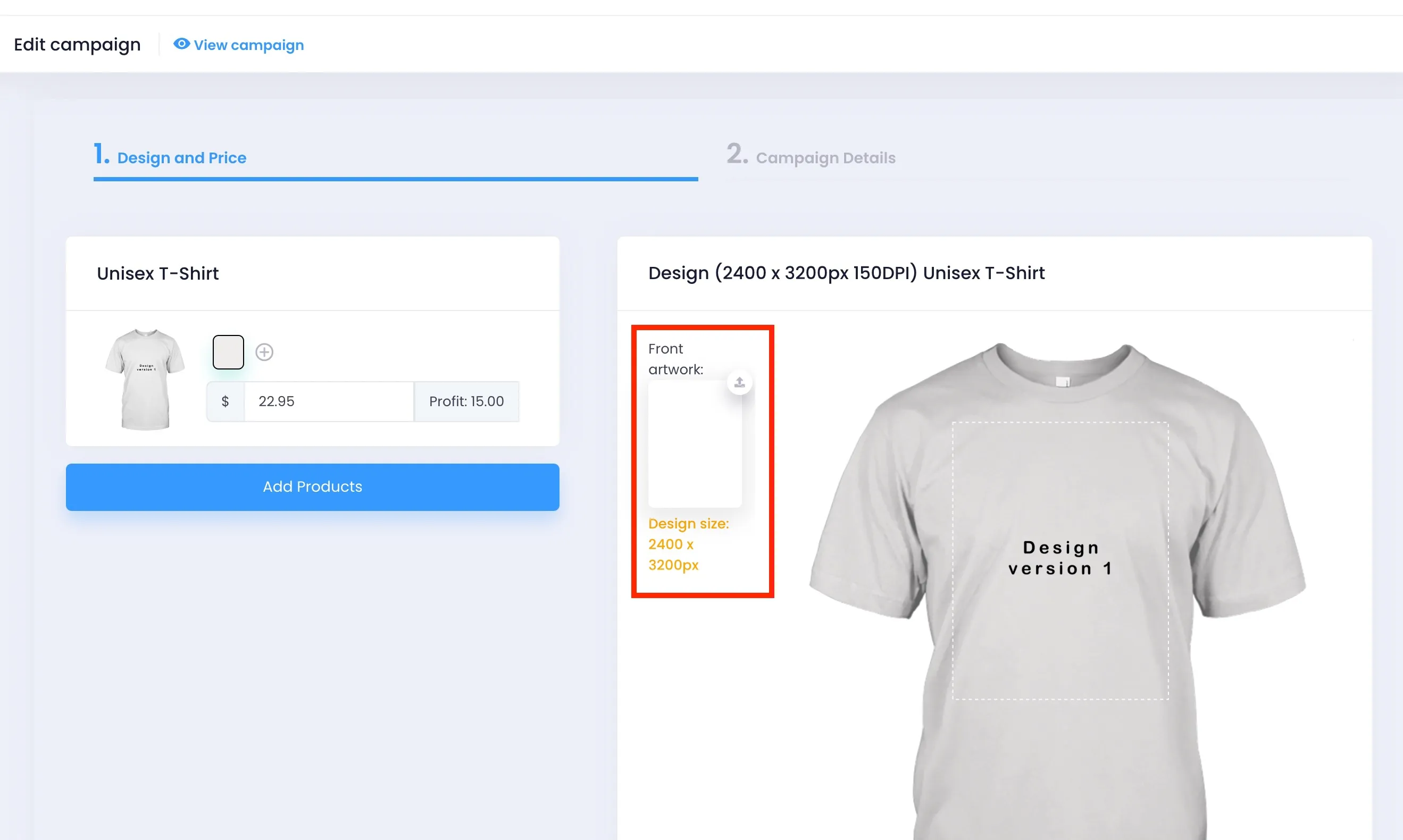
Click on the artwork area (the red-outlined area in the image below) to select a new design file from your device.
⚠️ IMPORTANT NOTE:
- The new design you upload must be exactly 2400×3200 in size.
- If the artwork area doesn’t appear in the interface, please contact the PODSach support team immediately for assistance.
3. Update the Campaign
Section titled “3. Update the Campaign”-
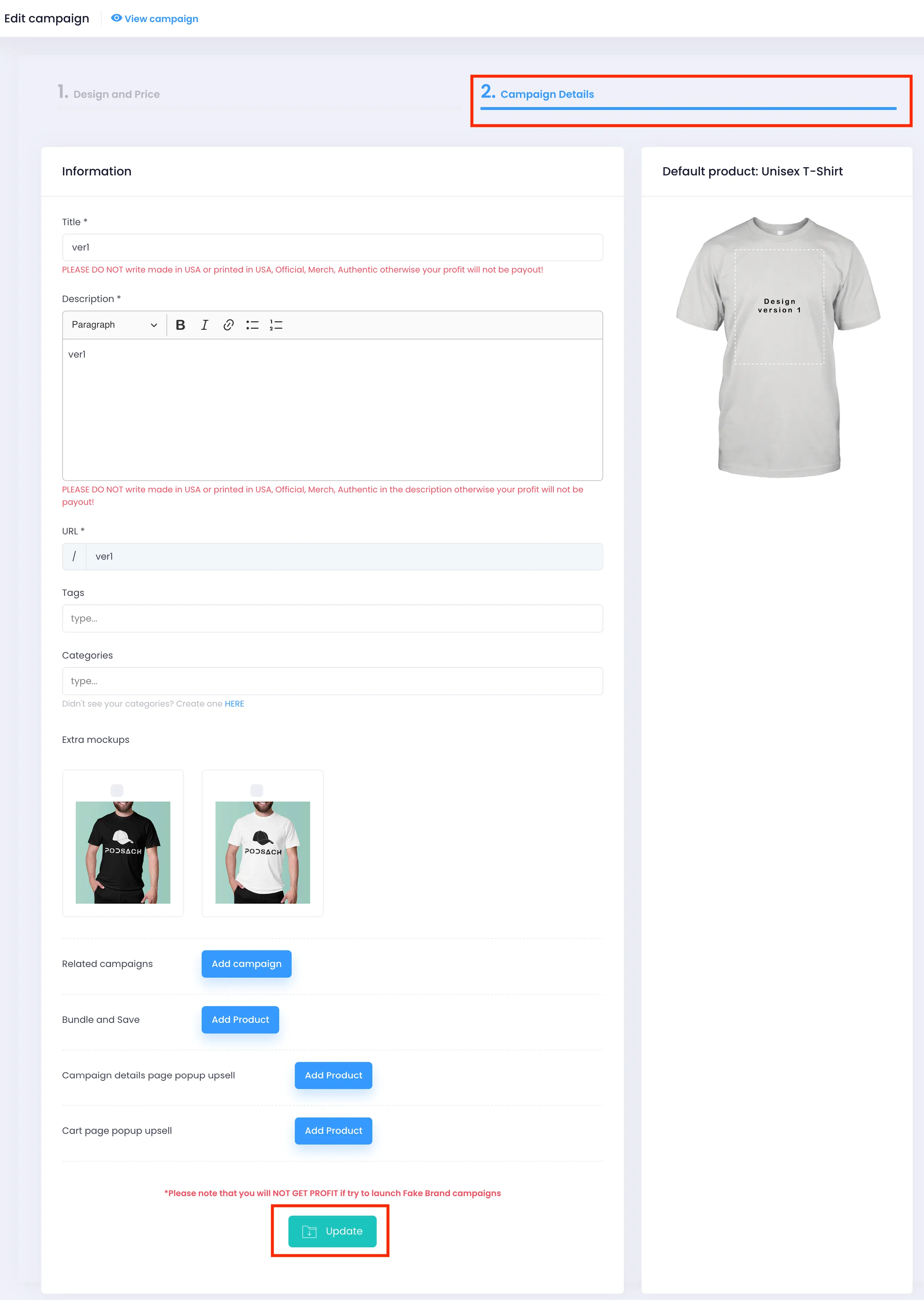
After successfully selecting your new design, switch to the Campaign Details tab.
-
Scroll to the bottom of the page and click the Update button to save all changes.