Creating Bundle Purchase Suggestions
Bundle Offers are a sales tactic that encourages customers to purchase products related to the main item. PODSach allows sellers to apply this by displaying a group of related products on their campaign page.
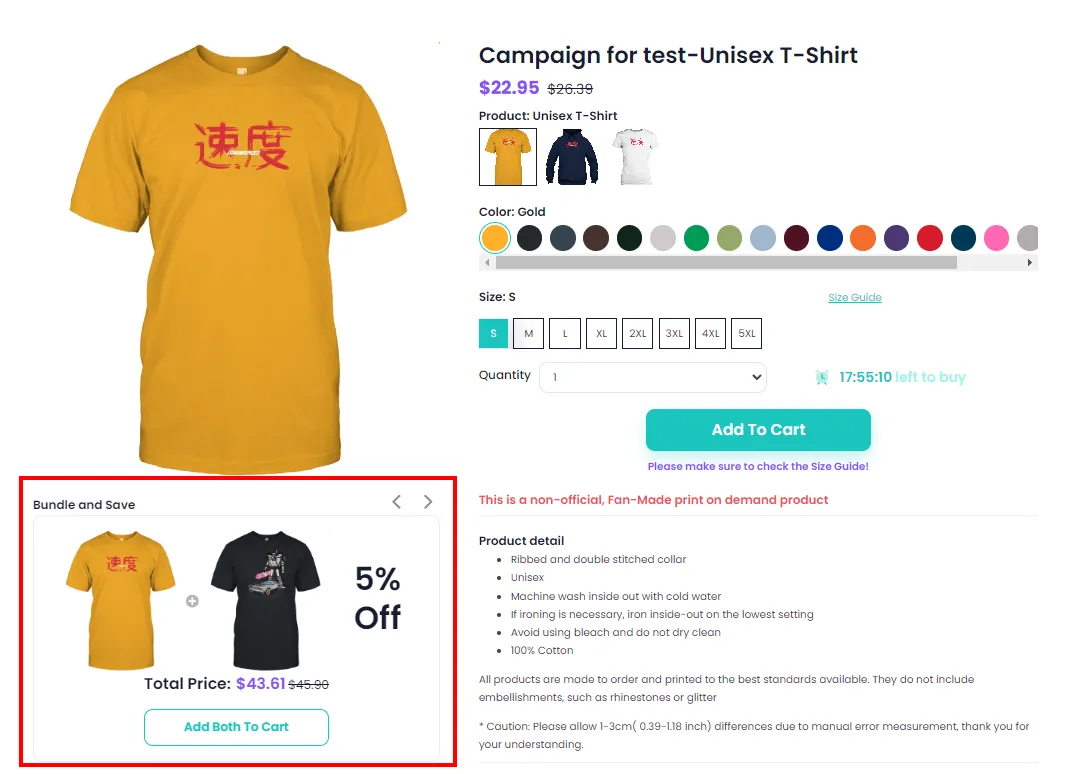
-
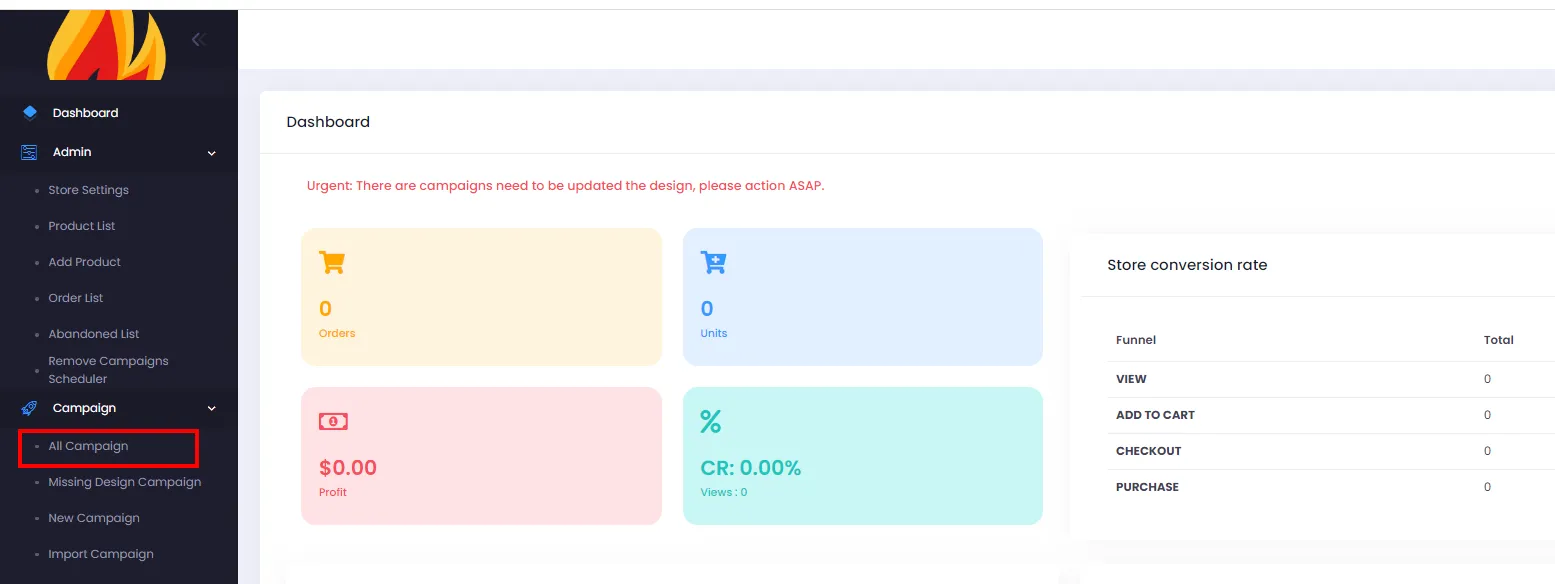
From the admin page, click All Campaigns.
-
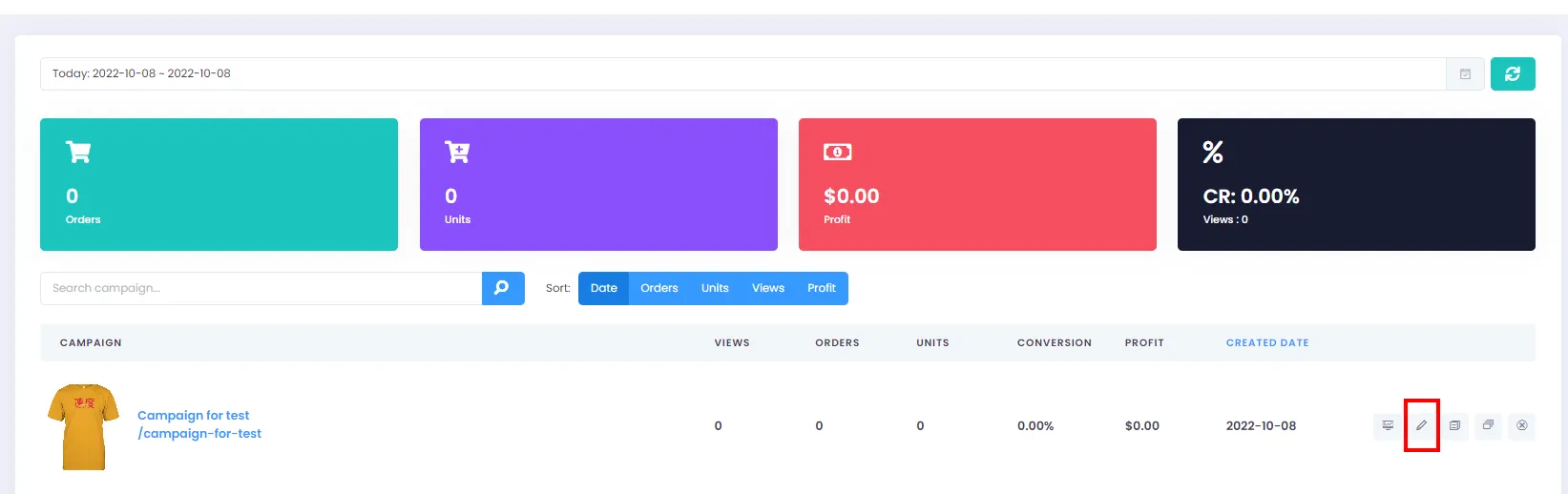
On the Campaign List page, click the Edit button for the campaign you want to create a bundle for.
- On the Edit Campaign screen, click Campaign Detail to add bundles.
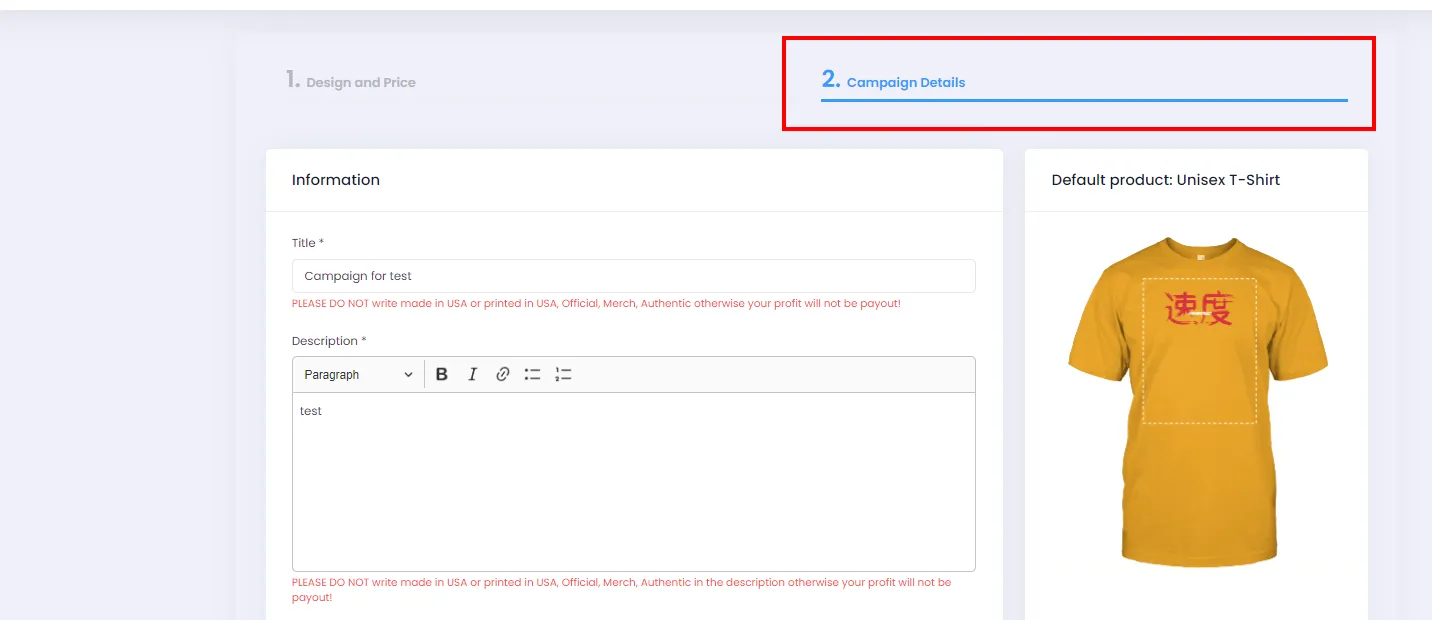
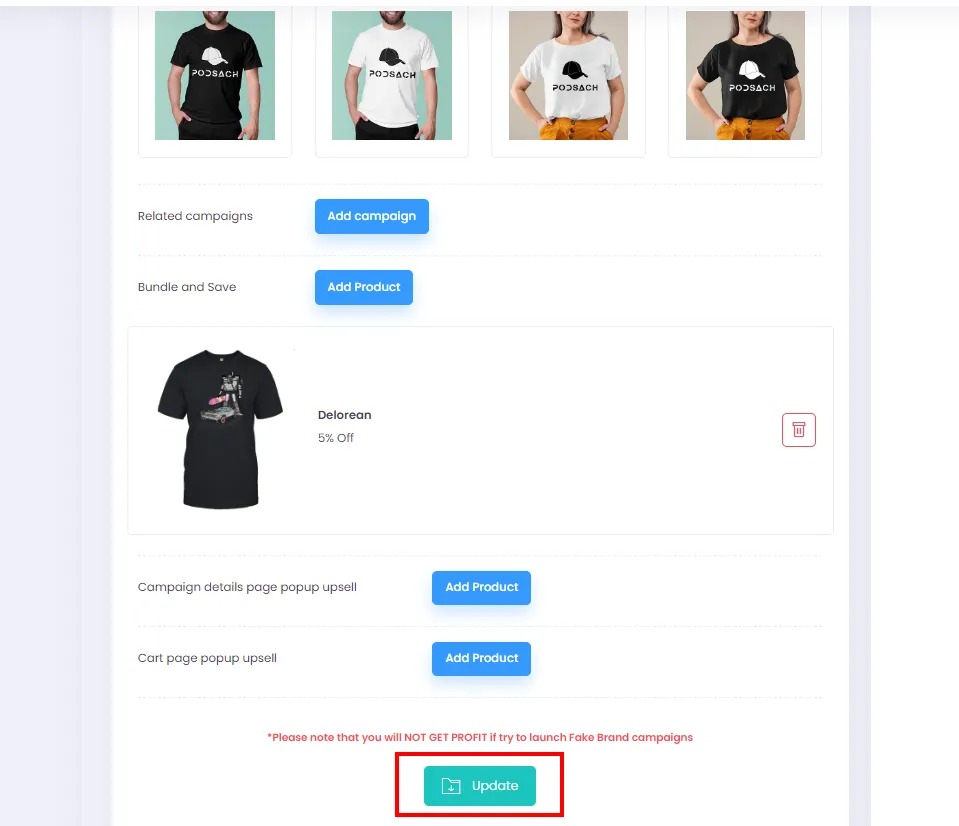
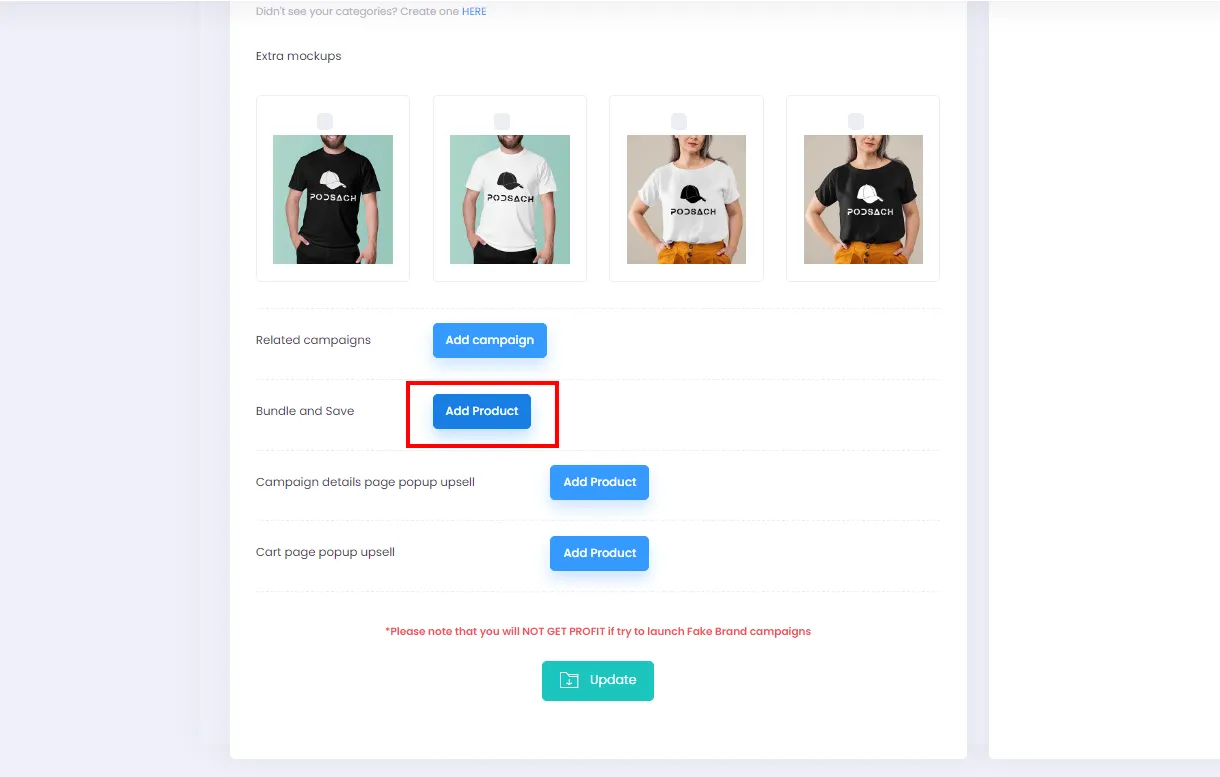
- Scroll down and click Add Product under Bundle and Save to open the dialog.
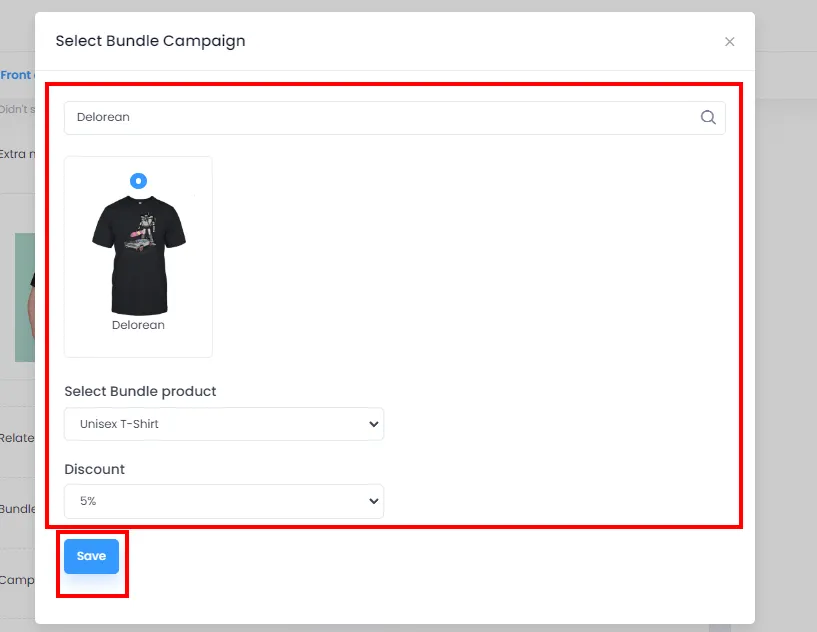
- Enter a keyword to search for the campaign you want to bundle, select the product along with the discount percentage for the bundle. Then click Save to create the bundle.
- After closing the dialog, the Bundle will appear as shown below. You can create multiple bundles by clicking Add Product again and repeating step 5.
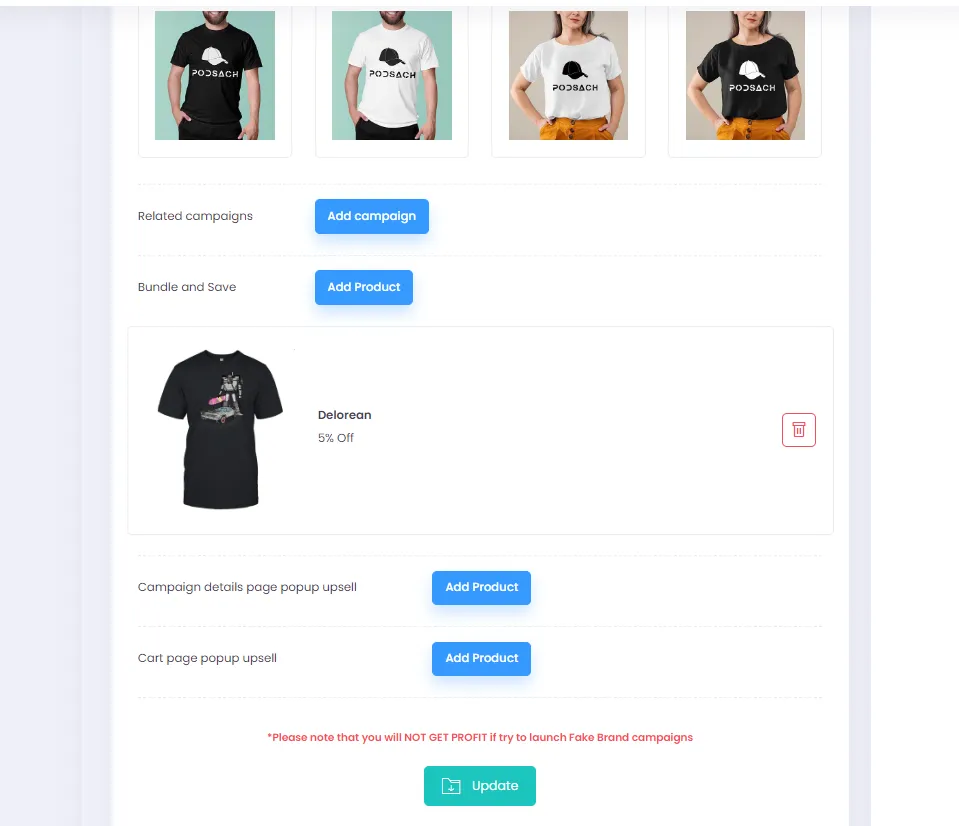
To remove a bundle, click the Delete icon.
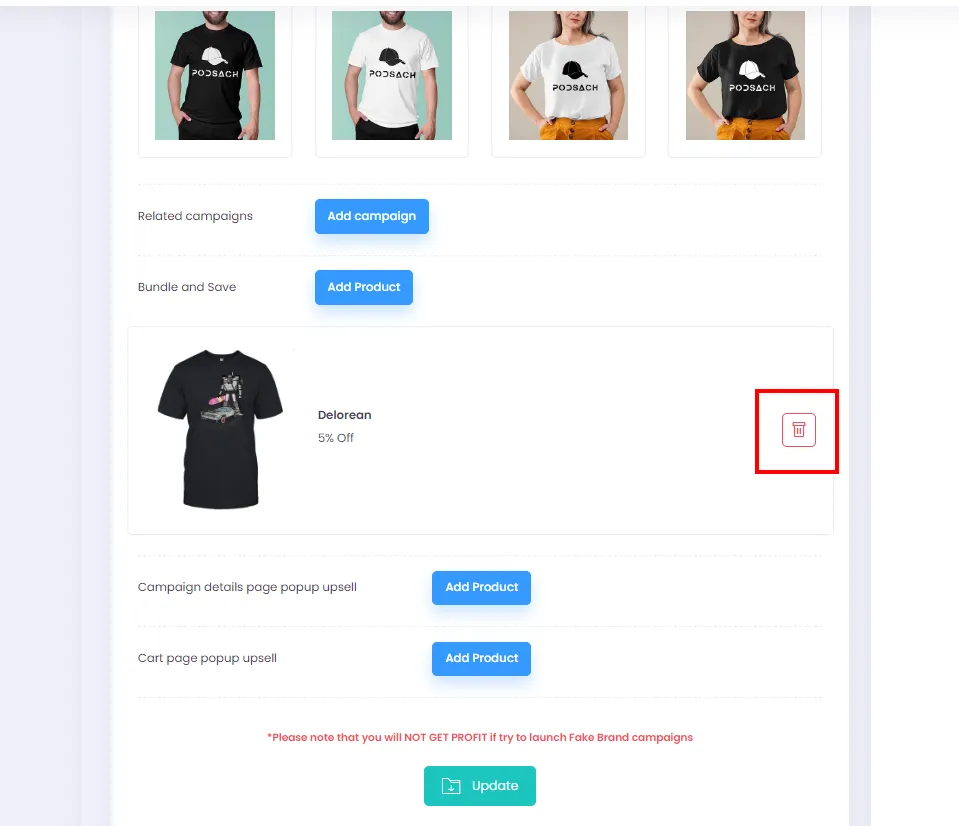
- Finally, click Update to save your changes and activate the bundle.