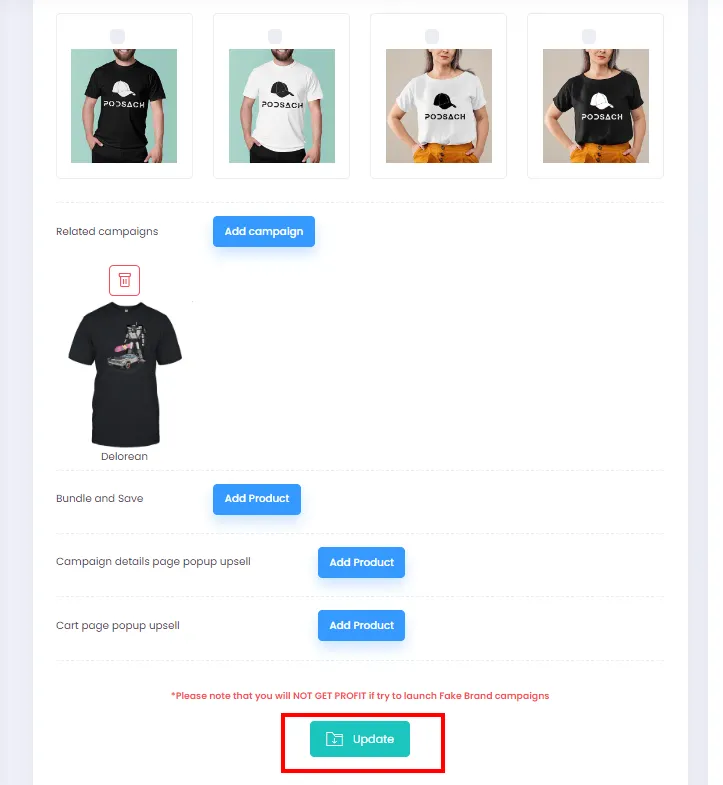
Creating Recommended Product Suggestions
In addition to Bundle Offers, sellers can add related products to the Recommended For You section on their campaign page to boost purchase rates and enrich product variety.
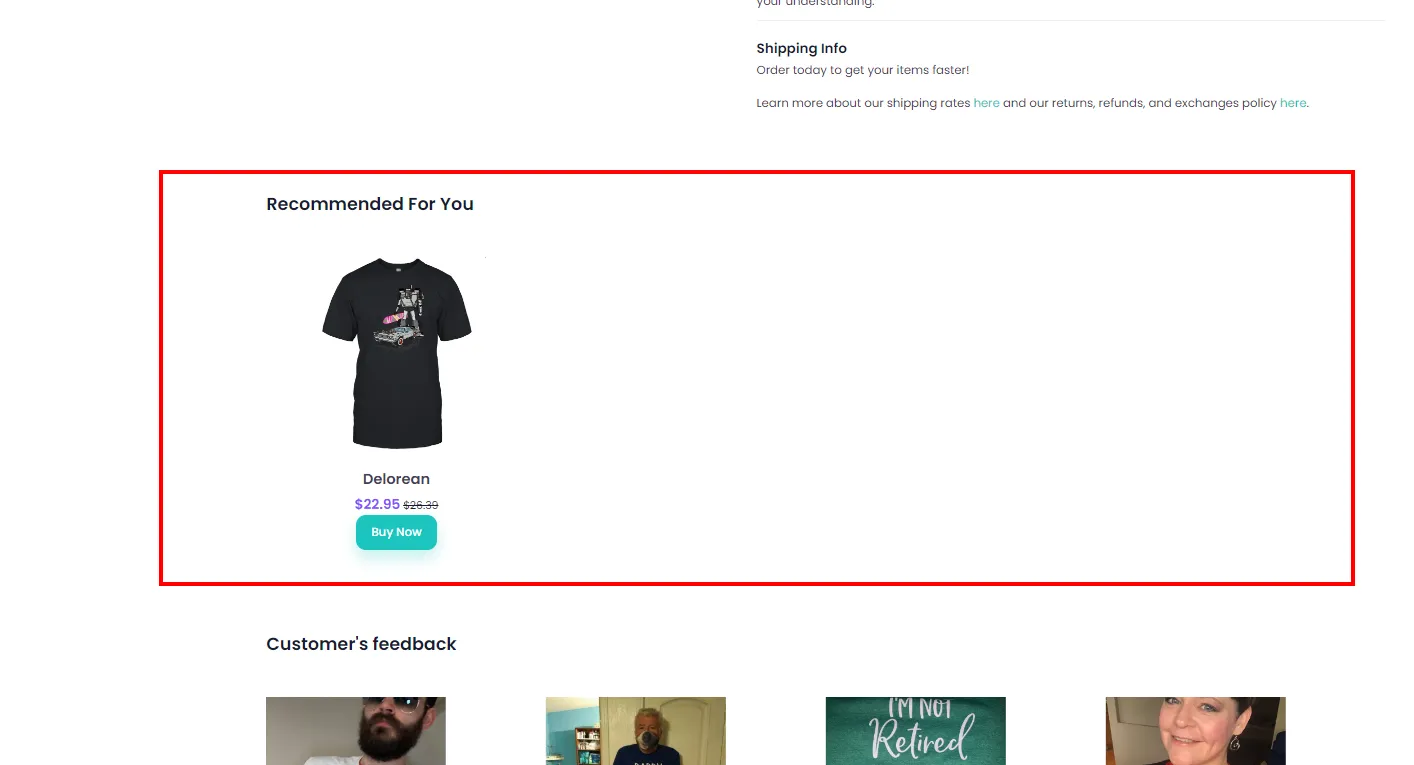
-
From the admin page, click All Campaigns.
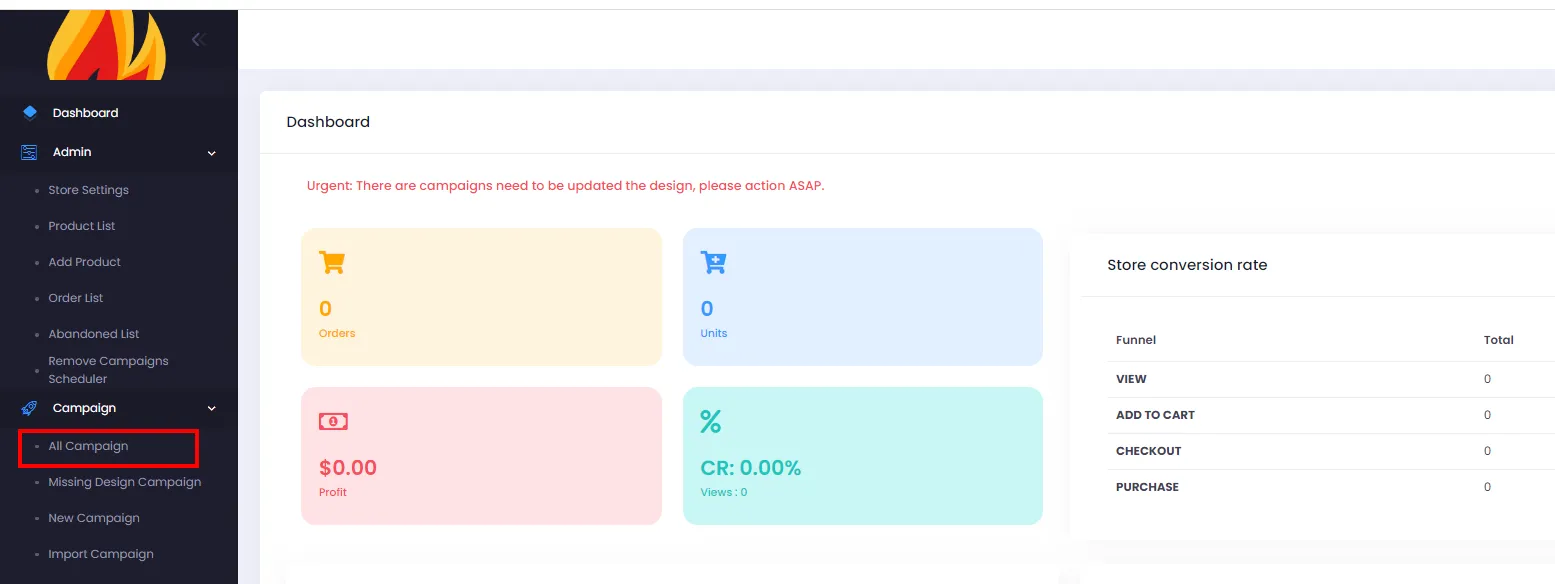
-
On the Campaign List page, click the Edit button for the campaign you want to add related products to.
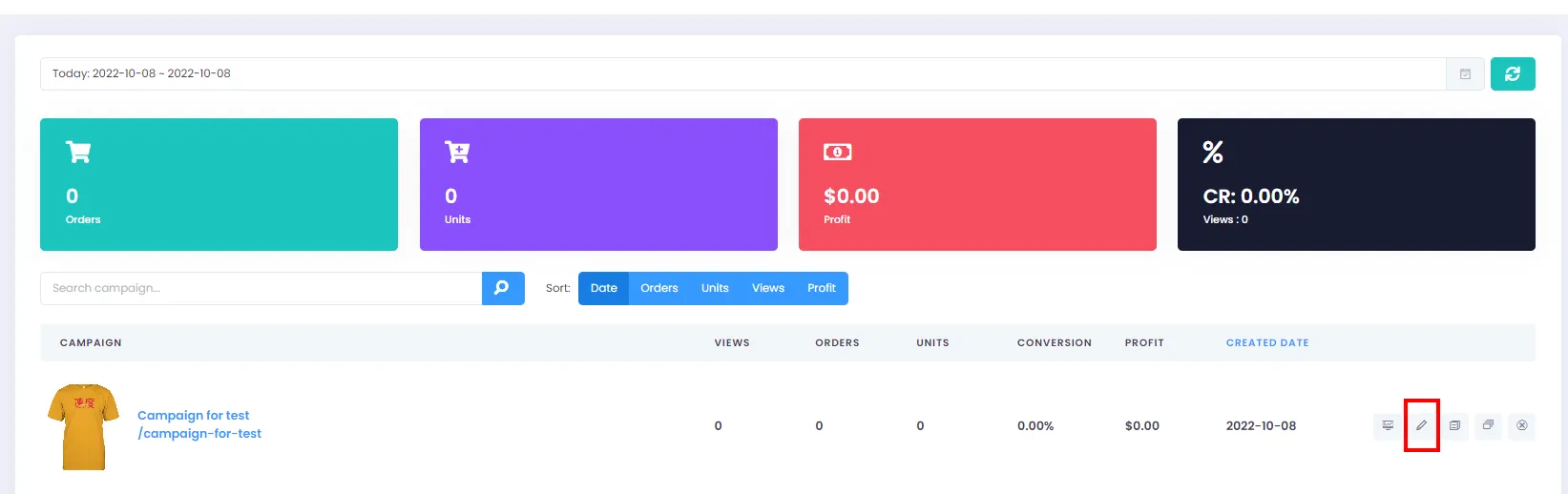
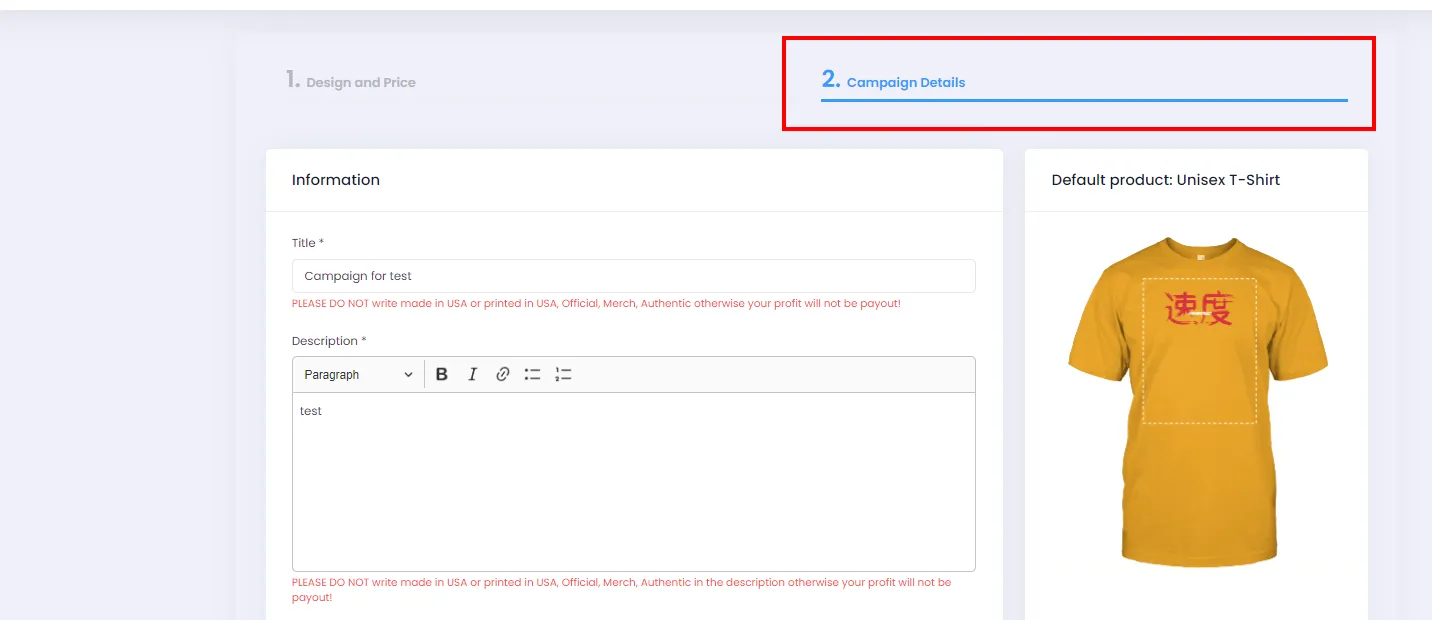
- On the Edit Campaign screen, click Campaign Detail.
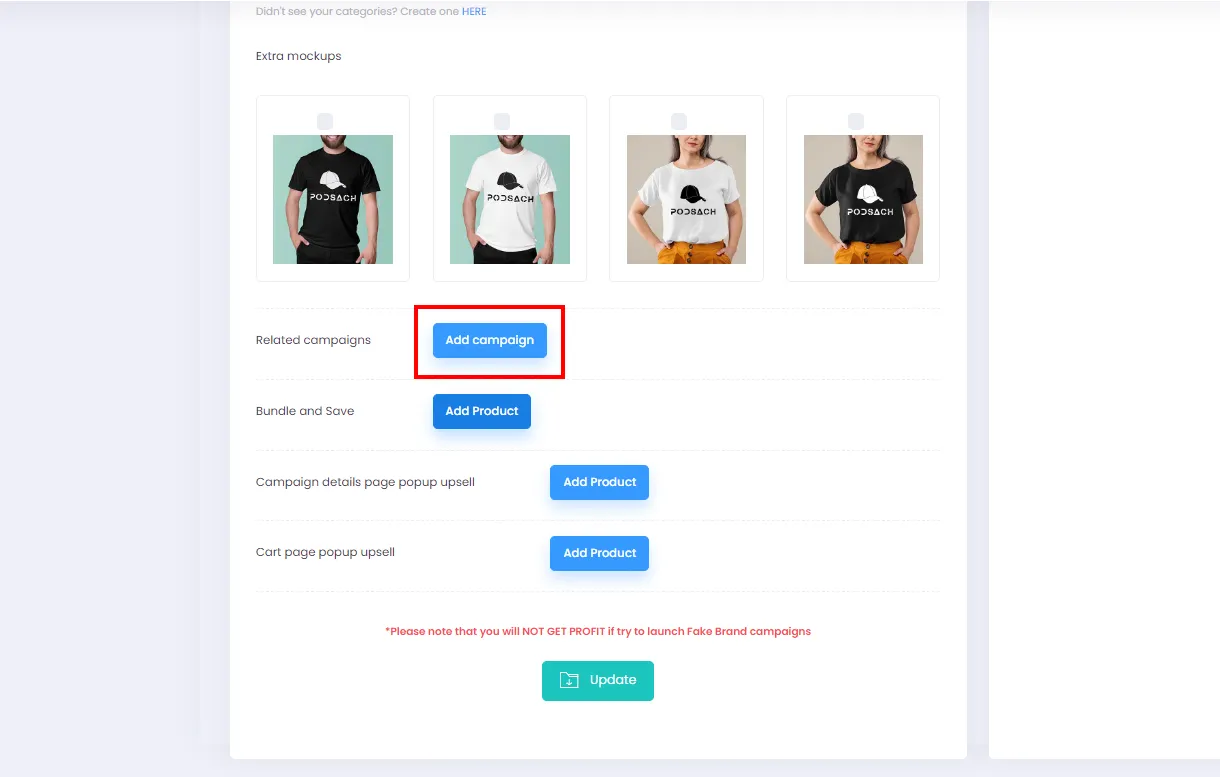
- Scroll down and click Add Product under Related campaigns to open the dialog.
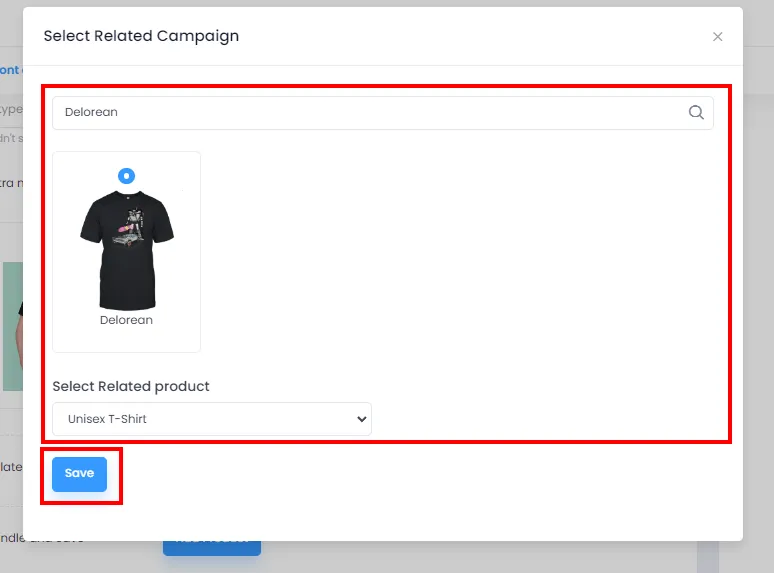
- Enter a keyword to search for the campaign you want to set as a related product, select the product in the dialog. Then click Save to close the dialog.
- After closing the dialog, the related product will appear as shown below. You can add more related products by clicking Add Product again and repeating step 5.
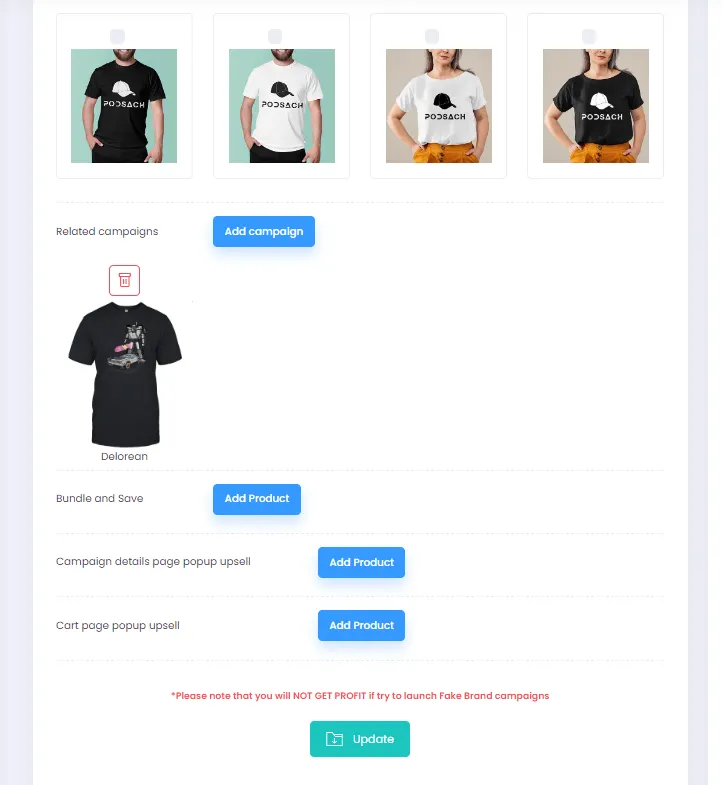
To remove a related product, click the Delete icon.
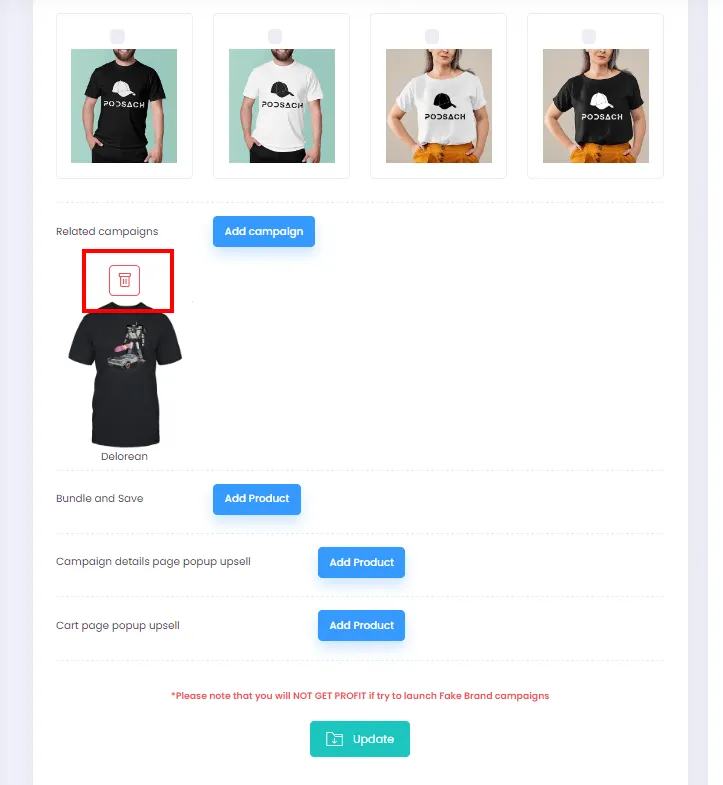
- Finally, click Update to save your changes and activate the related products.