Setting Up GA4 Tracking with Google Tag Manager (GTM)
1. Create a GA4 Property and Get Your Measurement ID
Section titled “1. Create a GA4 Property and Get Your Measurement ID”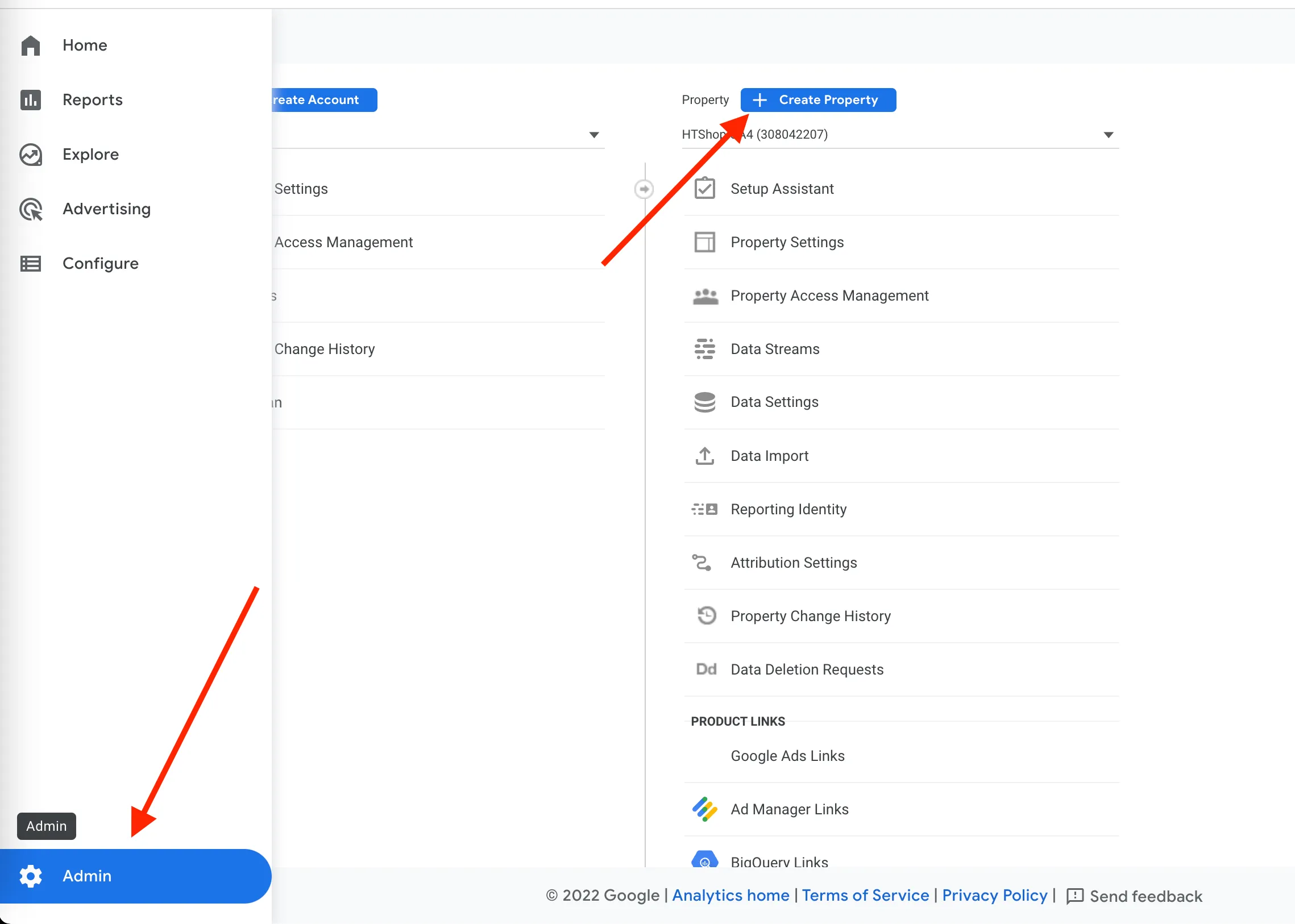
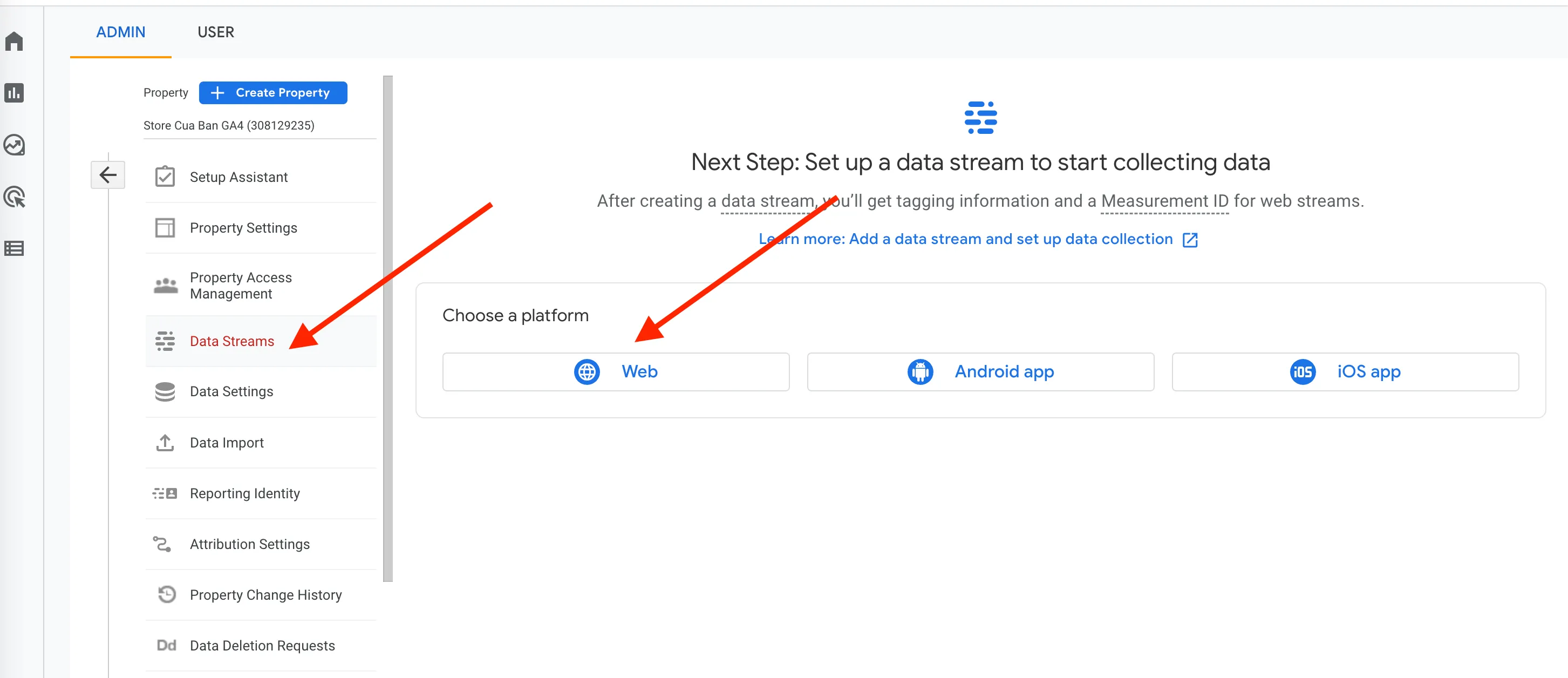
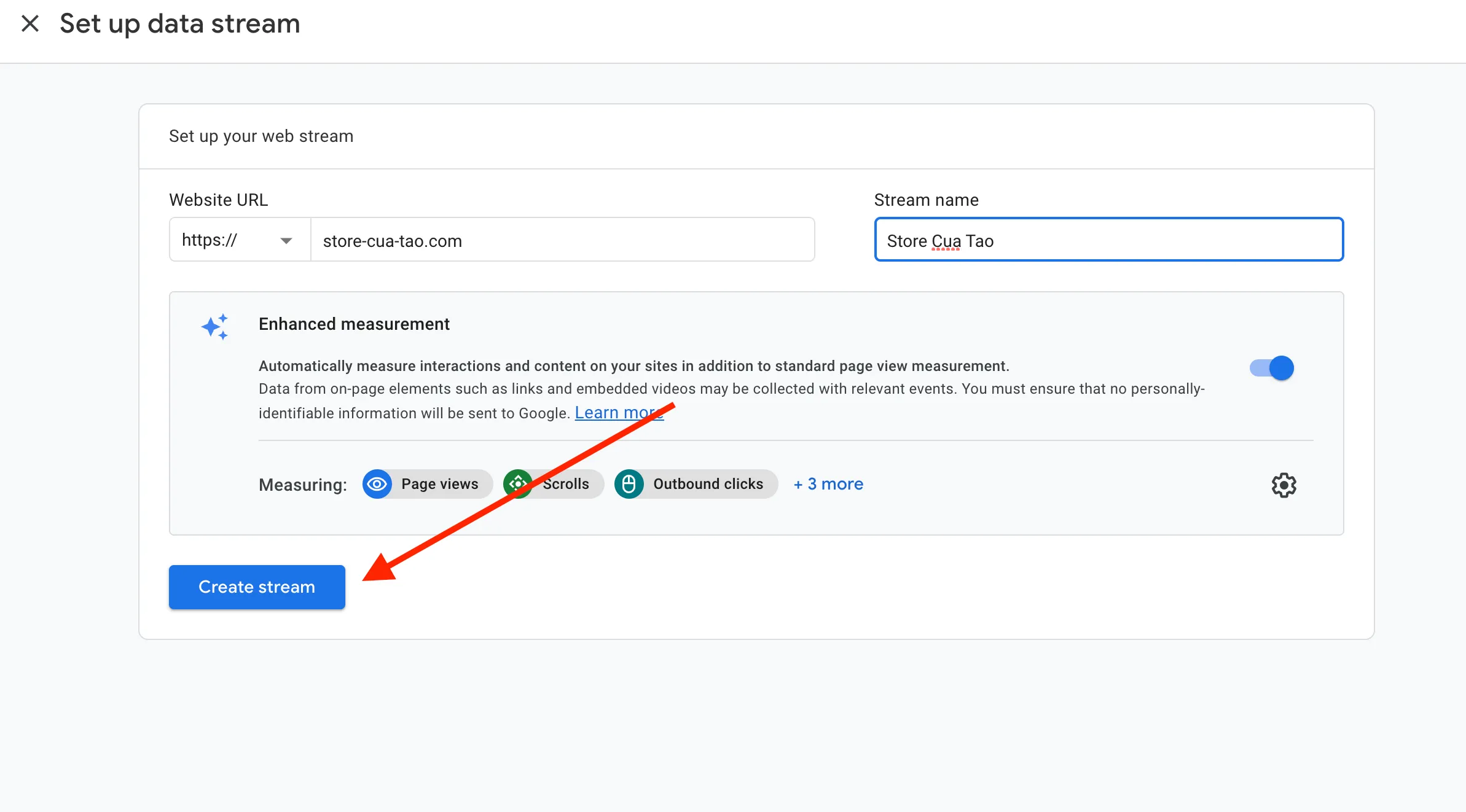
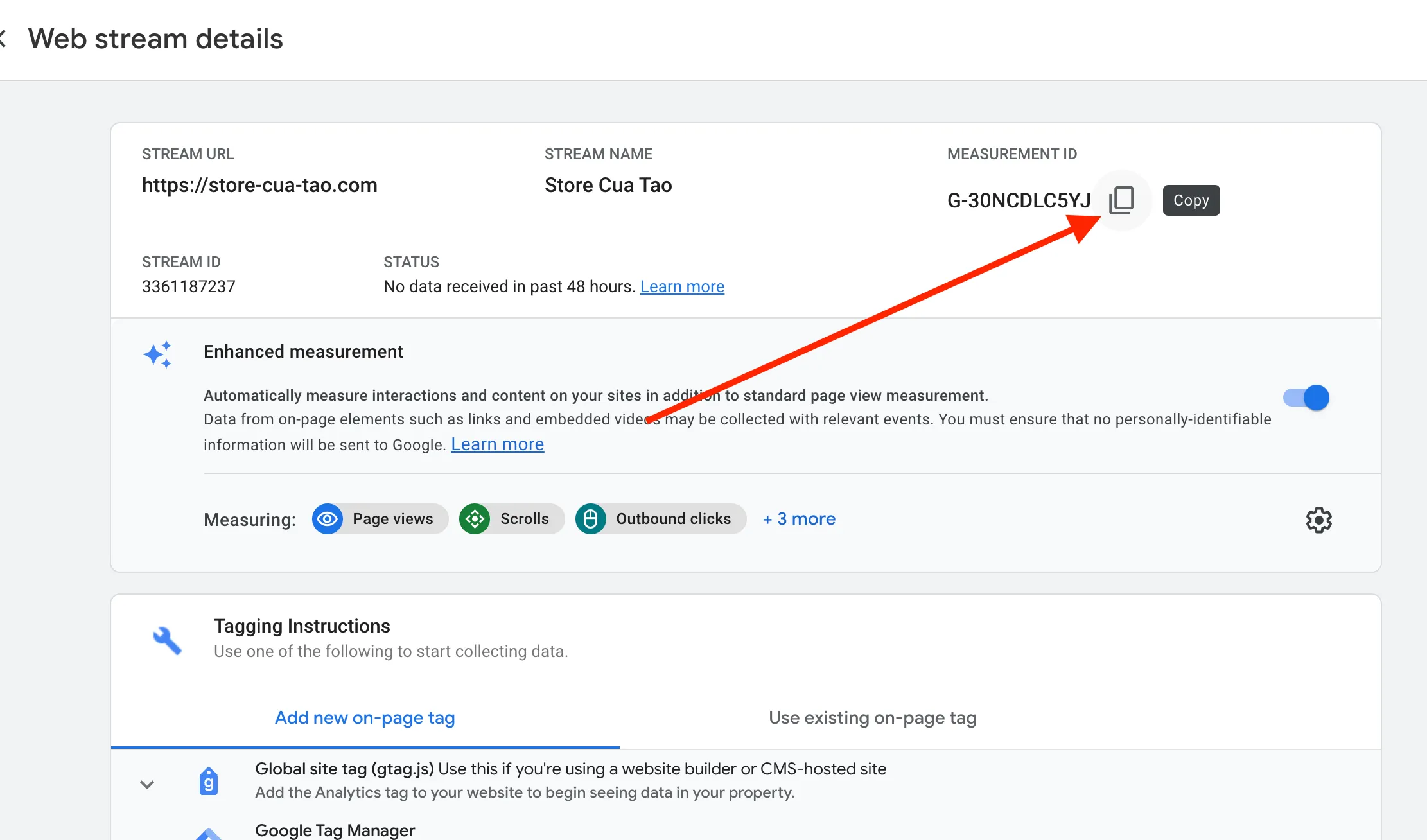
Copy and save the Measurement ID as shown above.
2. Create Google Analytics GA4 and GA4 Purchase Event in GTM
Section titled “2. Create Google Analytics GA4 and GA4 Purchase Event in GTM”Create Google Analytics GA4
Section titled “Create Google Analytics GA4”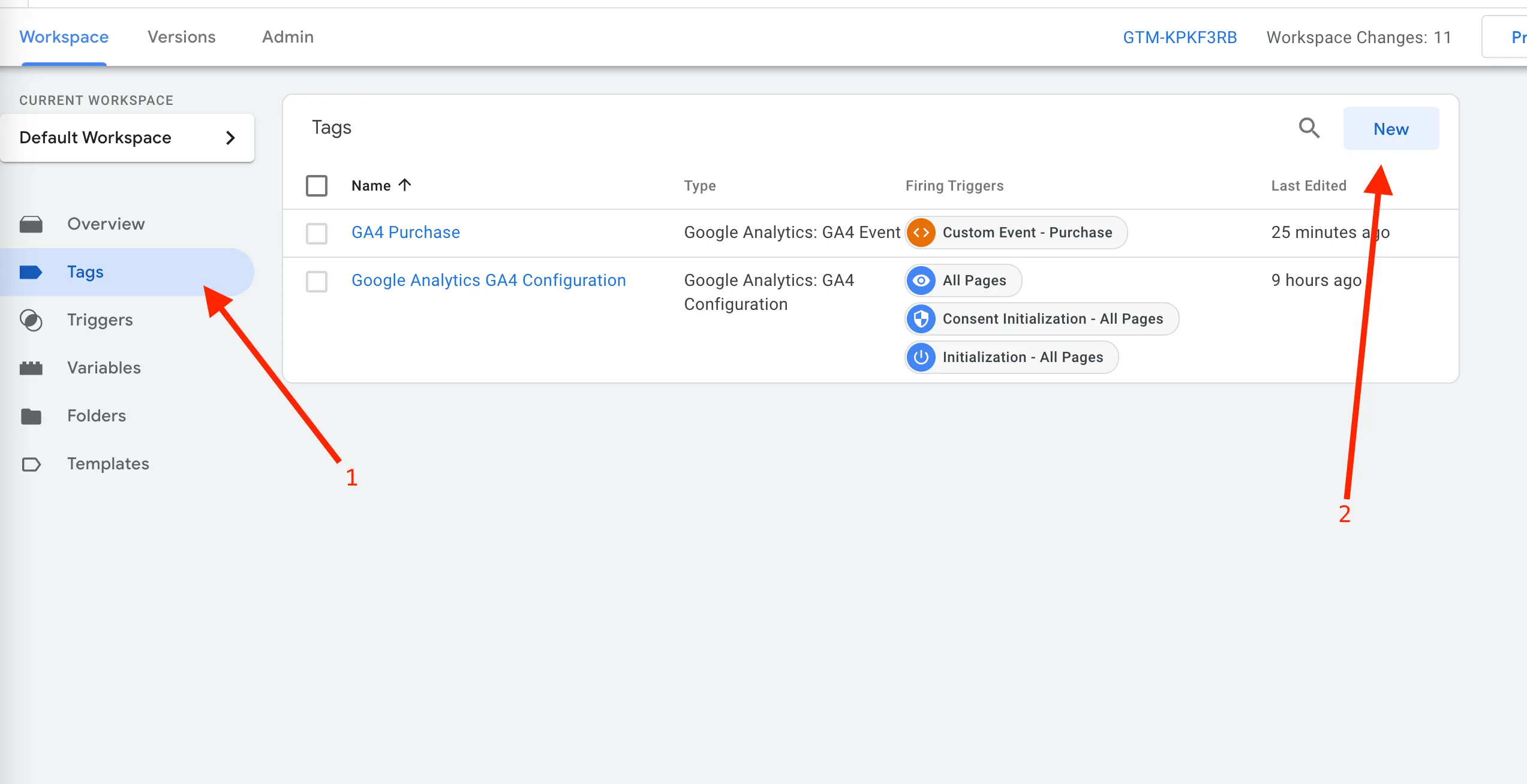
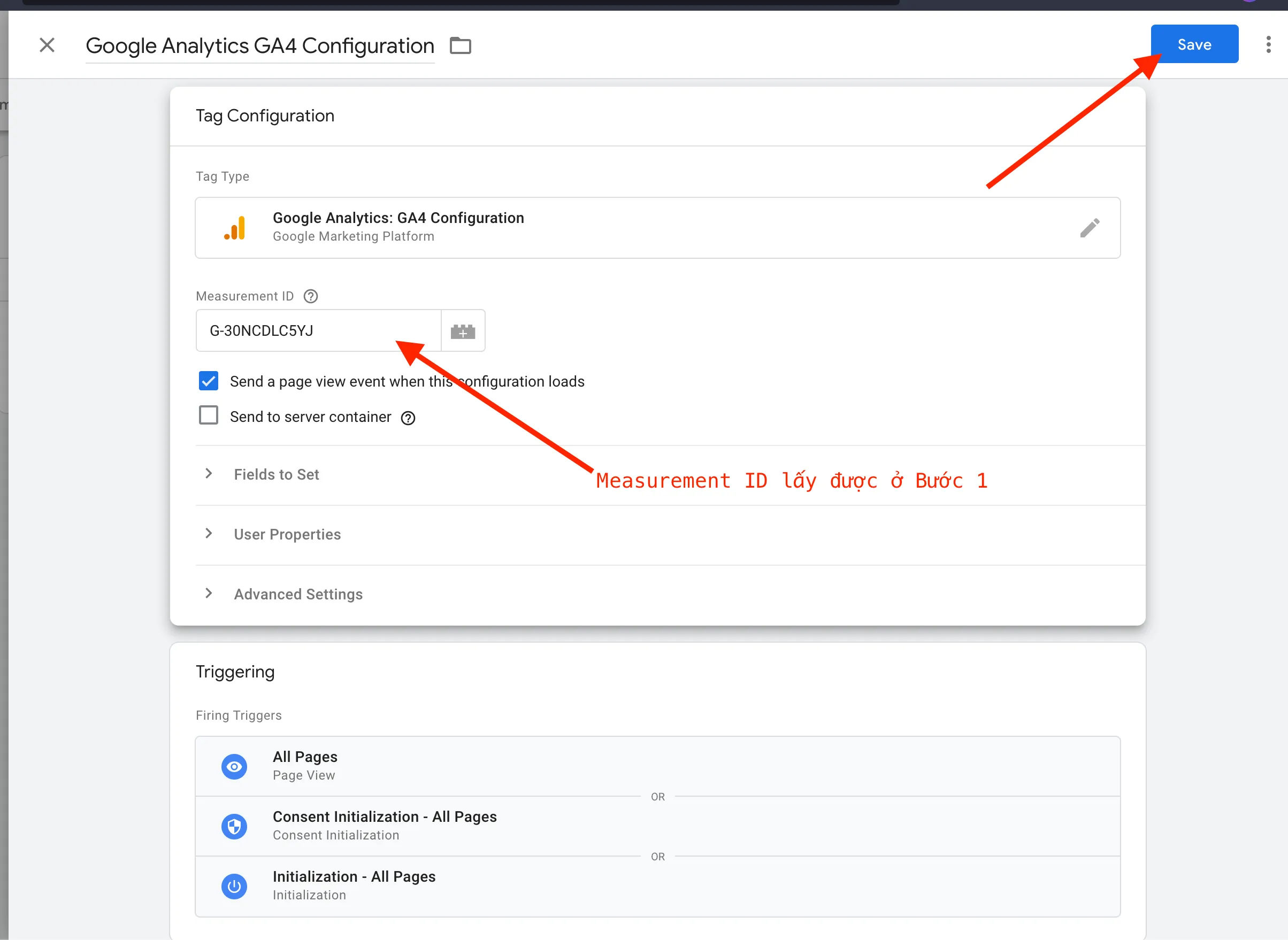
Create GA4 Purchase Event
Section titled “Create GA4 Purchase Event”1. Create a Template for Items
Section titled “1. Create a Template for Items”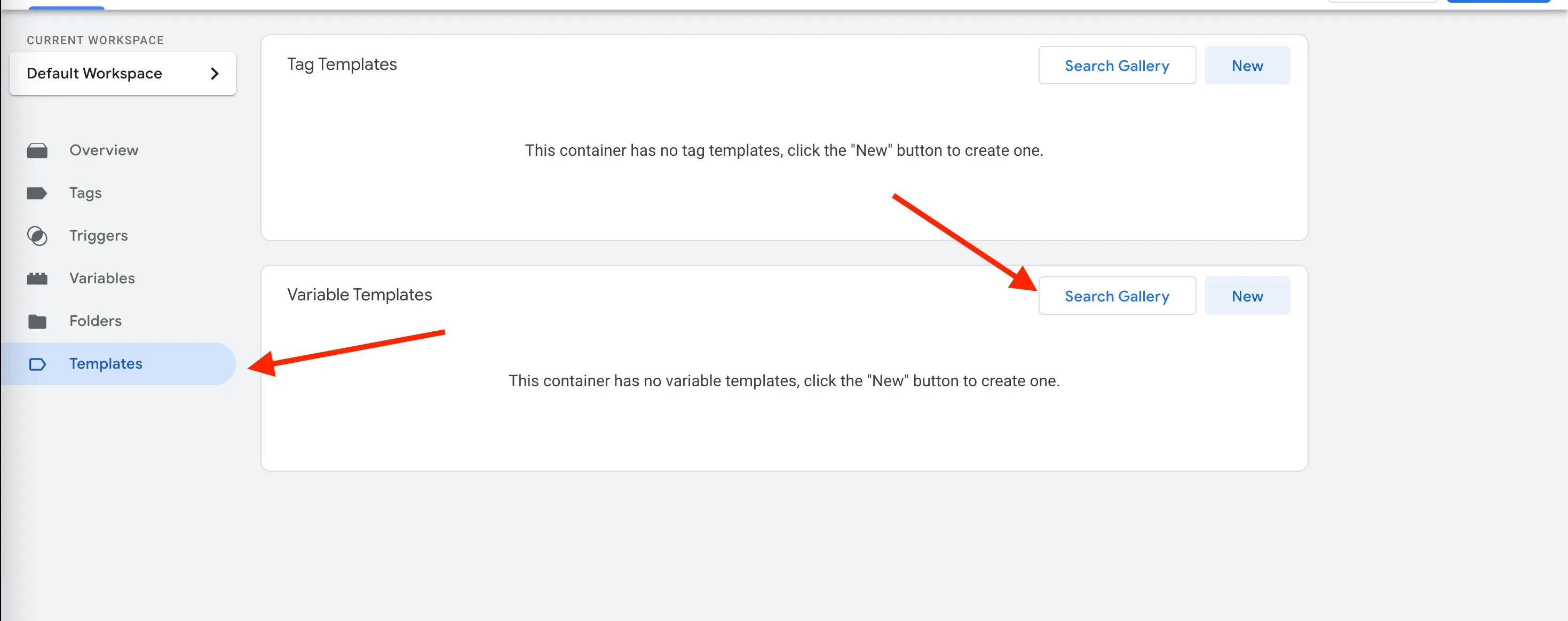
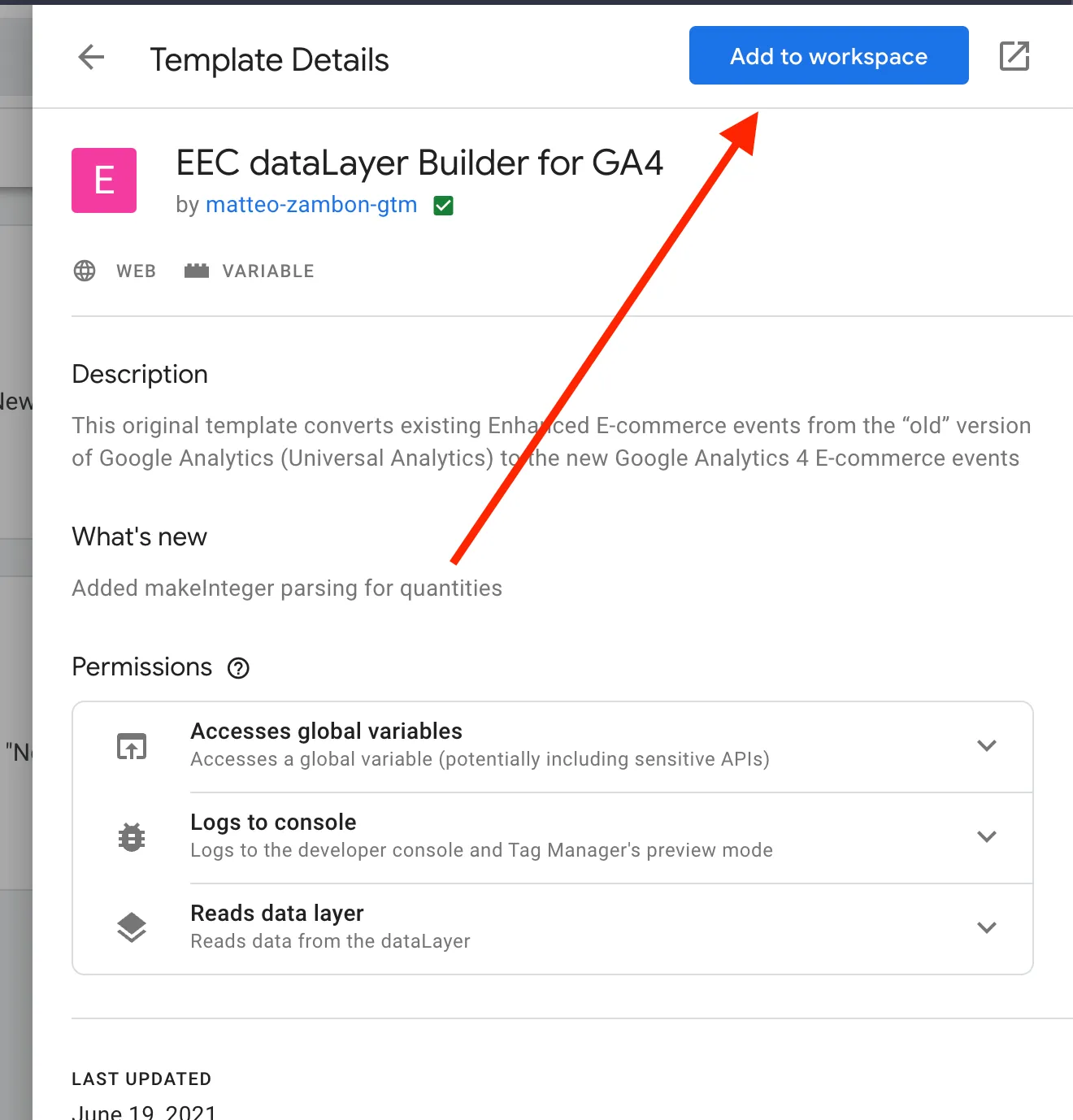
2. Create Variables
Section titled “2. Create Variables”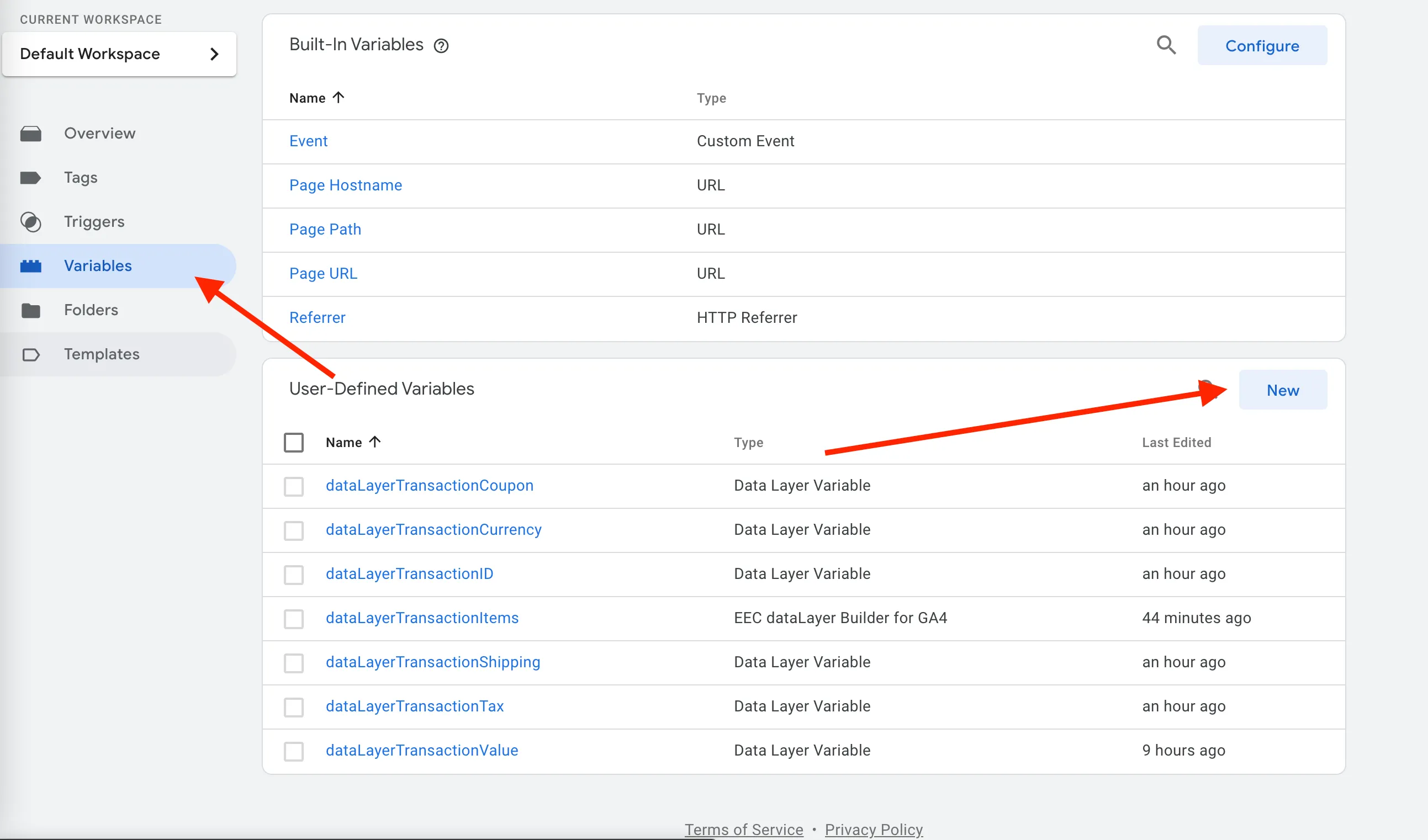
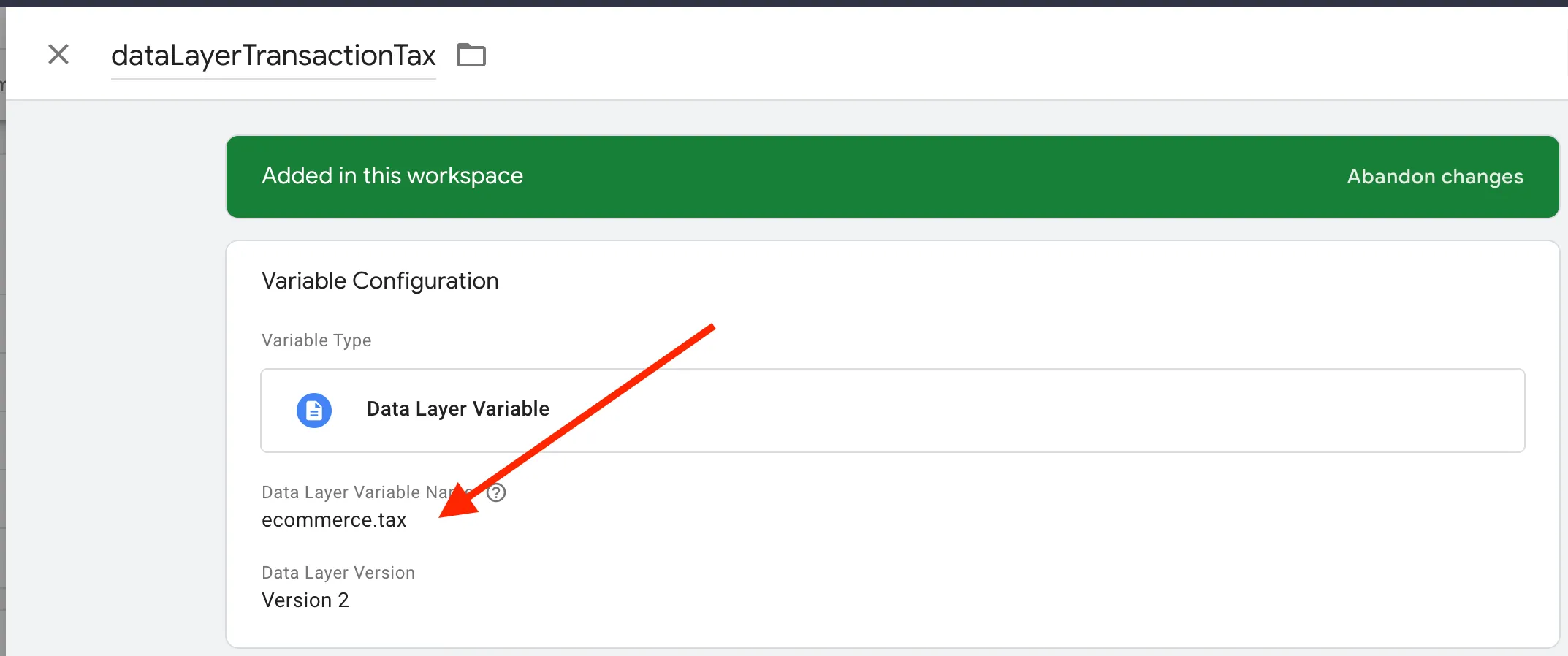
Create the variable for dataLayerTransactionValue
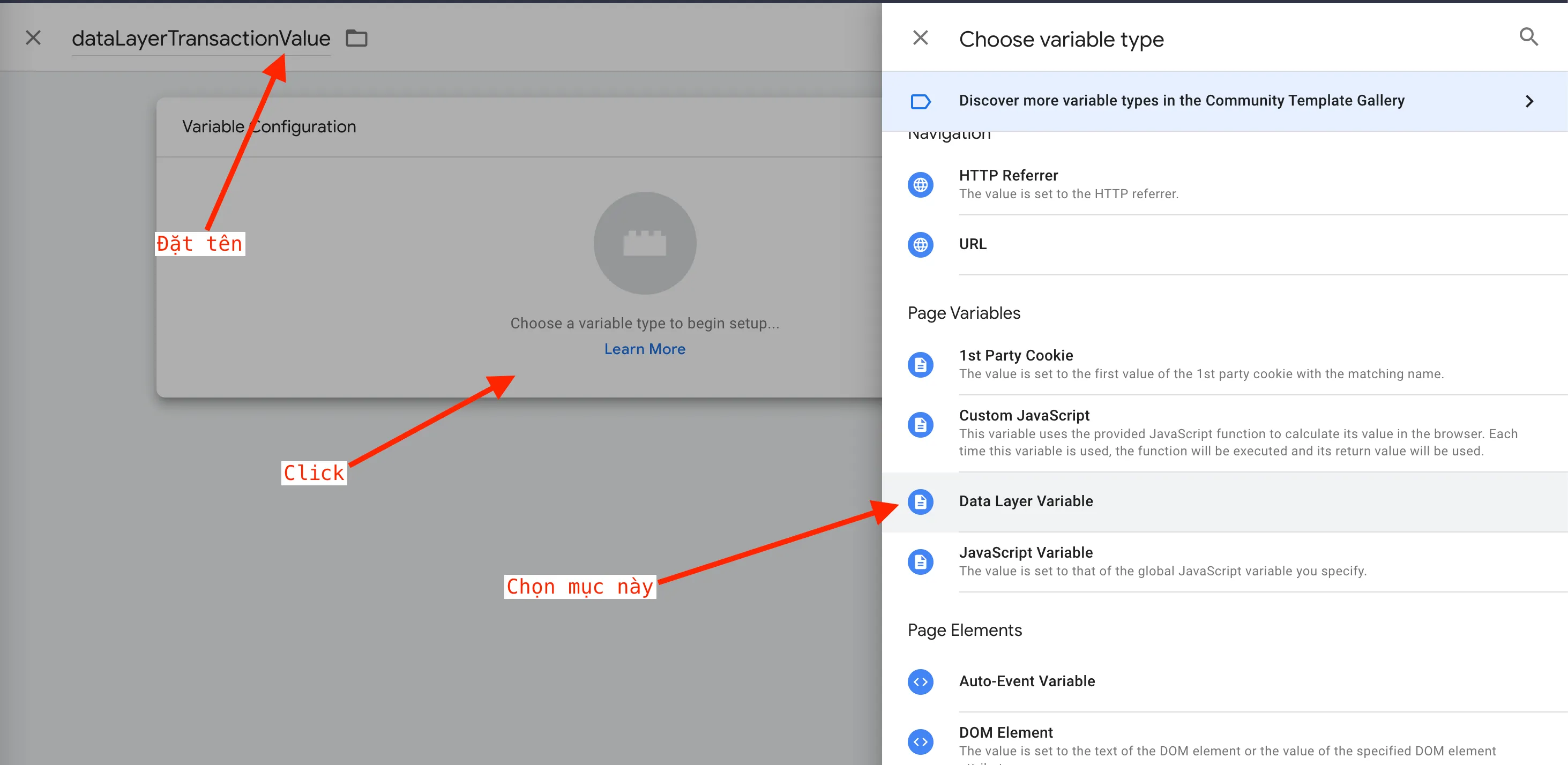
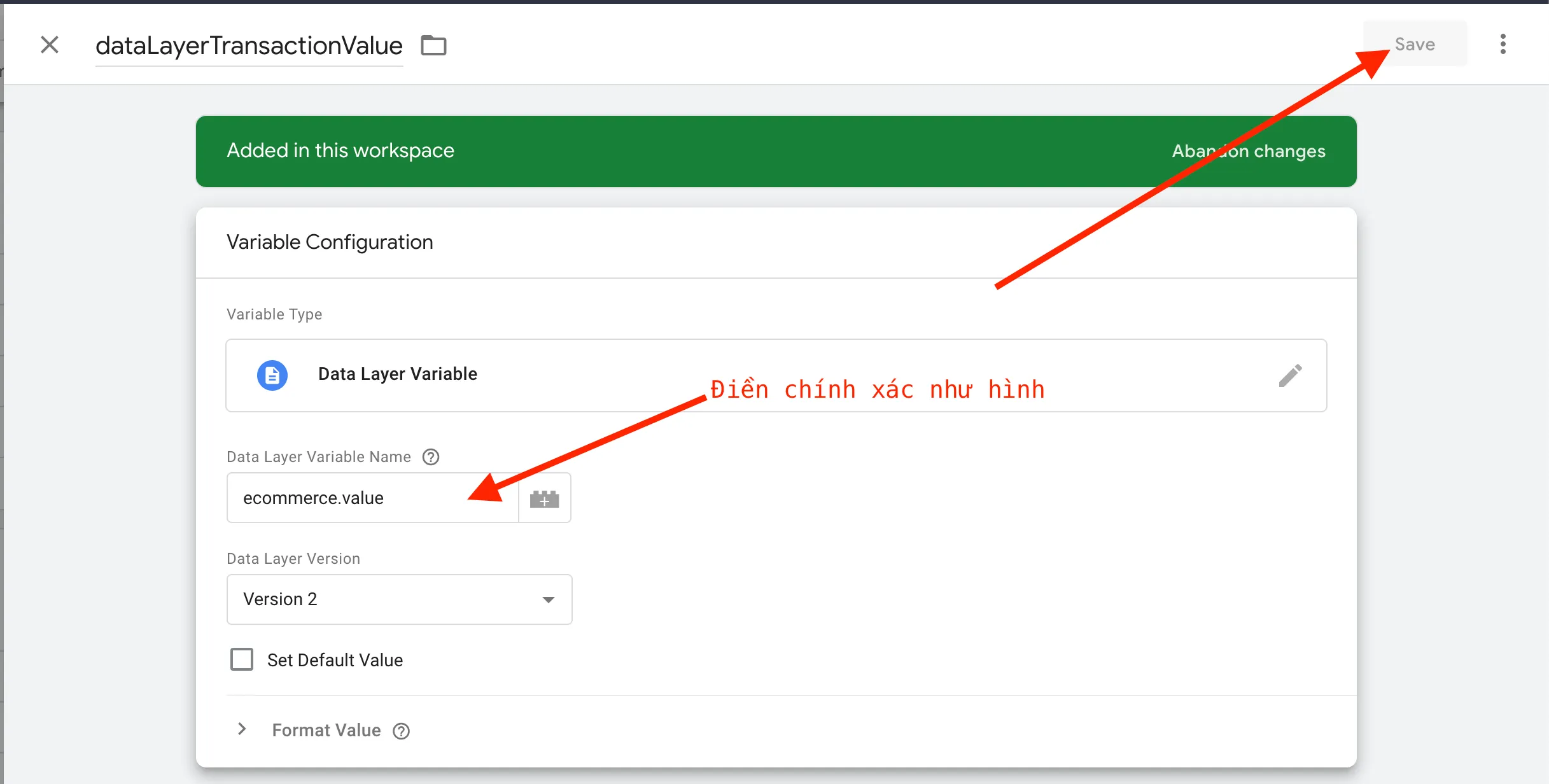
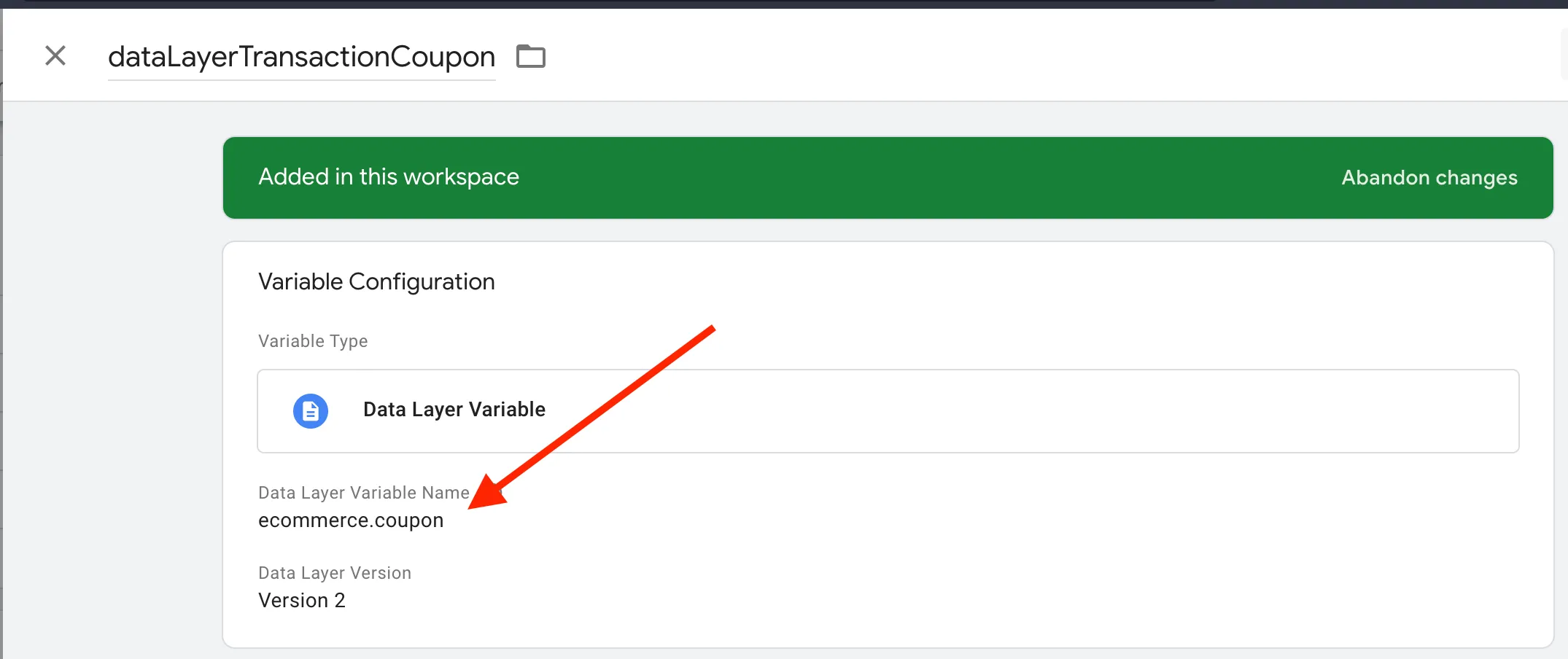
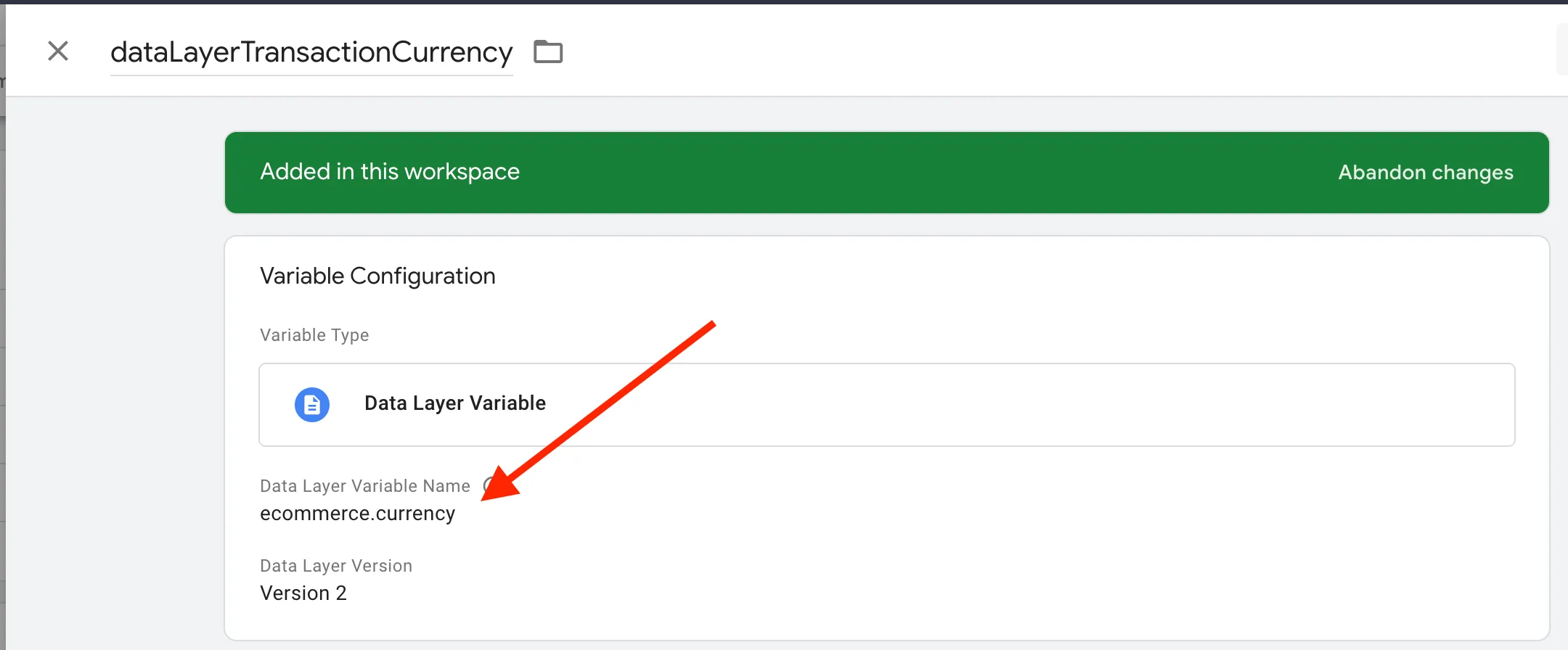
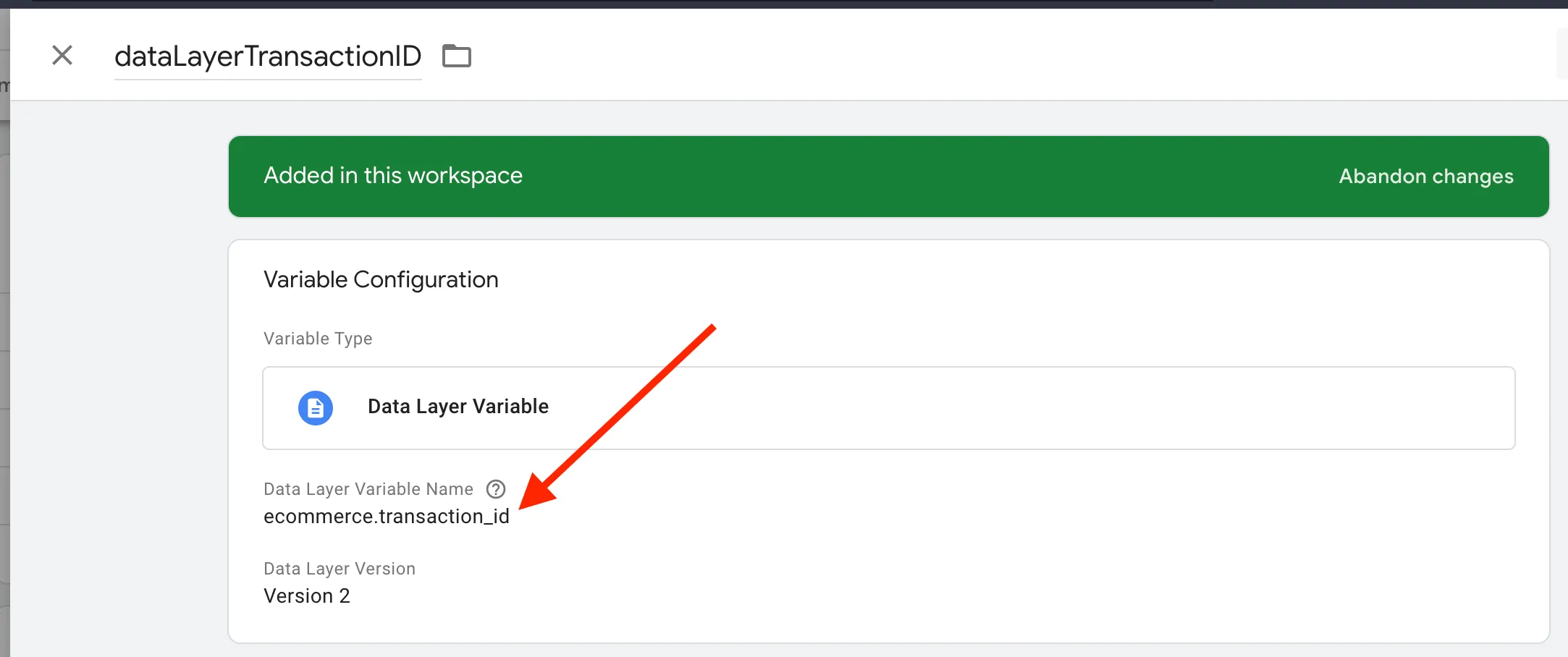
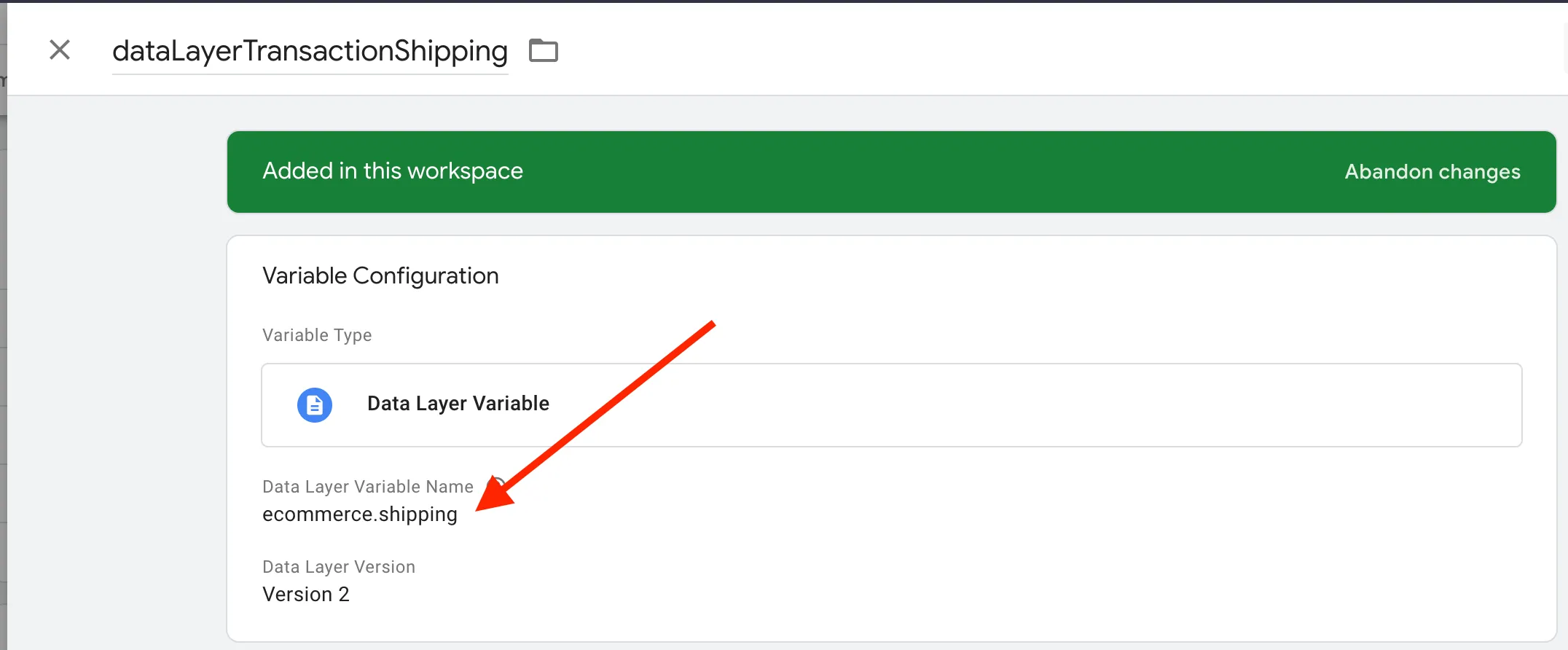
Do the same for the remaining variables:
dataLayerTransactionCoupon
dataLayerTransactionCurrency
dataLayerTransactionID
dataLayerTransactionShipping
dataLayerTransactionTax
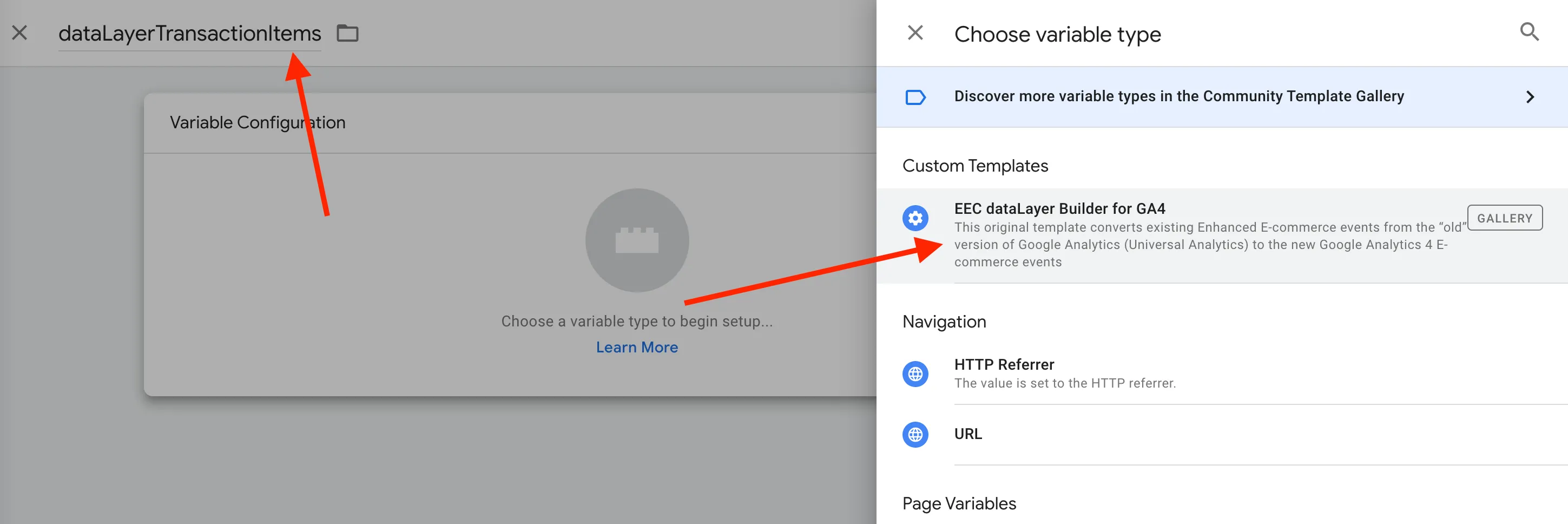
Create the variable for dataLayerTransactionItems as shown:
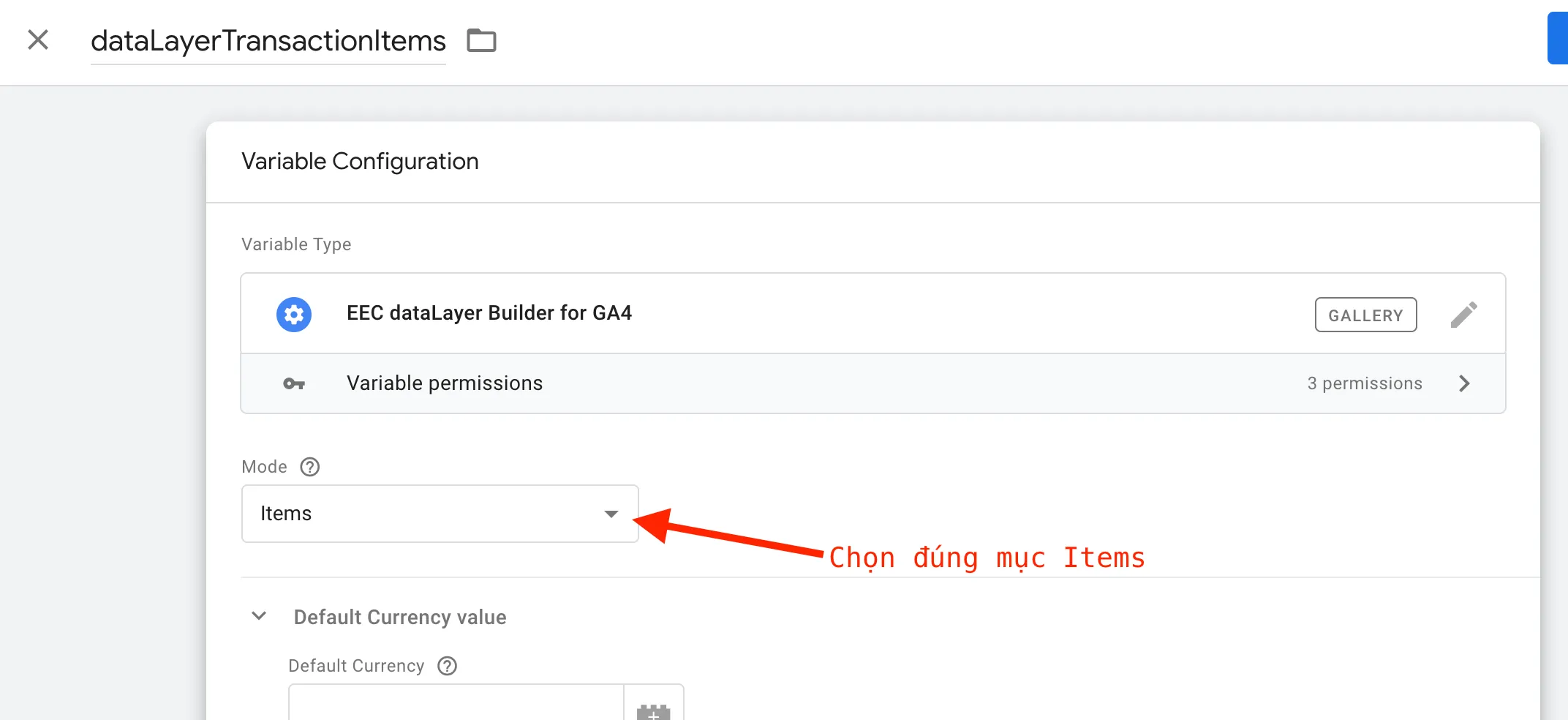
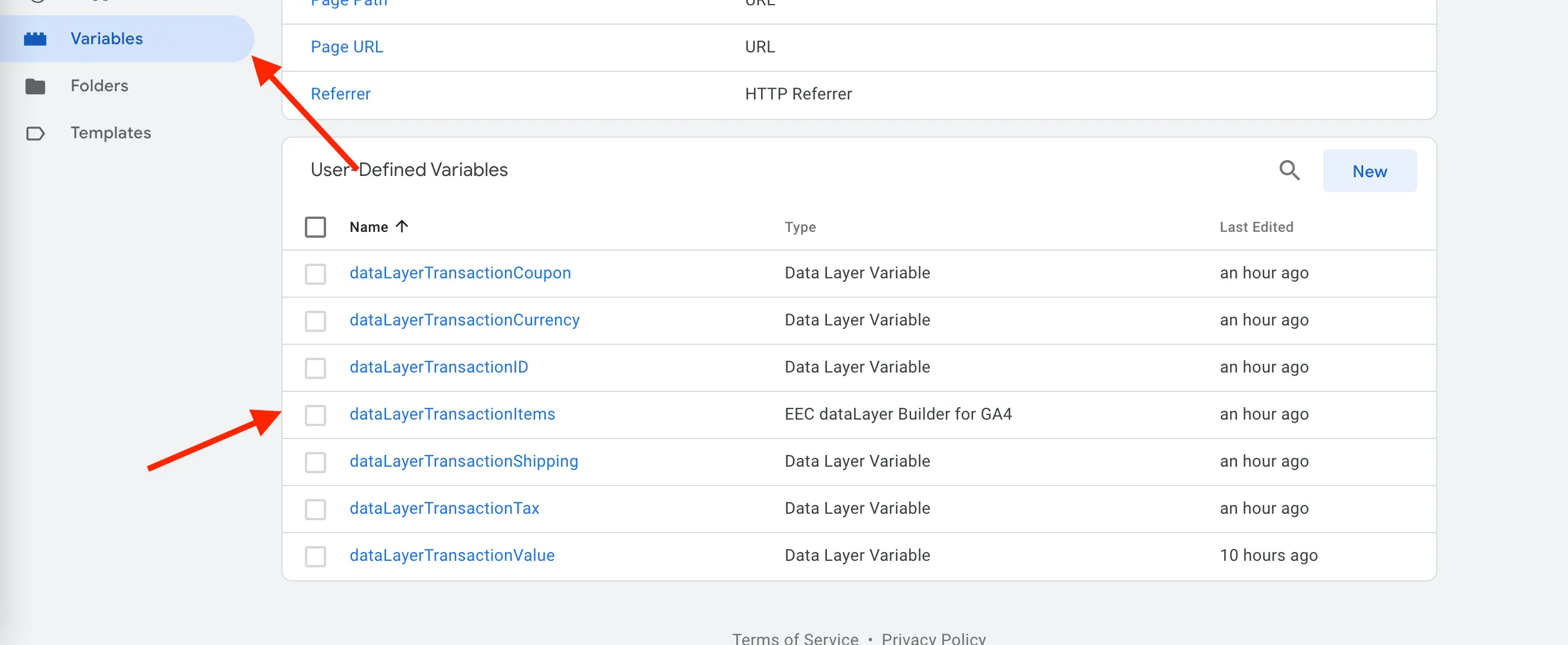
Verify the result as shown below:
3. Create the GA4 Purchase Event Tag
Section titled “3. Create the GA4 Purchase Event Tag”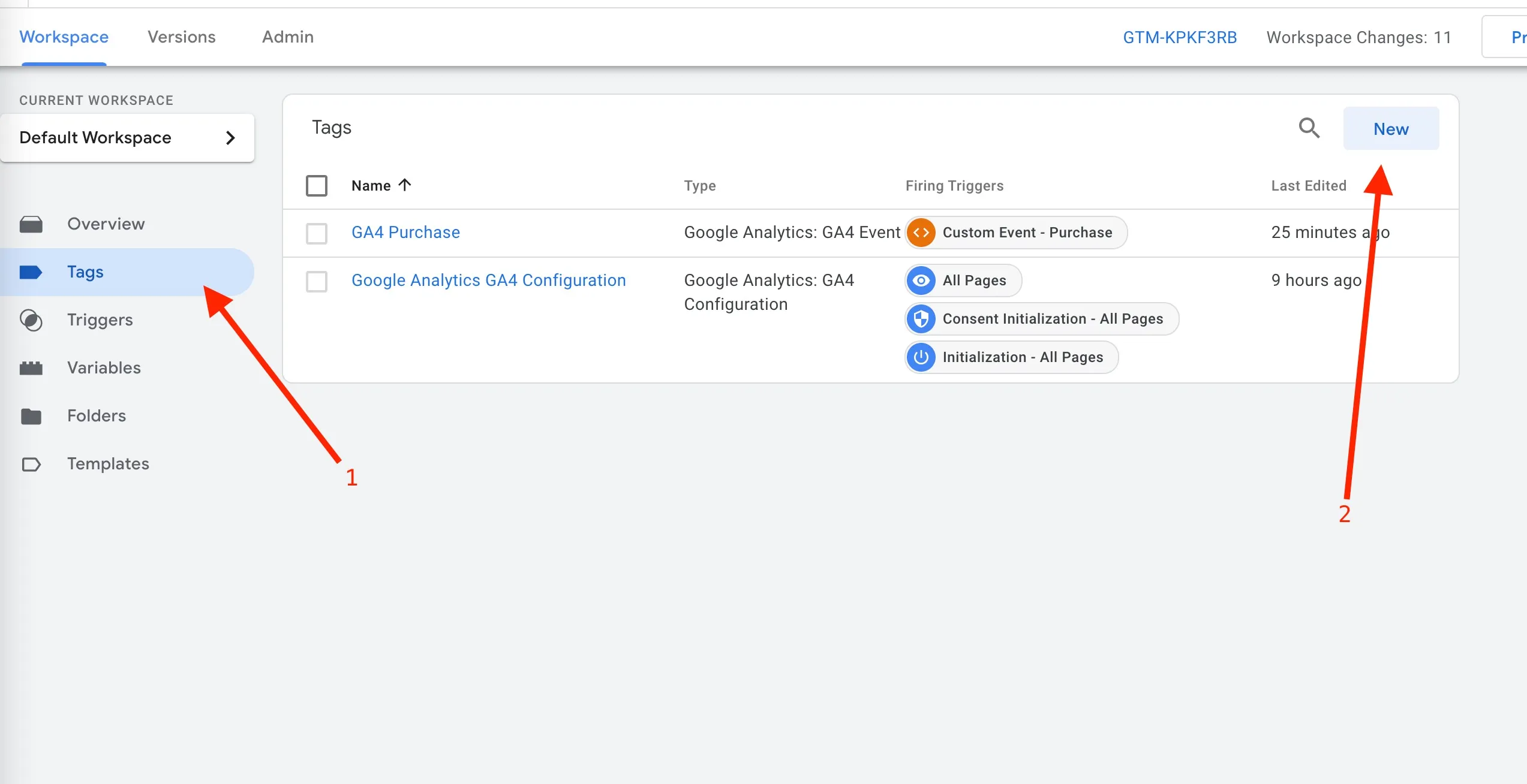
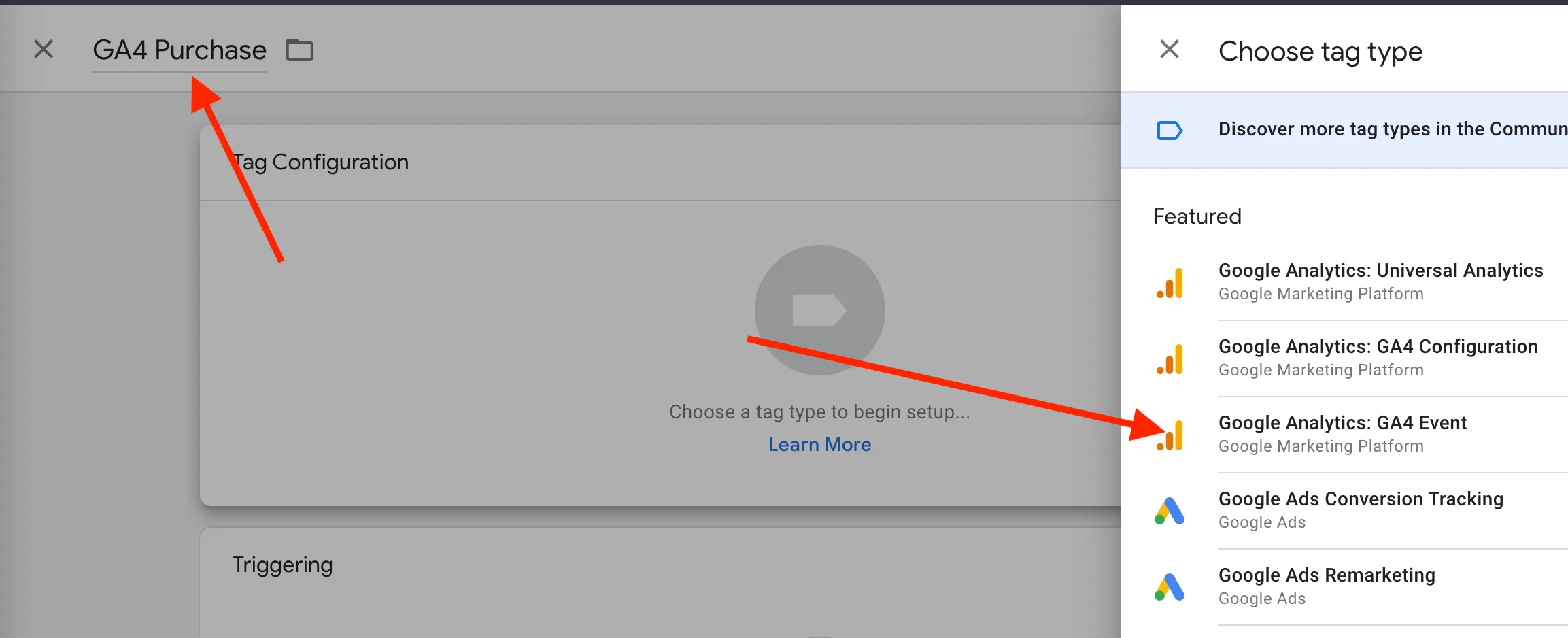
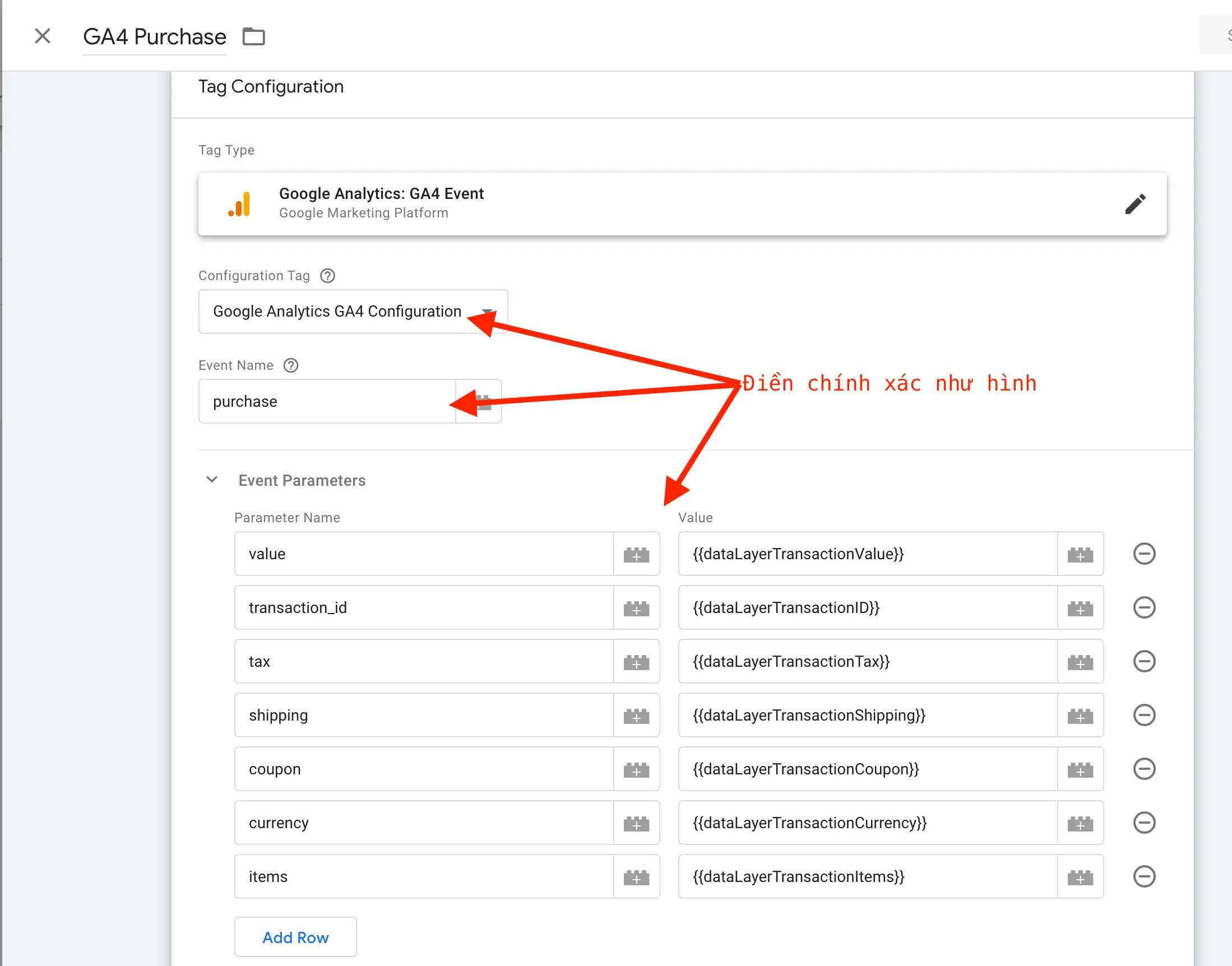
Configure exactly as shown below, then click Save.
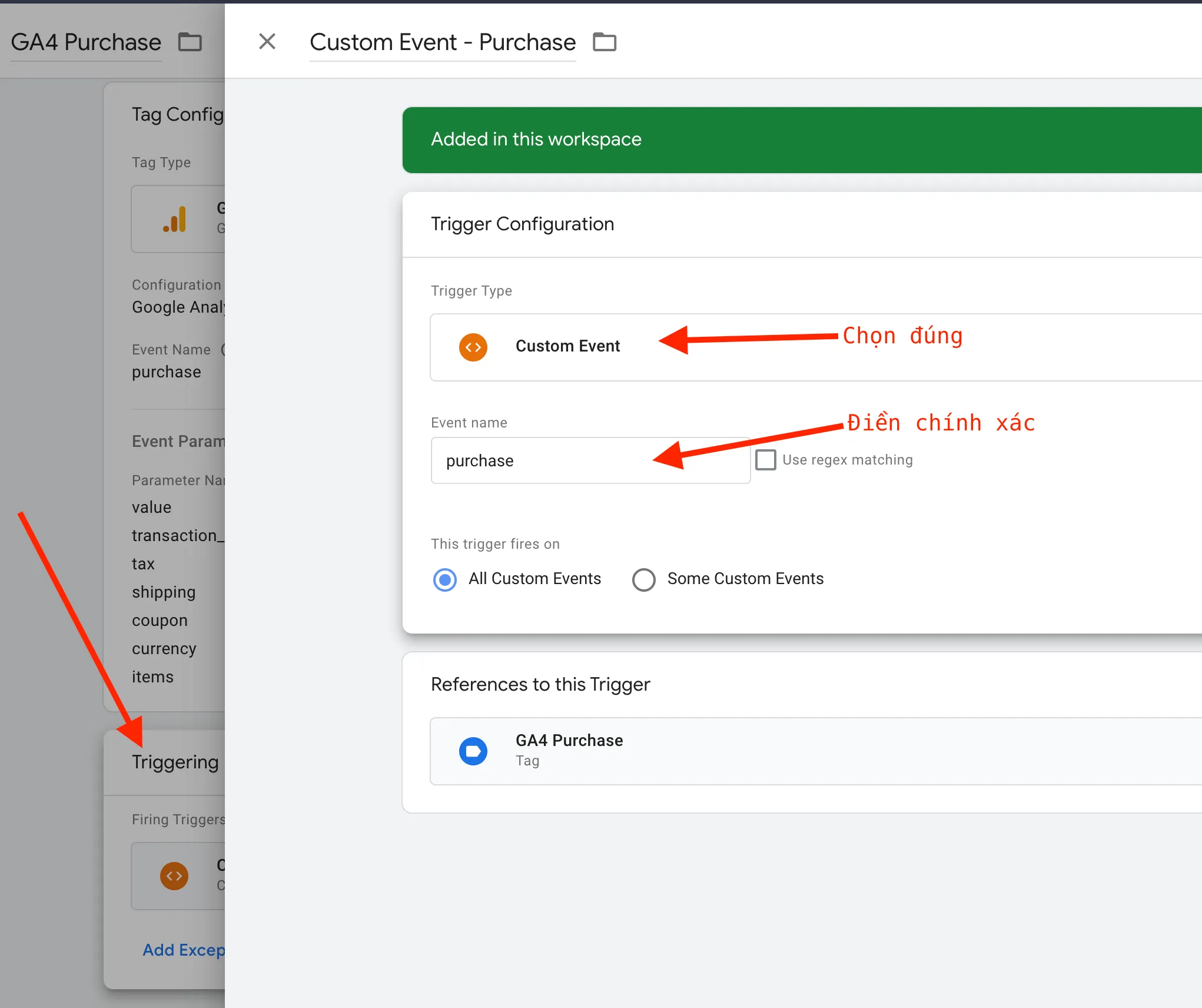
Set up a Trigger for the tag.
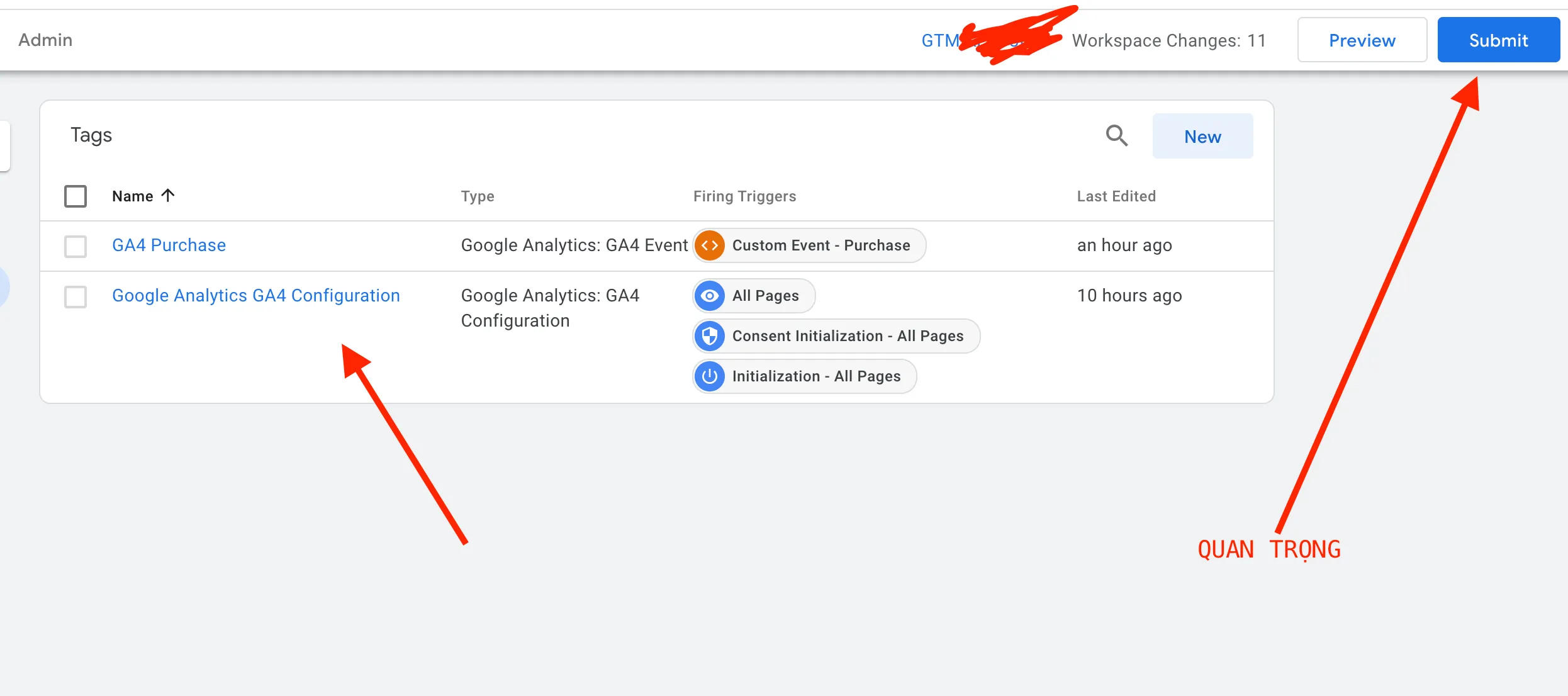
Do a final check, then click Submit.