
Payout With VND
To bring greater convenience and flexibility to the payout process for sellers, PODSach has launched the Payout With VND feature. Alongside traditional payment methods like PO, this new feature offers a payment option in VND. This allows sellers to choose between withdrawing funds to their PO account or their personal bank account flexibly and conveniently.
Below is a quick guide from PODSach for sellers on the Payout With VND feature.
Note: To enable this feature, please contact the PODSach LLC fanpage or your 1-on-1 Telegram group chat.
1. Add a Bank Account to Receive Payouts
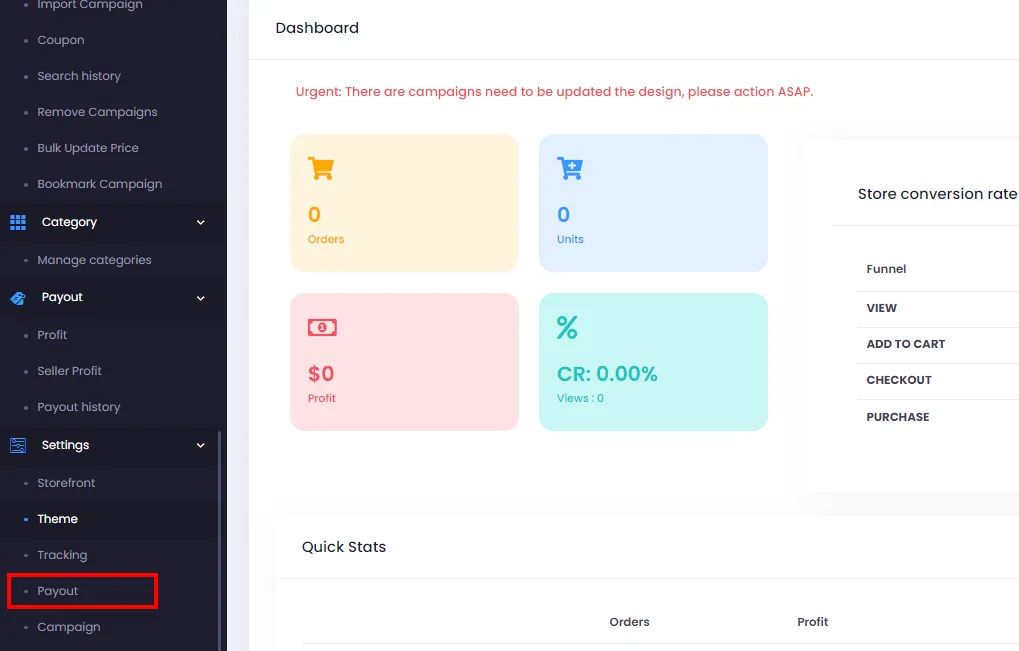
Section titled “1. Add a Bank Account to Receive Payouts”- From your store admin page, go to Profit from Menu > Settings > Payout
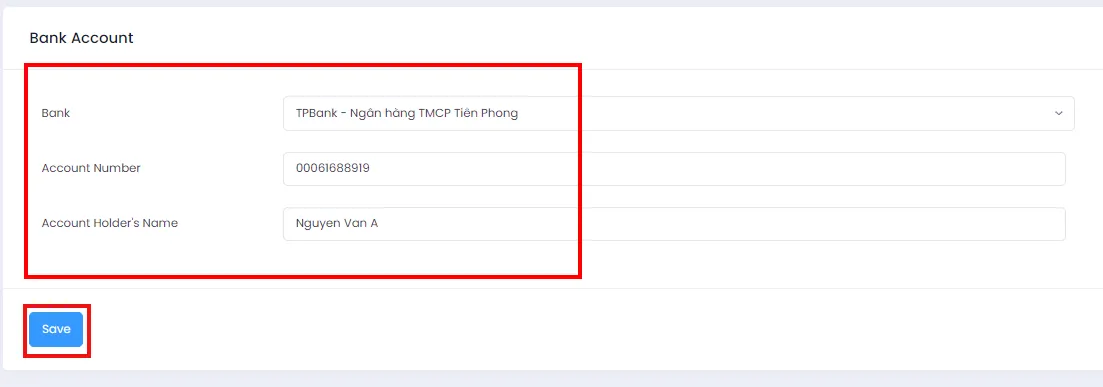
- On the Profit page, scroll to the Bank Account section and fill in the required information: Bank, Account Number, and Account Holder’s Name. Then click Save to save your details. (Note: Please double-check all information carefully before clicking Save and ensure your bank account details are correct.)
2. Make a Payout with VND
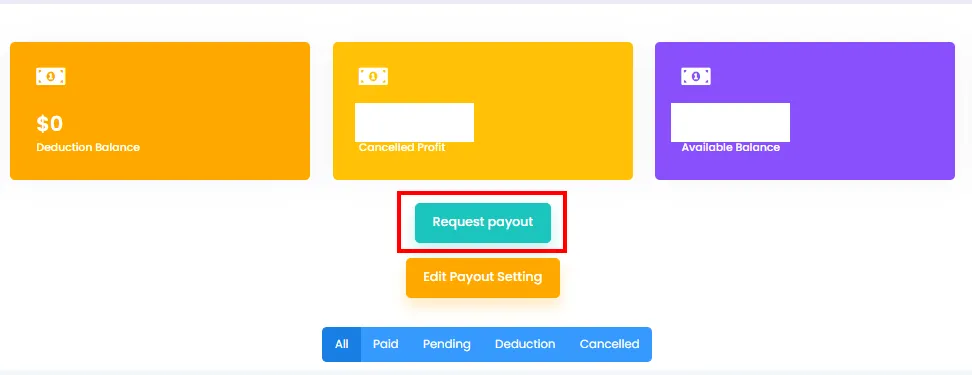
Section titled “2. Make a Payout with VND”- Once you’ve added your Bank Account and have an available balance, go to the Profit page via Menu > Payout > Profit and click Request Payout to initiate a withdrawal.
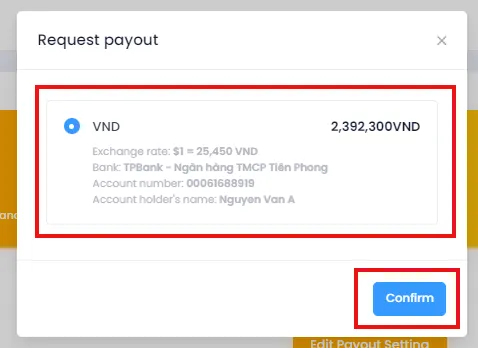
- A dialog will appear, showing your bank account details, the Exchange Rate, and the VND amount. Please review carefully before confirming. If everything looks correct, select VND and click Confirm to complete.
After submitting the withdrawal, PODSach’s accounting team will review and process the transfer. Sellers will receive an email notification once the payout is successful. If you have any questions about using this feature or need assistance with payout-related information, please contact us via the PODSach LLC fanpage. Thank you.